Participant
November 14, 2016
Question

Persistent internal error message even after reinstalling

  • November 14, 2016
  • 2 replies
  • 2115 views

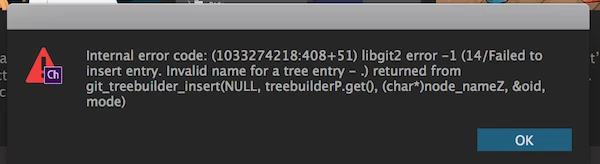
Internal error code: (1033274218:408+516) libgit2 error -1 (14/Failed to insert entry.  Invalid name for a tree entry -.) returned from git_treebuilder_insert(NULL,treebuilderP.get(), (char*)node_nameZ,&oid, mode)

I was going back and forth between Ai and Ch without a problem.  When the error message first showed, I deleted my project and scene.  When that didn't work, I uninstalled Ch and Ae.  But the problem persists.
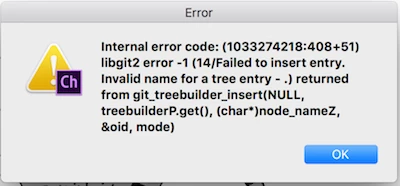
Any advice on how to go forward from this?

PS:  It seems to be specific to a particular Ai file that I'm trying to import (as once freshly opened, the app allows me to download project files from the forum).  Perhaps I broke something in the source Ai file. I feel like my naming and hierarchy is sound.  I started with a pre-made file from Dave Werner (Okay Samurai), made a huge number of changes, but only had a problem at the end.

This topic has been closed for replies.

2 replies

oksamurai
Community Manager
Community Manager
November 16, 2016

Just to follow up on this, Joe helped us find a bug. Bottom line: don't name your layers with four periods in a row until the next release!

El Wombat
Inspiring
November 18, 2016

Thank you for the follow up, but please explain what that means, …

oksamurai schrieb:

don't name your layers with four periods in a row

…, for I can't seem to figure it out clearly - thank you…

oksamurai
Community Manager
Community Manager
November 18, 2016

There was a bug because the character had a layer named: ....

...and that didn't sit too well with CH for whatever reason. Even after Joe changed it he was still running into trouble until he renamed the top level puppet, but I think the periods were at the root of the issue. This is already fixed and will work in the next version.

oksamurai
Community Manager
Community Manager
November 14, 2016

Can you post the puppet here or DM it to me please? File > Export > Puppet on Google Drive / Dropbox / Creative Cloud / etc.