

Question
Please Help! Art work disconnection Error!
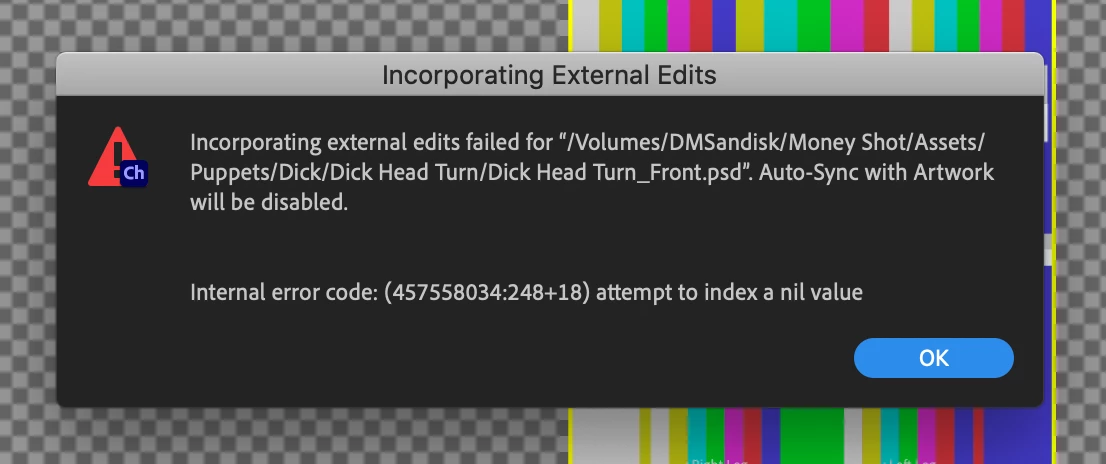
Was editing my puppet and added something on my photoshop file waiting for it to connect and then got this error. I cant connect back to the original, I just keep getting this error. Please Help!

Was editing my puppet and added something on my photoshop file waiting for it to connect and then got this error. I cant connect back to the original, I just keep getting this error. Please Help!
Already have an account? Login
Enter your E-mail address. We'll send you an e-mail with instructions to reset your password.
 AdChoices