


Inspiring
September 15, 2022
Answered

Previous recordings are not played during recording

  • September 15, 2022
  • 3 replies
  • 812 views

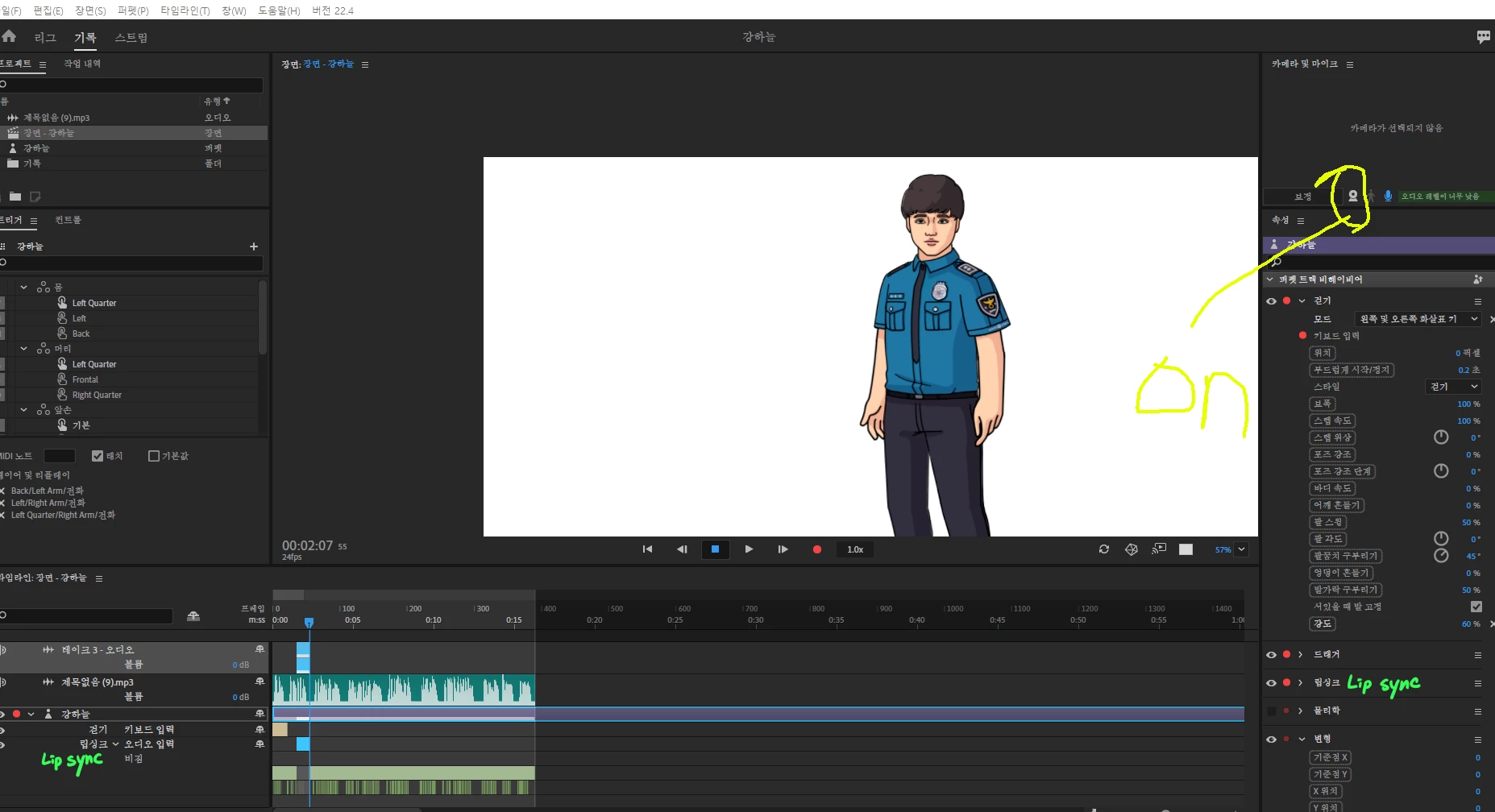
all previously recorded records were played nomally... but suddenly, the mouth doesn't move(to my co-worker) or the character stays still(to me) during the recording.


if we just click play, all records play normally. it only occurs during recording.

what should we do? T-T please help


What we tried before to fix this problem.

1. Update graphics driver (with win10)

2. Initialize Preferences (went to AppData\Roaming\Adobe\Character Animator and added .old to folder)

3. Tried without a microphone or camera

4. Tried with provided character(Chloe, and we got same problem)

5. Reinstall the program (we are using 22.4 verson bcz of drag bug)

5. Tried with previous version (22.3 and 22.0)


it's hard to matching audio and behavior... how can we fix this..? what did we do wrong..?

we will be happy if you propose a new method

(and I apologize if there is any awkward English, I am not that good at English, and I am not using the English version of this program right now.)
This topic has been closed for replies.
Correct answer musuron

If you move your puppet's body or mouth while recording it, it will follow those movements.
If your puppet does not move, there may be a problem with your puppet's rig.

(The Camera not turned on.)

Try with the default puppet.

Share your puppet on GoogleDrive or Dropbox if possible.


oh thank you all for help! my cowoker said this problem solved when he change his web cam.. 😛

maybe it was web cam problem ahaha... xD

3 replies

Participant
December 20, 2023

Unable yo record 

TheOriginalGC
Community Expert
Community Expert
December 20, 2023

You might get more help if you start a new thread. As it is, I am uncertain if your problems are similar to this other user and if so, if you have tried all of the steps in this thread. If not, we really need more information.

k_oshiro
Community Expert
Community Expert
September 22, 2022

I am not good at English either.


Perhaps it is a specification.
When you try to record, mouth movements and body movements are overwritten.
So unless you speak or move your body, it will be still.

When a new recording is made, a new take bar is created in the timeline.
By adjusting it, you can mix the old data and behavior.

Thanks.

k_oshiro(AdobeCommunityExpert)
musuronAuthor
Inspiring
September 23, 2022

oh wait then is it normal that during recording it' doesn't move? my cowoker said that puppet's behavior applies when recording.
actually i don't use record funtion that much. i usually make puppet and colleague make scene. then if i don't have any matter. is it a computer specification problem that my colleague's mouth doesn't move?
or you mean it's normal that my mouth doesn't move too during recording? but in my case it does.
ahaha and thank you very much for your reply! and sorry for my understanding.. i'm a little confused, so i asked you again.

TheOriginalGC
Community Expert
Community Expert
September 23, 2022

It is possible to disable the behaviors of certain parts such as lip sync in the parameters. Be sure to check to see that everything is on with a red dot.

musuronAuthor
Inspiring
September 21, 2022

(I don't know how to modify the original text haha)
additional video for this problem

my cowoker

https://shared-assets.adobe.com/link/f0ac16bd-0a6b-4211-56c9-4bd3e40e3eee 


me

https://shared-assets.adobe.com/link/9be34cc6-f225-40b3-404a-9636c1ee418c