Answered
[Problem] Attack Head to Neck
Hi,
Probably this is a common problem but i can't find a way to resolve this. What i did wrong?
Thanks for help.
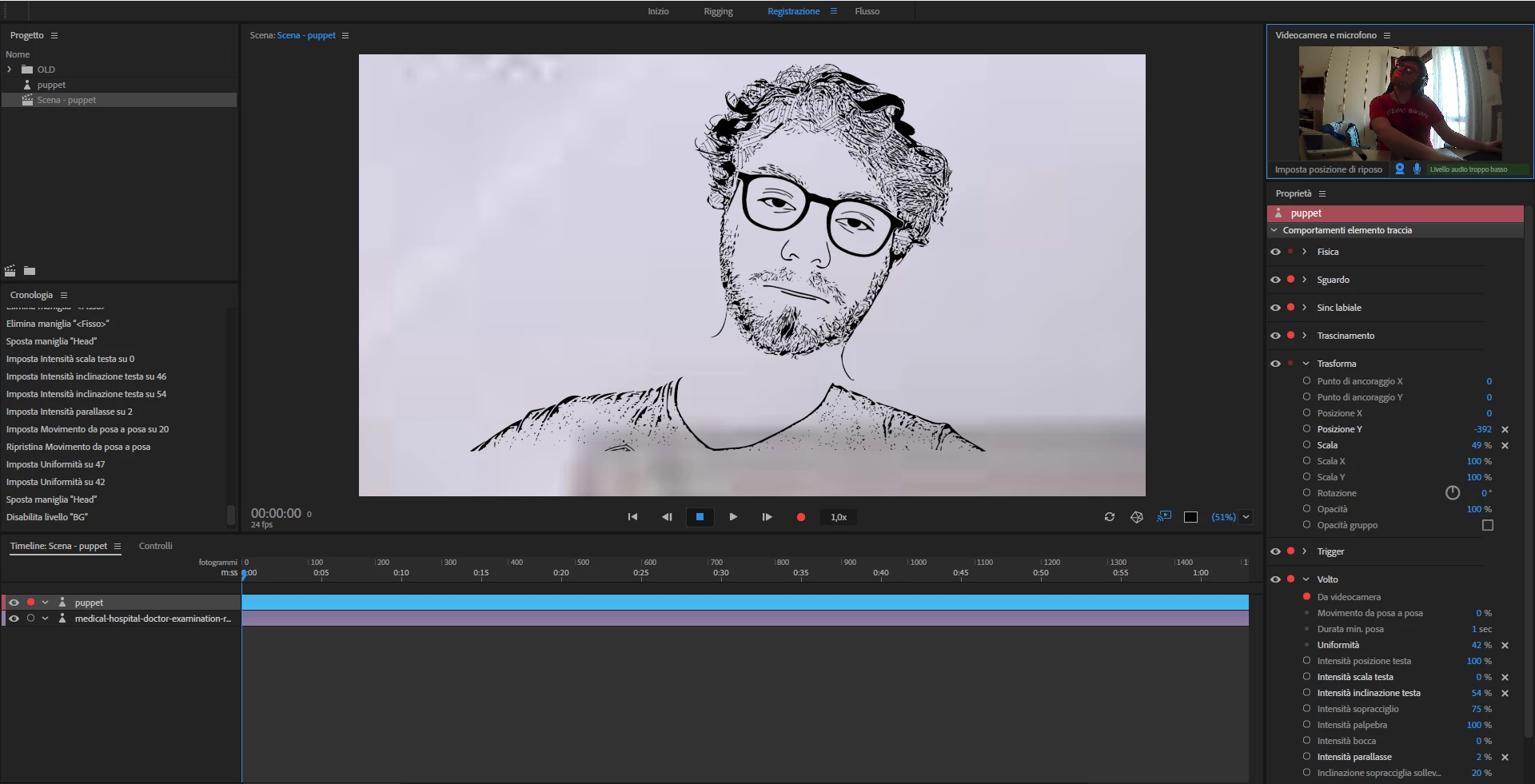
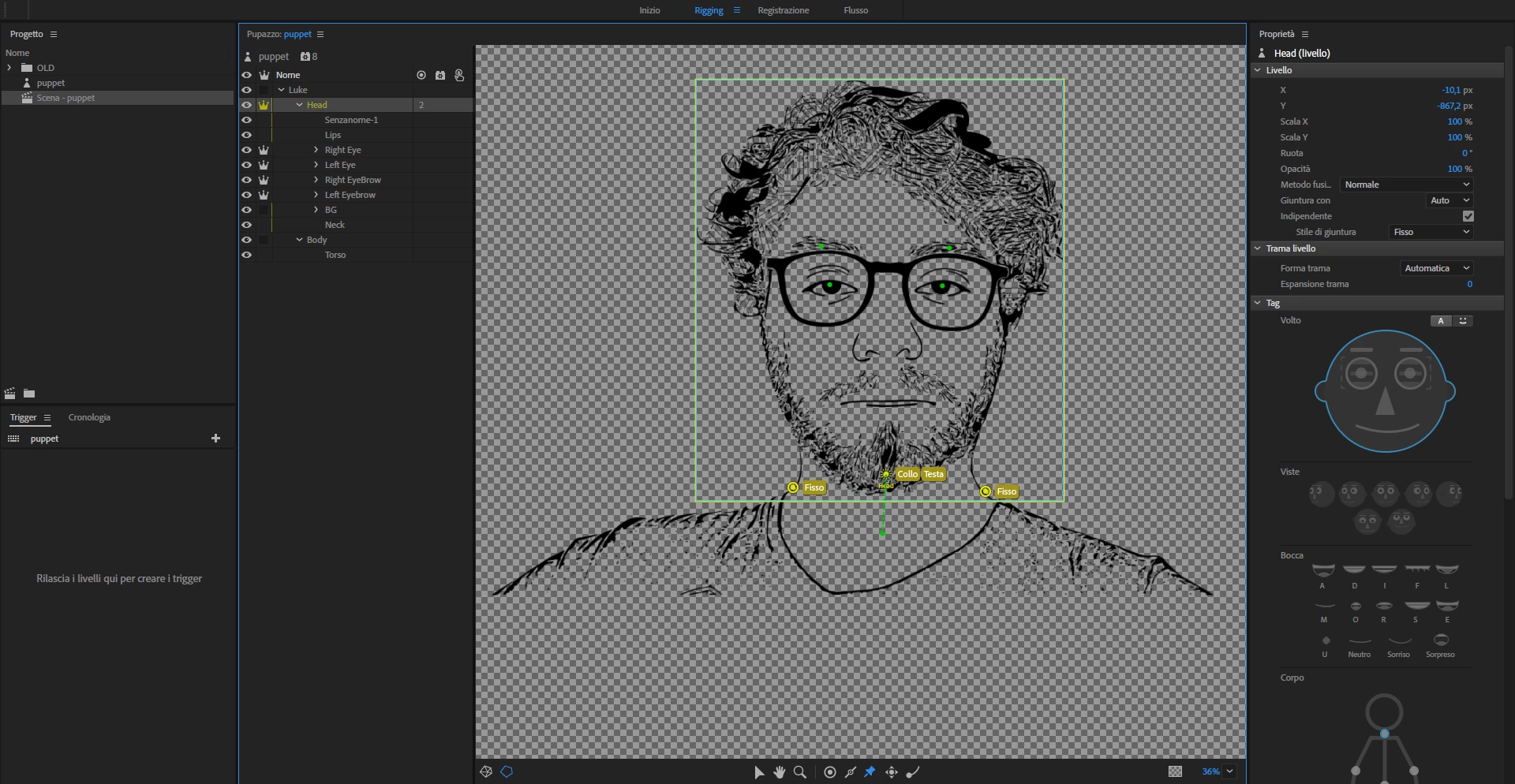

Hi,
Probably this is a common problem but i can't find a way to resolve this. What i did wrong?
Thanks for help.
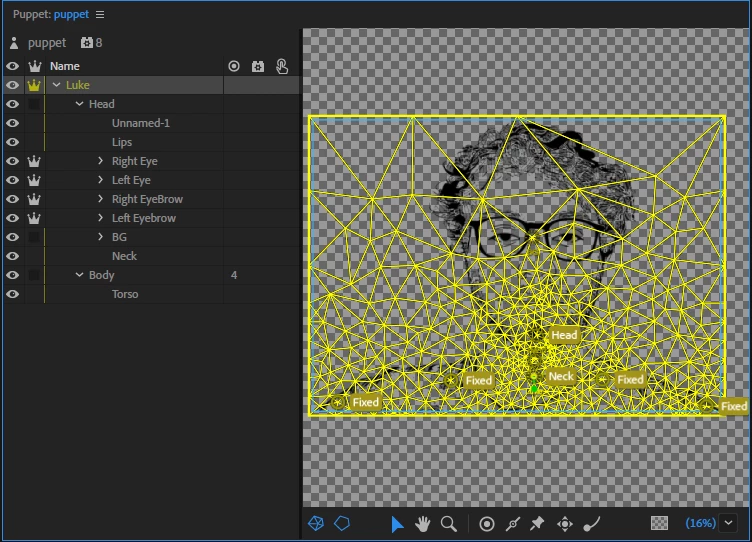
Here is what Luke's mesh look like, next to a more normal looking mesh.
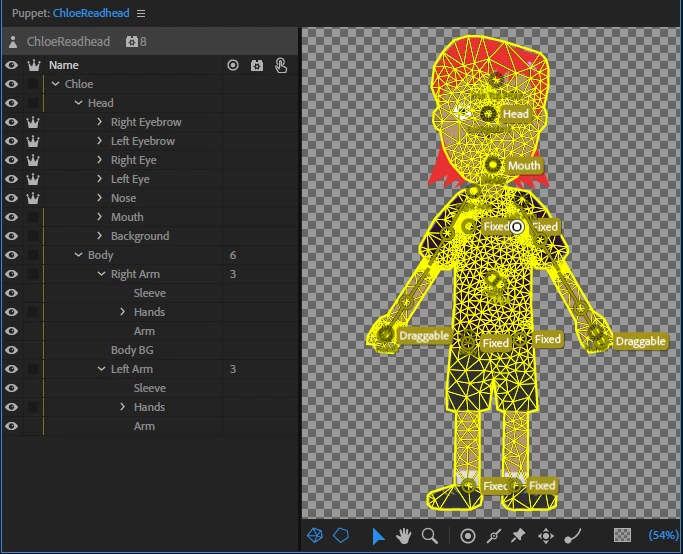
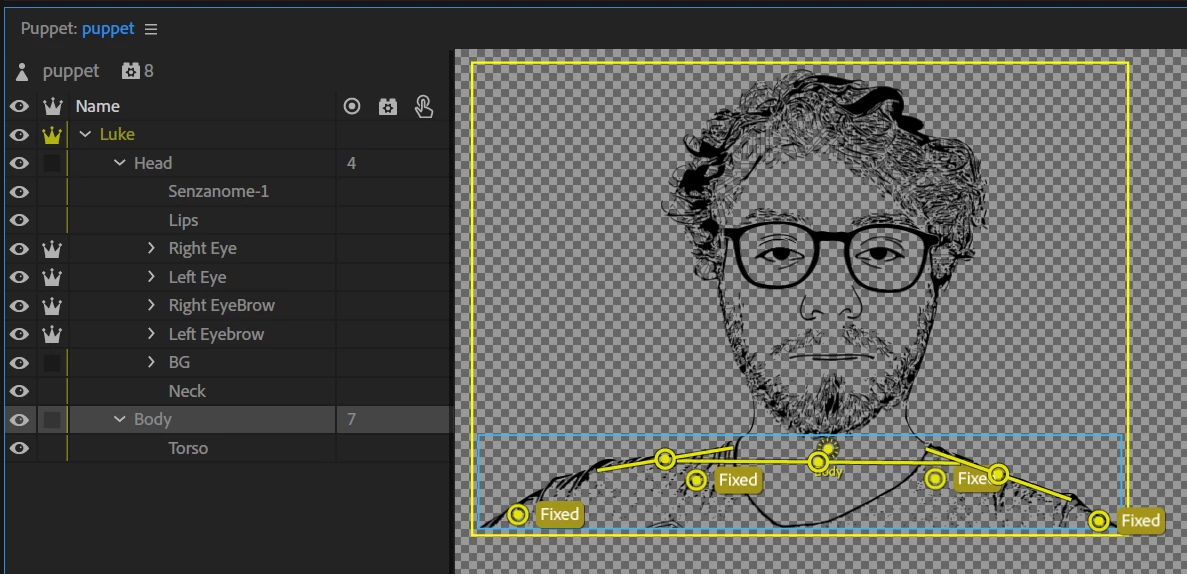
I had a go at some sticks to reduce movement. Try adding the following sticks and see how this works for you. I added sticks to the body to stop the shoulders moving around so much. (Make sure the sticks do not cross.) I put one across the chest to limit the effect of the neck on the rest of the body, then put one along each shoulder to keep the shoulders straight.. (You might be able to reduce the number of "fixed" points - experiment and see what works best for you.)
I then added sticks to the Head layer to stop the bottom part of the face warping so badly - basically around the face outline where it connects to the neck.
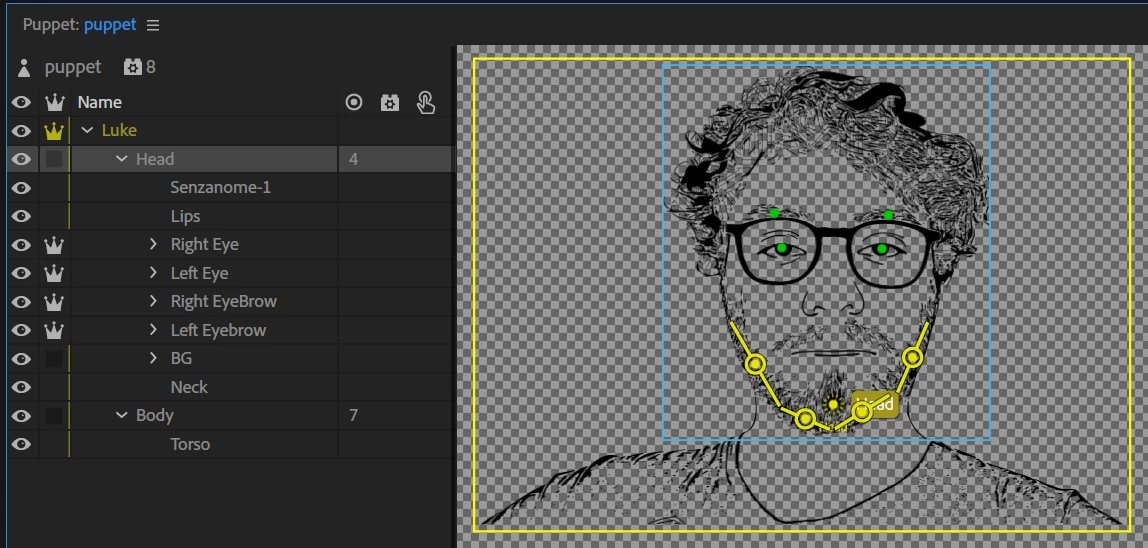
Seems to work pretty well after that.
Already have an account? Login
Enter your E-mail address. We'll send you an e-mail with instructions to reset your password.


 AdChoices