Participant
Jun 10, 2020 7:03 PM UTC
Question

Problems importing illustrator Files - URGENT

Hi!

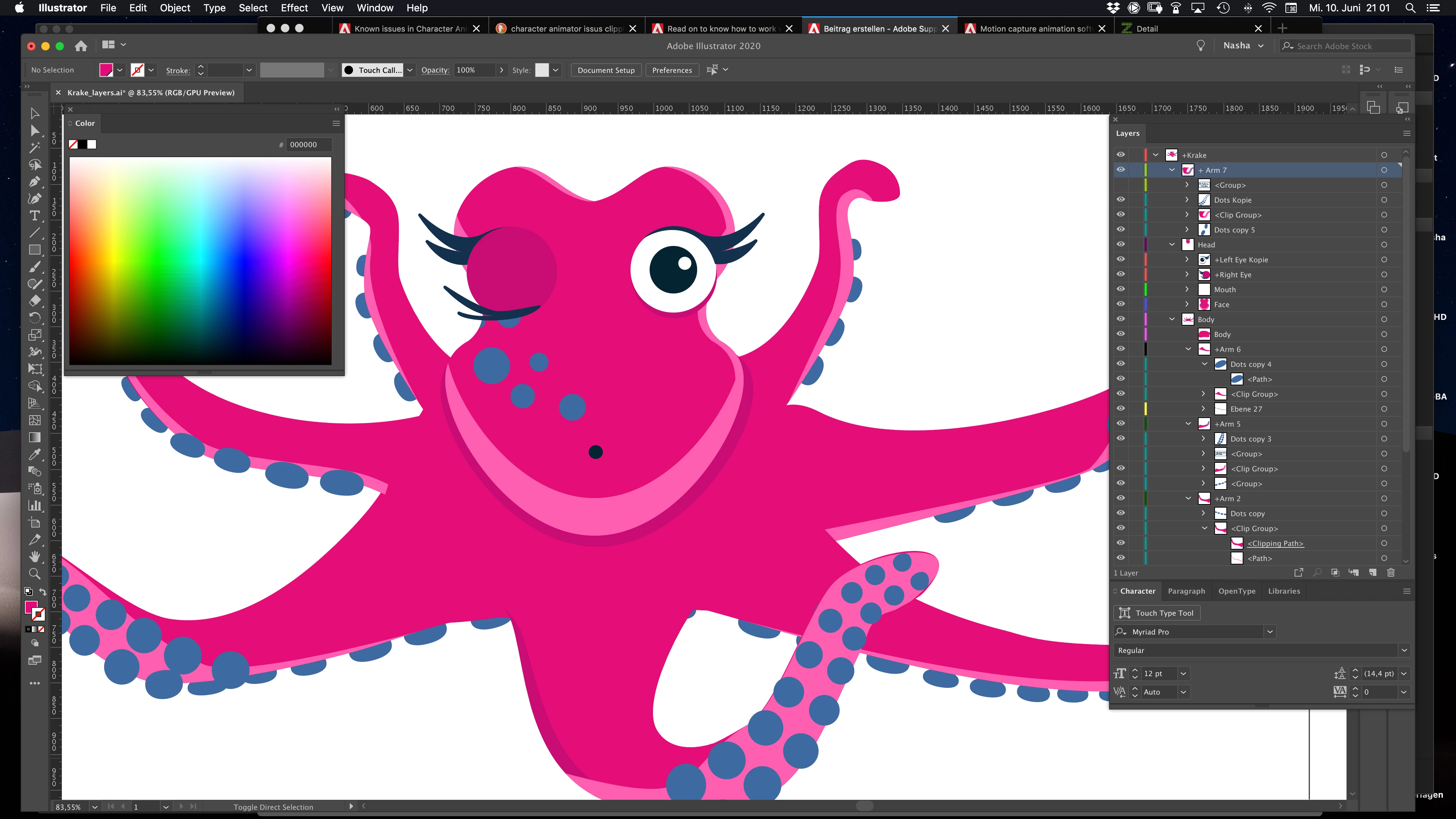
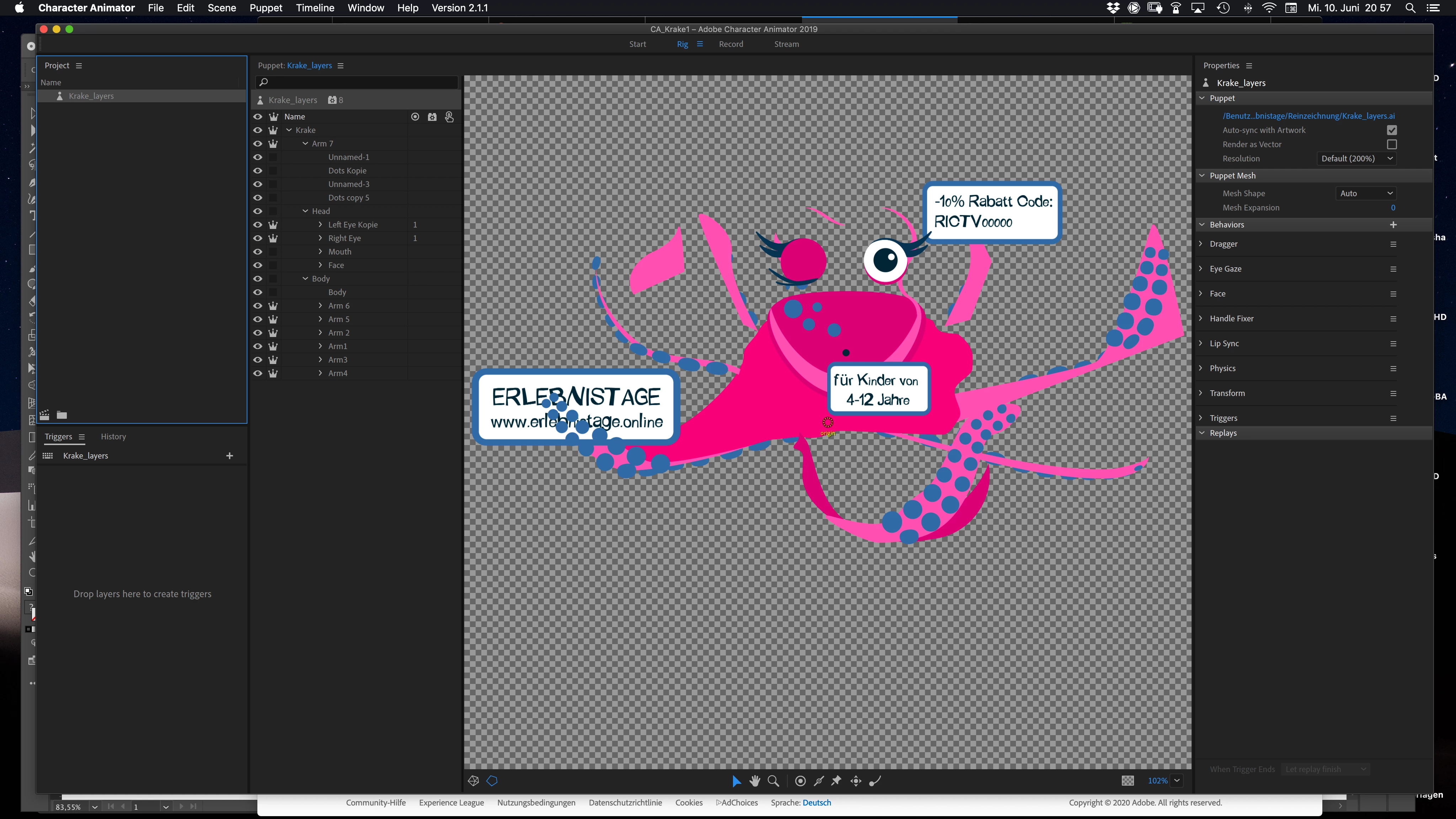
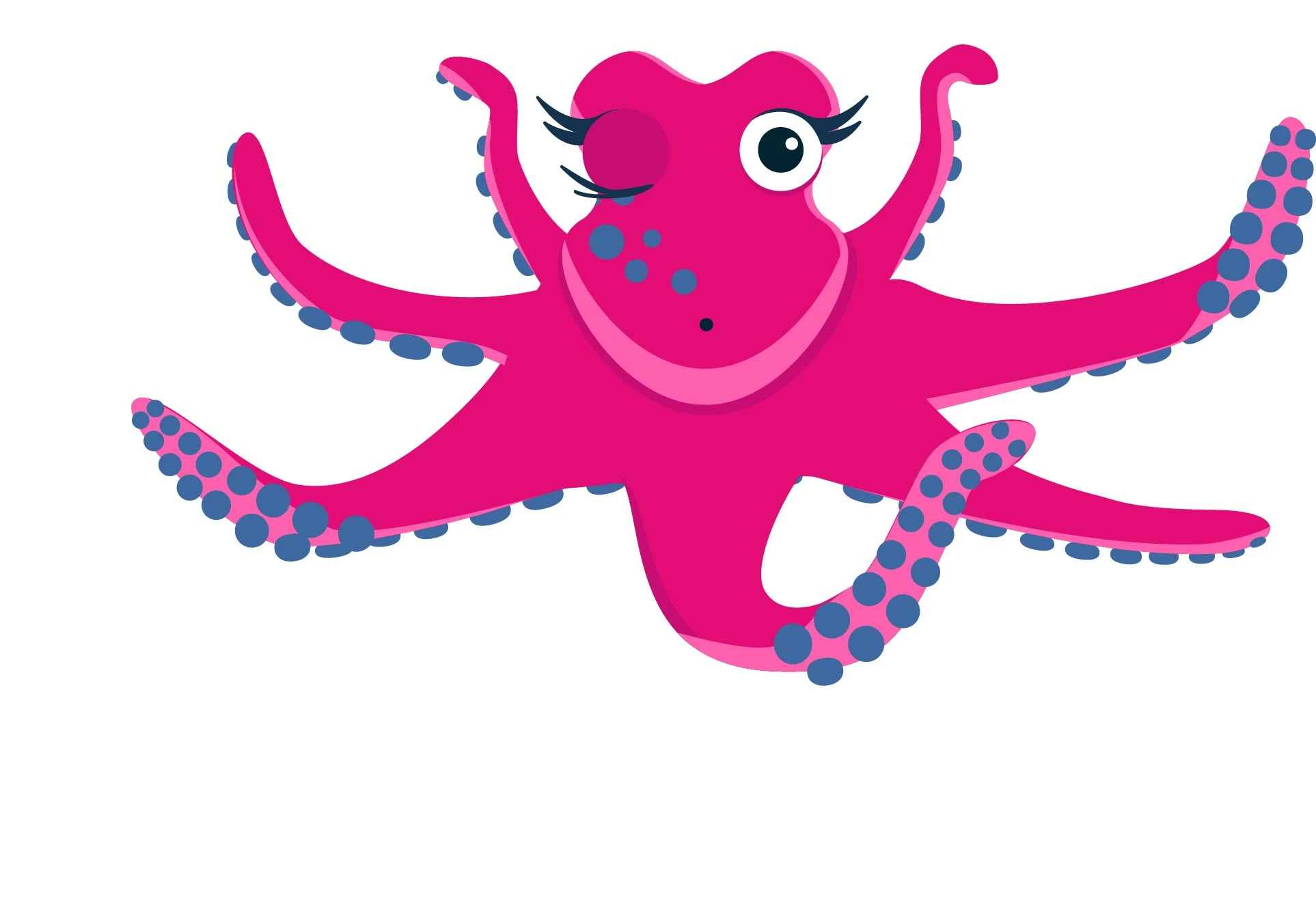
I am having issues when importing an AI file. I named all layers properly - but, as you can see - the layers look totally different in CA. I used clipping masks in illustrator (for different colors on the tentacles f. e. ) and these seem to cause the problems. I also tried to save the files with "CC Legacy"-option. I am working with the latest version of all programs (the issues also appear in CA 2018 and CA 2019)


Any ideas how to solve the problem? Help would be VERY APPRECIATED as I have to finish the commission by tomorrow.

Thanks in advance

Best wishes,
Nasha
This topic is closed to new replies. Start a new post to keep the conversation going.

5 replies

Inspiring
Jun 12, 2020 1:05 PM UTC

I don't recall anything like that. Are you maybe thinking of disabling the option to vectorize/continuously rasterize the art? If so, I don't think that would work, but if that's not it I can't remember if there are any other options that could help do something like make a smart object.

Translate
alank99101739
Legend
Jun 12, 2020 3:22 AM UTC

David, do you remember if there was some trick like turning things into smart objects or similar? I think it made Illustrator cache a copy of the artwork which CH could then use. I don't quite remember what feature it was though. I recall it fixed some of the problems (but not all).

Translate
Inspiring
Jun 11, 2020 4:03 PM UTC

Clipping masks in Illustrator can definitely cause funky visuals in Character Animator. Often times I will make a shape for a clipping mask and then actually set it as a clipping mask inside CH (which means that my puppet might look funny in AI because some art isn't masked). Here's info on how to set a clipping mask: https://helpx.adobe.com/adobe-character-animator/using/puppet-layers.html#:~:text=Choose%20Puppet%20%3E%20Release%20clipping%20Mask,masks%20in%20the%20puppet%20panel.


Another option is to make a lean version of your puppet just for CH. Expand your paths so you only have art that looks exactly like it does in that second screenshot, then it should import into CH just fine.

Translate
NashaAuthor
Participant
Jun 12, 2020 2:38 PM UTC

Thank you so much for you hlep.


I found a workaround. I exported everything as psd file - Photoshop converts it to a shape anyway. Than it worked.

Translate
Inspiring
Jun 12, 2020 2:52 PM UTC

Great, glad that's working for you!

Translate