Participating Frequently
July 29, 2023
Answered

Pupil outside eyeball

  • July 29, 2023
  • 2 replies
  • 969 views

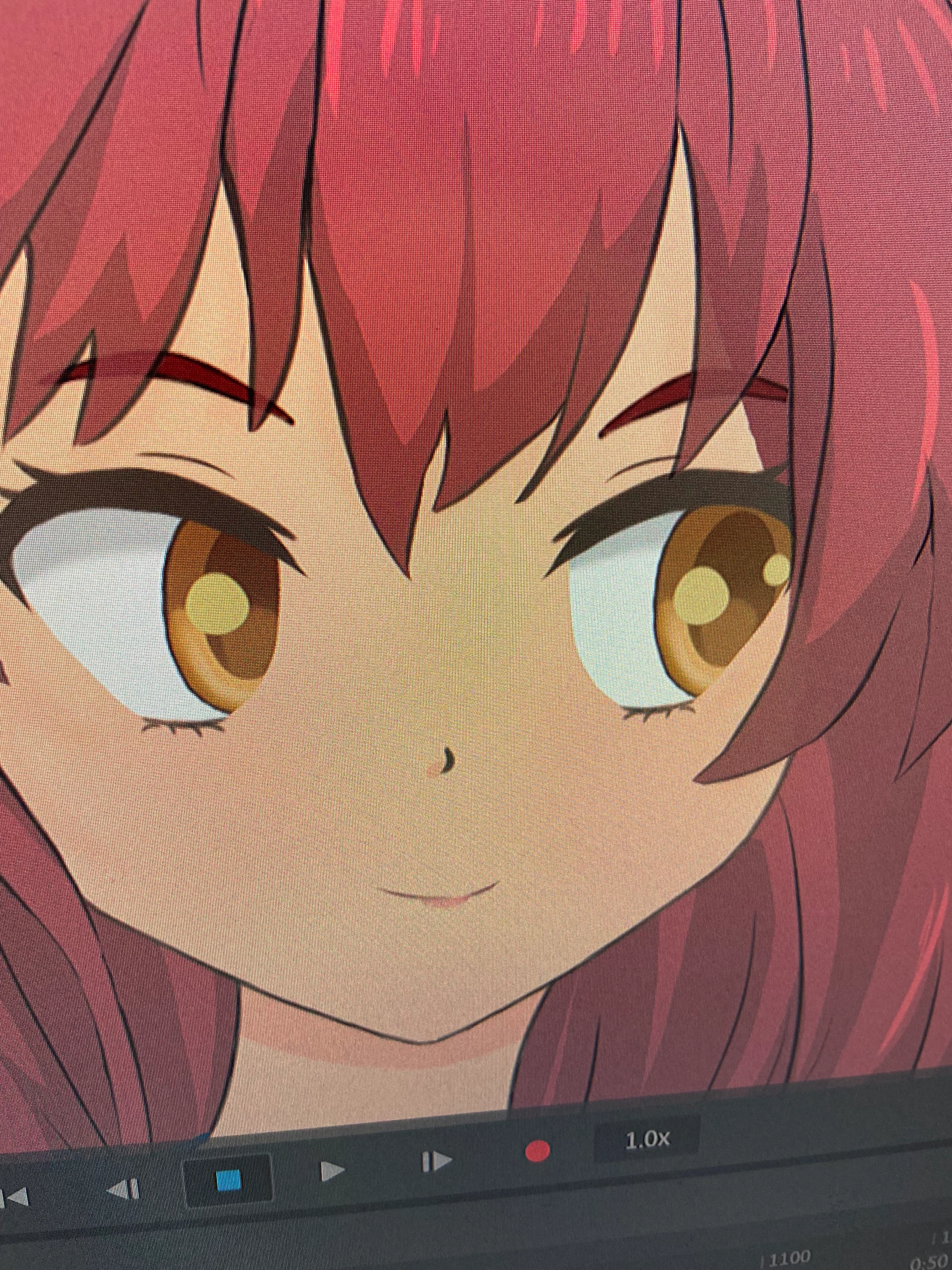
How do I get the pupils to do this? I want the pupil to hide behind the eyeball layer when it over shoots it .. I can't figure it out . I try to copy this example of this anime character and I just can't seem to get it right . 
This topic has been closed for replies.
Correct answer TheOriginalGC

Try this video from @oksamurai where he explains large pupils. Basic Eye Rigging (Adobe Character Animator Tutorial) - YouTube

2 replies

Bernardo7Author
Participating Frequently
August 9, 2023

so @TheOriginalGC is correct . i also did find another way to do it. by right clicking the pupil layer on adobe photoshop and creatiing a clipping mask. pupil can now move within the eyeball without leaving the eyball. hope that makes sense

TheOriginalGC
Community Expert
Community Expert
August 10, 2023

More power to you for getting the clipping mask to work. That feature has been missing up to now.

TheOriginalGC
Community Expert
TheOriginalGCCommunity ExpertCorrect answer
Community Expert
July 31, 2023

Try this video from @oksamurai where he explains large pupils. Basic Eye Rigging (Adobe Character Animator Tutorial) - YouTube