Wow! IanD shared me a copy of the puppet. Its Photoshop based (not my specialty!). I think the problem is stray pixels on multiple layers. I asked Ian to try and clean them up first, but has anyone else seen this sort of wacky eye movements? I mean the Left Eye moves in the wrong direction!!! I have never seen anything quite like it! Eyes debugging session - YouTube Even scaling the body distorts it in very strange ways.
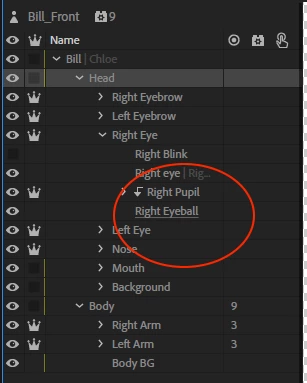
Ah, turning on Contour and cleaning up the layers a bit means scaling now looks normal. Just the eye movements. My guess is the "Pupil Range" and "Pupil" layers being discontinuous (having stray pixels) are making the eyeball jump around as it tries to do the right thing.
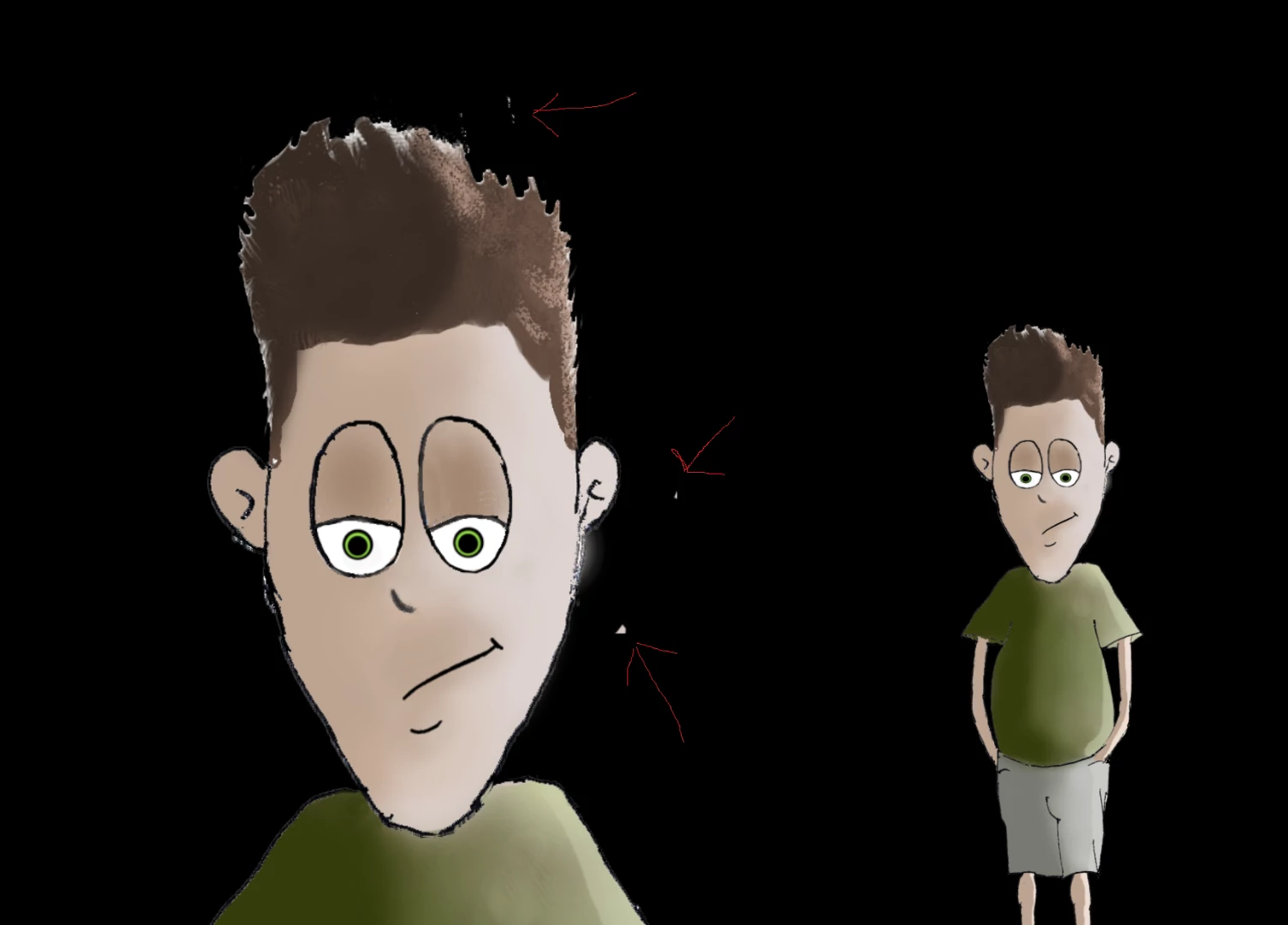
Examples of the stray pixels... (the one on the right I cleaned up a bit... but was taking too long). Scaling the puppet worked properly after a bit of clean up.
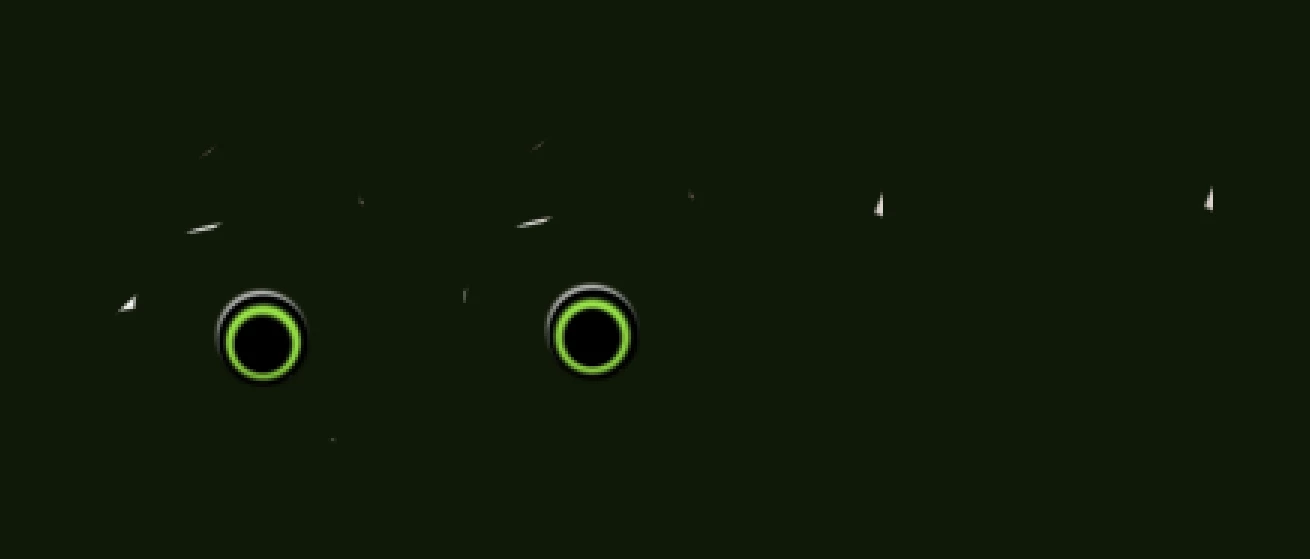
Stray pixels are in lots of layers - e.g. I put a solid fill behind the two pupils...
Also stray in the eyeballs. I think the stray pixels where the eyes are constrained by the eye balls are the reason its going a bit crazy.

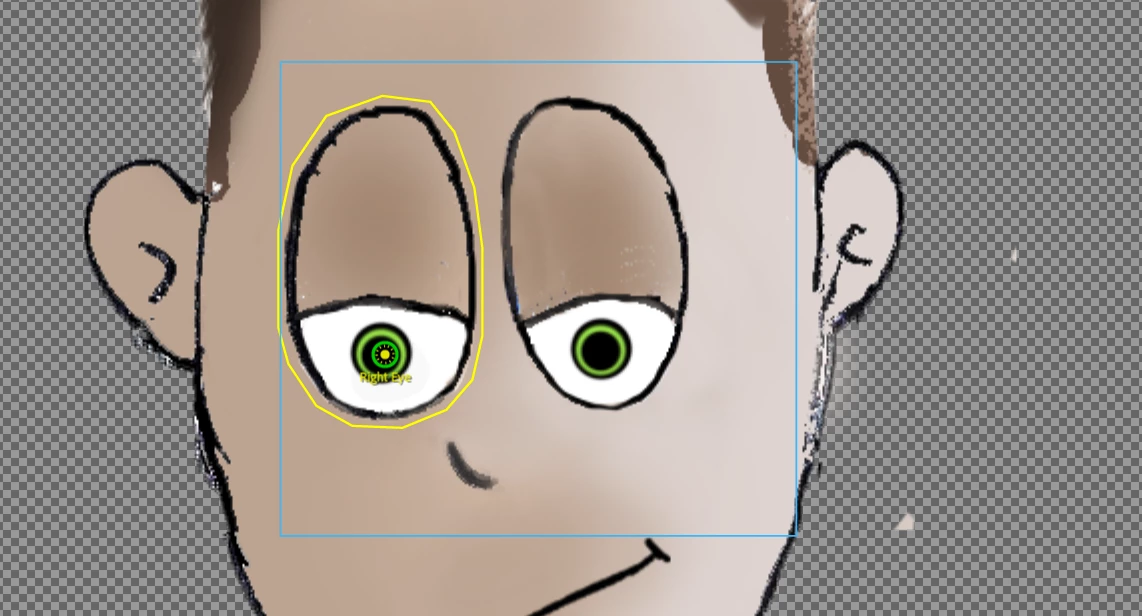
These stray pixels is why the blue bounding box is so big, causing various problems. See the yellow line has tried to follow the main shape outline, but the blue box is a lot bigger due to all the stray pixels.





 AdChoices