Participating Frequently
August 2, 2025
Answered

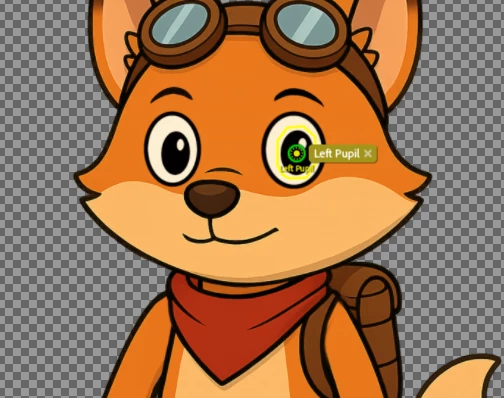
Pupils not moving. Tried anything in tutorials. Adobe CH 2025

  • August 2, 2025
  • 1 reply
  • 666 views

Hi ! I habitually finds all my solutions by myself, but this time, I dont understand what's happening.. tried so many thing to make the pupils works. The pupils wont move at all. After tagging Left pupil, Left pupil size, Left pupil Range. Nothing moves at all. (Blink works, Eyebrows works too). I can send my puppet file to help you understand my problem.


Correct answer TheOriginalGC

Hi, wow ! I'm very impressed, you got it ! A big thanks 😉 But now i'm looking on what I did wrong. Yeah I started doing it with Procreate like you said. (easy to draw with a iPencil on a iPad). I would really like to understand the solution for my future drawings for them to work on  CH after importing it. I have Photoshop 2025. When I first opened my design I did what you said ( Exported from Procreate in PSD , then open in Photoshop, then save as.) After, I Imported it in  CH 2025, and thats where it was not working.. Even after rigging it well.


One thing I did that might have been different from what you did was that I cropped the image to remove all of the unused space. Character Animator still processes anything that is in that frame, even the hidden layers. After cropping, the mesh outline fit the art instead of being a large rectangle. I cannot say if that in fact was the case, since I see in the screenshot you shared above that the mesh outline matched the eye shape. It has been my experience that Character Animator can sometimes be finicky and some unrelated factor can disrupt everything.


Nevertheless, it's still a good practice to trim unused content from your files before importing them into Character Animator.


1 reply

TheOriginalGC
Community Expert
Community Expert
August 3, 2025

There are several things that can prevent the pupil from moving. The most common is that there is not enough room for the object to move. I cannot tell from your screenshot if there is sufficient space in they eyeball layer to allow the pupil free movement. Another thing to check would be the setting of the Eye Gaze properties. If I am having problems getting the pupils to move, I will switch the input over to Keyboard Input just to rule out any issues with camera tracking. 

les_9970Author
Participating Frequently
August 3, 2025

Already tried keyboard mouse , not working... my Eye Gaze setting are generaly like yours .. i can share my puppet later today when at home