


Participant
May 24, 2025
Answered

Puppet is stuck
  • May 24, 2025
  • 1 reply
  • 263 views

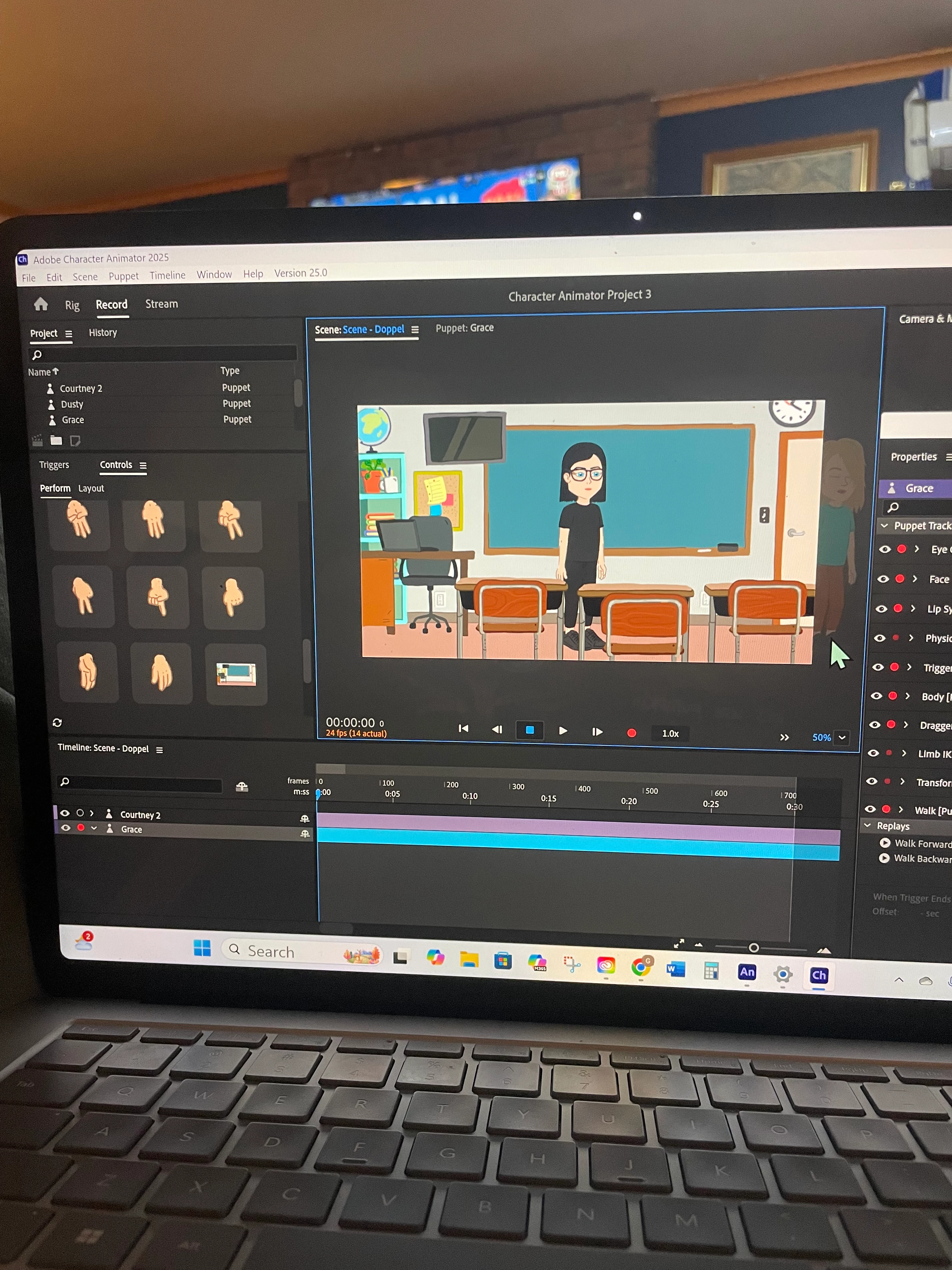
 hey everyone- gosh I'm feeling SO frustrated. I've just spent an hour watching the tutorial, I've followed the exact same steps except I used semi custom puppets (they're still automatically made by adobe, not me). I want both my puppets visable in the same scene, but one is stuck in the background - like behind the actual background. You can see it on the right above my arrow cursor. Literally all I have done is drag and drop the puppets and I'm already stuck! Please help 

Correct answer TheOriginalGC

Puppet Maker puppets often (always?) have the background layers built into them. You will need to right-click on the puppet name in the project panel of CH and select "Edit Original" to open up the file in photoshop. In photoshop, you will see all of the background layers. Copy and save the one you want to use as a separate PNG or JPG. Then delete ALL of the background layers. Save the original file in Photoshop. If you have done everything correctly, when you return to CH, the original puppet will update without the background. Do the same for the other puppet. Finally, import the separated background you originally saved in Photoshop and place it beneath the two puppets in the scene.

1 reply

TheOriginalGC
Community Expert
TheOriginalGCCommunity ExpertCorrect answer
Community Expert
May 24, 2025

Puppet Maker puppets often (always?) have the background layers built into them. You will need to right-click on the puppet name in the project panel of CH and select "Edit Original" to open up the file in photoshop. In photoshop, you will see all of the background layers. Copy and save the one you want to use as a separate PNG or JPG. Then delete ALL of the background layers. Save the original file in Photoshop. If you have done everything correctly, when you return to CH, the original puppet will update without the background. Do the same for the other puppet. Finally, import the separated background you originally saved in Photoshop and place it beneath the two puppets in the scene.

DustiiAuthor
Participant
May 25, 2025

Thank you so SO much. That fixed it. Truly I would have never figured that out. Thank you, you adobe angel.