

robinh49469832
Inspiring
January 28, 2019
Question

Puppet jumps between walking and standing

  • January 28, 2019
  • 2 replies
  • 1682 views

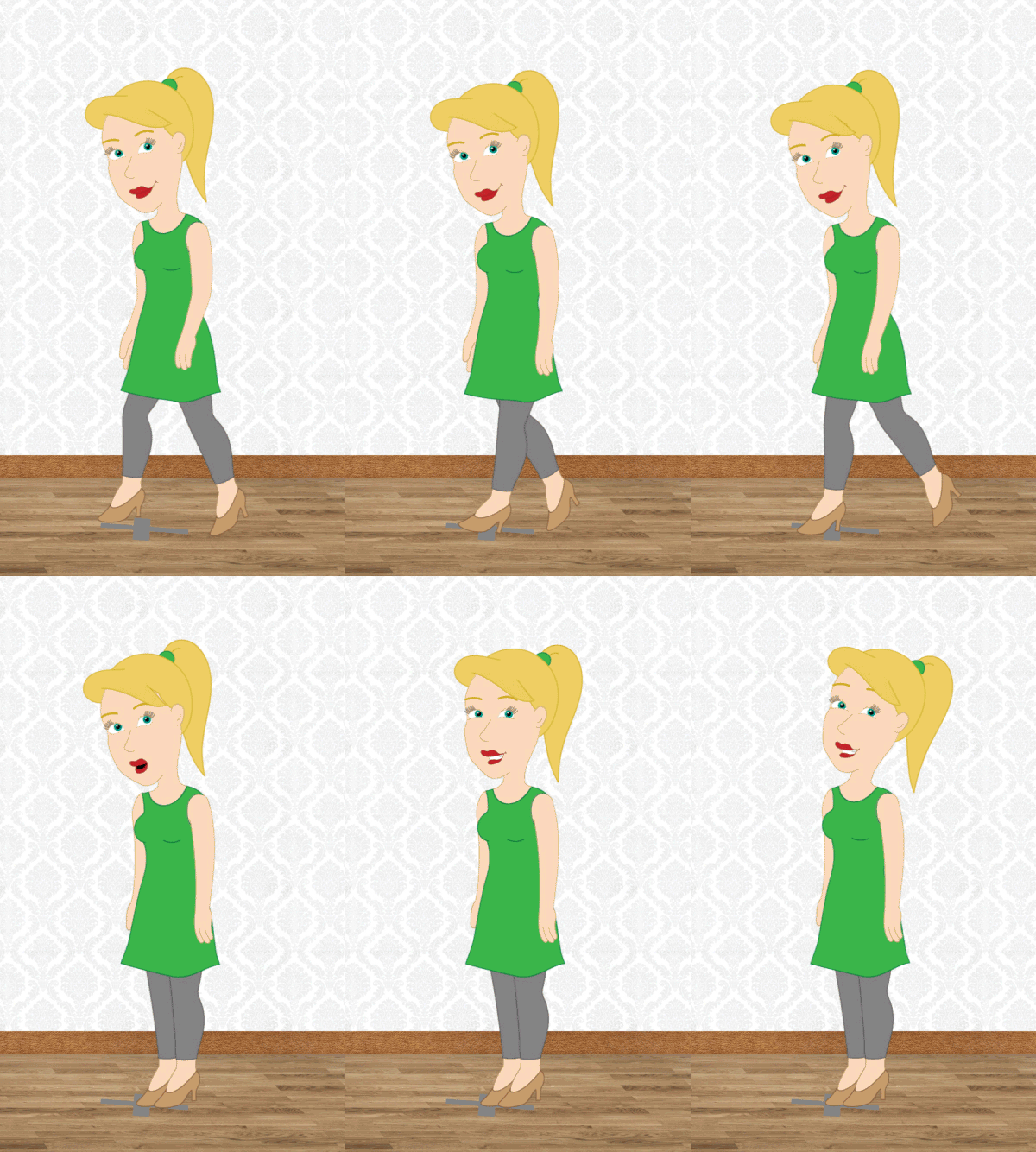
When releasing the arrow key my puppet snaps from the last position in its walk-cycle to the standing position. Is there any way to ease out that movement? When my puppet is taking a big step and I release the key it is pretty obvious and just looks like an error in animation.

EDIT: I made a gif of the problem: When I move her it's way more visible.

EDIT No2: (Deleted)

EDIT N03: I testet with free puppet "Kaufman", used in the walk tutorial. He slowly stops, when I release the arrow key and then stays still in default view. So I thought, the problem only occurs when I only have one profile. I added a left and right profile on my puppet and she still jumps like in the gif. Testes with another much simpler puppet I made: Also jumps. What am I doing wrong? Where could I start my search?
    This topic has been closed for replies.

    2 replies

    Inspiring
    March 5, 2019

    In the Walk behavior there's a parameter for stop/start easing. It's a pretty simple function so you might not be satisfied with larger values, but it's worth trying out. I'll mark you down as having a feature request for better stop/stop easing. It's something we're exploring, but need to hear more from users, so thanks for posting on the forum! I like your character.

    Dan R.
    CH QA

    robinh49469832
    Inspiring
    March 5, 2019

    The ease in parameter just made the puppet jump to another position and then slowly start walking from there.

    It's just like "return to resting position" for the arms, which also doesn't work anymore since the last update.

    Inspiring
    March 12, 2019

    "The ease in parameter just made the puppet jump to another position and then slowly start walking from there.

    It's just like "return to resting position" for the arms, which also doesn't work anymore since the last update."

    I'm not seeing this here. Feel free to contact me via PM if you'd like to share a puppet and I can take a look."

    Dan R.

    CH QA

    robinh49469832
    Inspiring
    February 1, 2019

    Okay. I've wasted my whole day for this (it's 10 pm in Germany now). My conclusion for anybody who has the same problem: Those jumps just occur. When you set the Attach Style to Weld it's not as visible than with Hinge. Although you might need Hinge for good shoulder movements (which makes my solution with only one view for walking and standing impossible). Kaufman jumps too and it was also visible in Dave Werners Tutorial, so I guess it's just something Adobe hasn't worked out yet. It's a real shame, since mostly everything else works just fine.

    Does anybody have an answer to why it is more visible with the Hinge Attach Style?

    Inspiring
    March 5, 2019

    "Does anybody have an answer to why it is more visible with the Hinge Attach Style?"
    I tried comparing the start/stop easing with Walkbot using both hinge and weld attachments for the leg and didn't see any difference. Feel free to contact me via PM if you'd like to share a puppet and I can take a look.

    Dan R.

    CH QA