
pault35628463
Participant
January 20, 2020
Question

Puppet Opacity Issue

  • January 20, 2020
  • 2 replies
  • 521 views

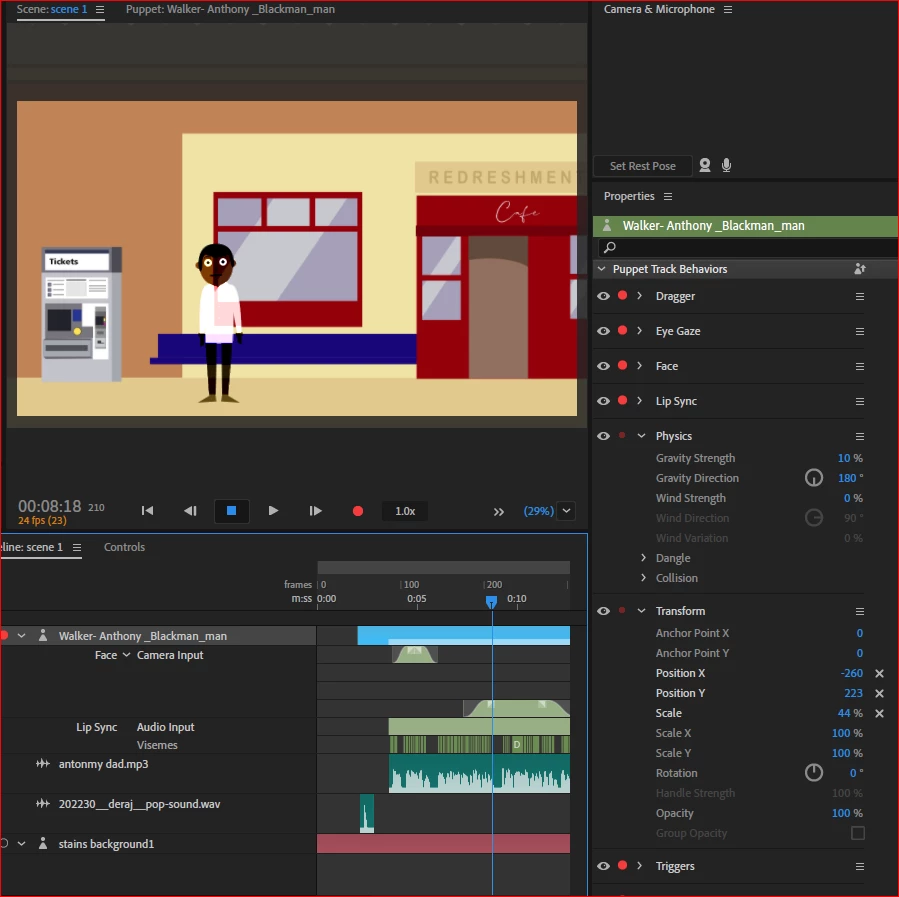
My puppet is See through and cant work out how to make it ...not! I have checked the opacity in photoshop and in Record mode and they are 100% .  Any ideas ? 
 

This topic has been closed for replies.

2 replies

ElectroPuppet
Inspiring
January 22, 2020

Perhaps in Photoshop you have the layer/folder set to multiply (or something similar)?

Looks like the issue is in Photoshop rather than Character Animator.


Good Luck!

alank99101739
Legend
January 24, 2020

I think CH also has a setting for how to combine colors (with the default being to replace). That is, if its not transparency in the original artwork file, if its not an Opacaity transform value, then I would look through the behaviors/properties for a "combine colors" or something setting. I have never used it, but know its there somewhere. Maybe it got adjusted by accident along the way. There is also a Fader behavior I have never noticed before in the user guide - do you have that behavior on your puppet?

Participating Frequently
January 20, 2020

Have you tried exporting it alone?

pault35628463
Participant
January 21, 2020

No, but still would love to know why its happening
