Participant
February 18, 2021
Answered

Puppet walk cycle broken

  • February 18, 2021
  • 1 reply
  • 412 views

So I have followed a tutorial on how to make a walk cycle, however, the walk cycle looks insane and does not work, I wondered if anyone knew what i was doing wrong i think i rigged it correctly, however, i am still new at this. I have included a link to the tutorial i watched, an example of the walk cycle and the exported puppet and illustrator file, i would appreciate if anyone could help me.

Toutorial Link: https://www.youtube.com/watch?v=gv_2Upvtm-M

Link to problem example: https://youtu.be/sz9K-hEifzs

Link to Puppet and ilistrator file:

https://www.dropbox.com/sh/7br8wpluh126wfu/AACJ1l3ZPXOLfKnYnzj3pt7za?dl=0

This topic has been closed for replies.
Correct answer k_oshiro

I have observed your puppet.
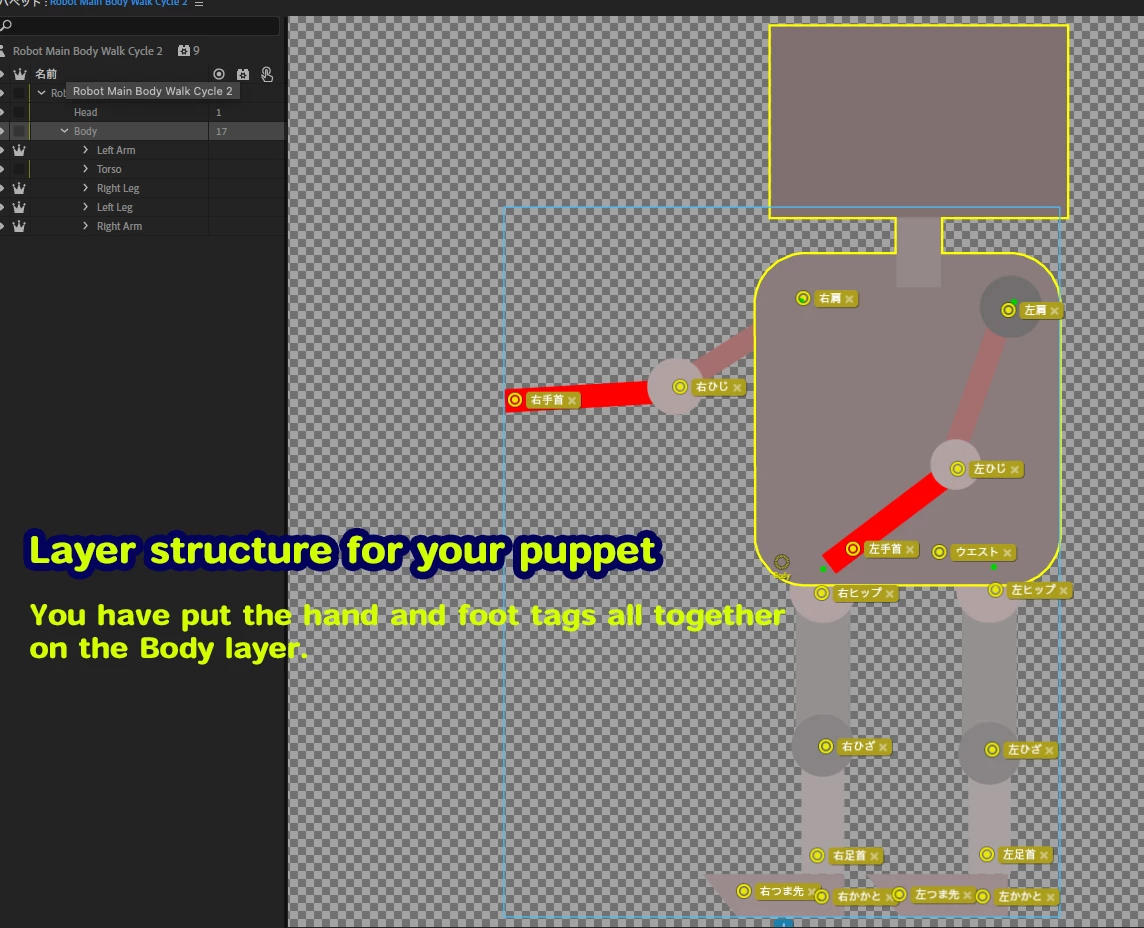
You have put the hand and foot tags all together on the Body layer.
You should put the wrist tags and elbow tags on each arm layer.

You may find Okay Samurai-san tutorial helpful.

https://youtu.be/gv_2Upvtm-M
You may have already seen it, but please review it again.
In the video, heel and ankle tags are also added to individual layers.

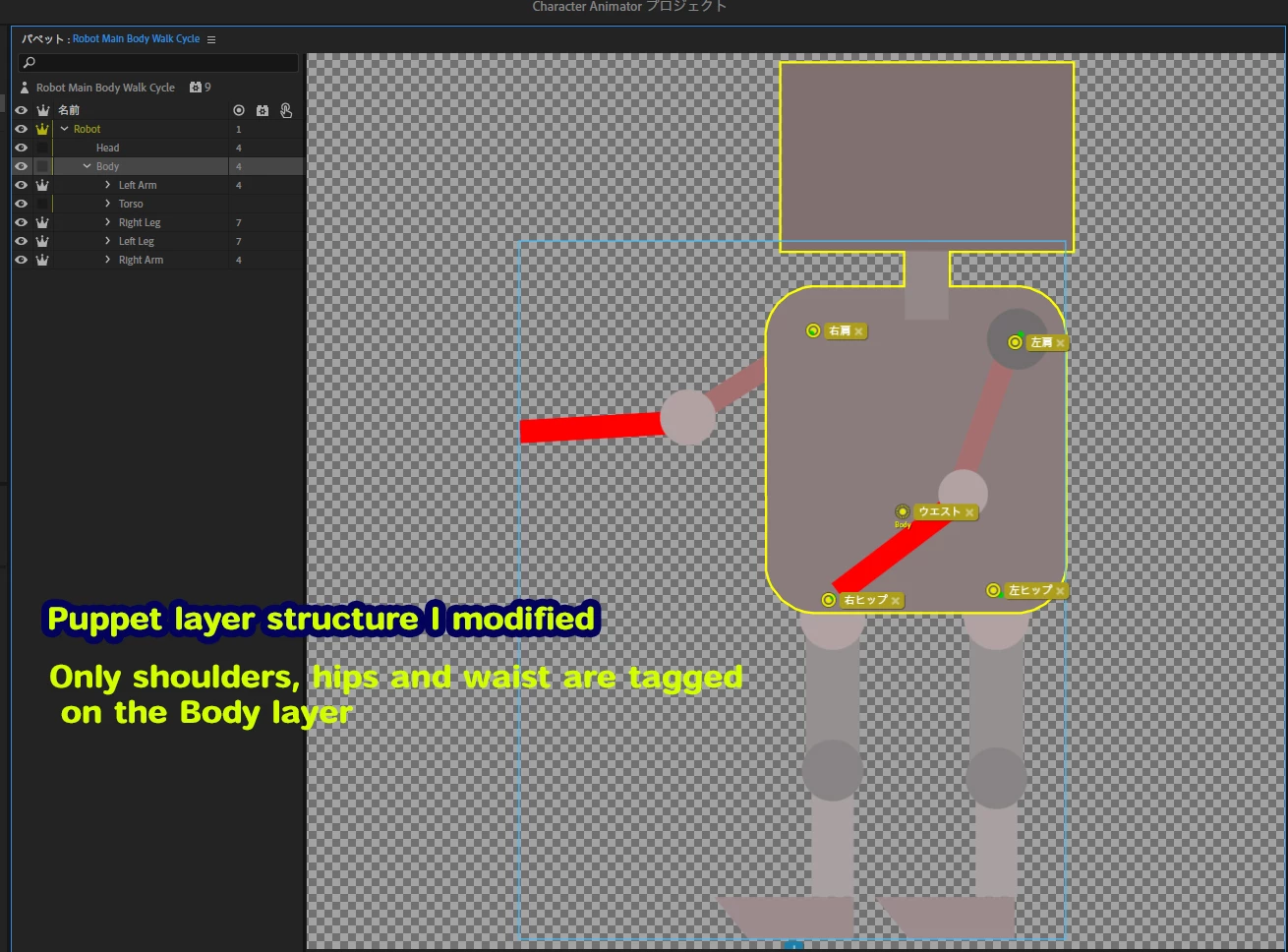
Also I have modified your puppet.
I have uploaded it to Dropbox.
https://www.dropbox.com/s/ktnmy2kt8f325r6/edit_Robot%20Main%20Body%20Walk%20Cycle.puppet?dl=0
Thanks.

1 reply

k_oshiro
Community Expert
k_oshiroCommunity ExpertCorrect answer
Community Expert
February 19, 2021

I have observed your puppet.
You have put the hand and foot tags all together on the Body layer.
You should put the wrist tags and elbow tags on each arm layer.

You may find Okay Samurai-san tutorial helpful.

https://youtu.be/gv_2Upvtm-M
You may have already seen it, but please review it again.
In the video, heel and ankle tags are also added to individual layers.

Also I have modified your puppet.
I have uploaded it to Dropbox.
https://www.dropbox.com/s/ktnmy2kt8f325r6/edit_Robot%20Main%20Body%20Walk%20Cycle.puppet?dl=0
Thanks.

k_oshiro(AdobeCommunityExpert)