


Participant
April 14, 2023
Question

Puppet working until head turner added now has distortions

  • April 14, 2023
  • 1 reply
  • 383 views

Hey everyone,


I am hoping this is just a layer that's not tagged correctly. My character was working perfect until I added the head turner and now the mesh on the face get's distorted.
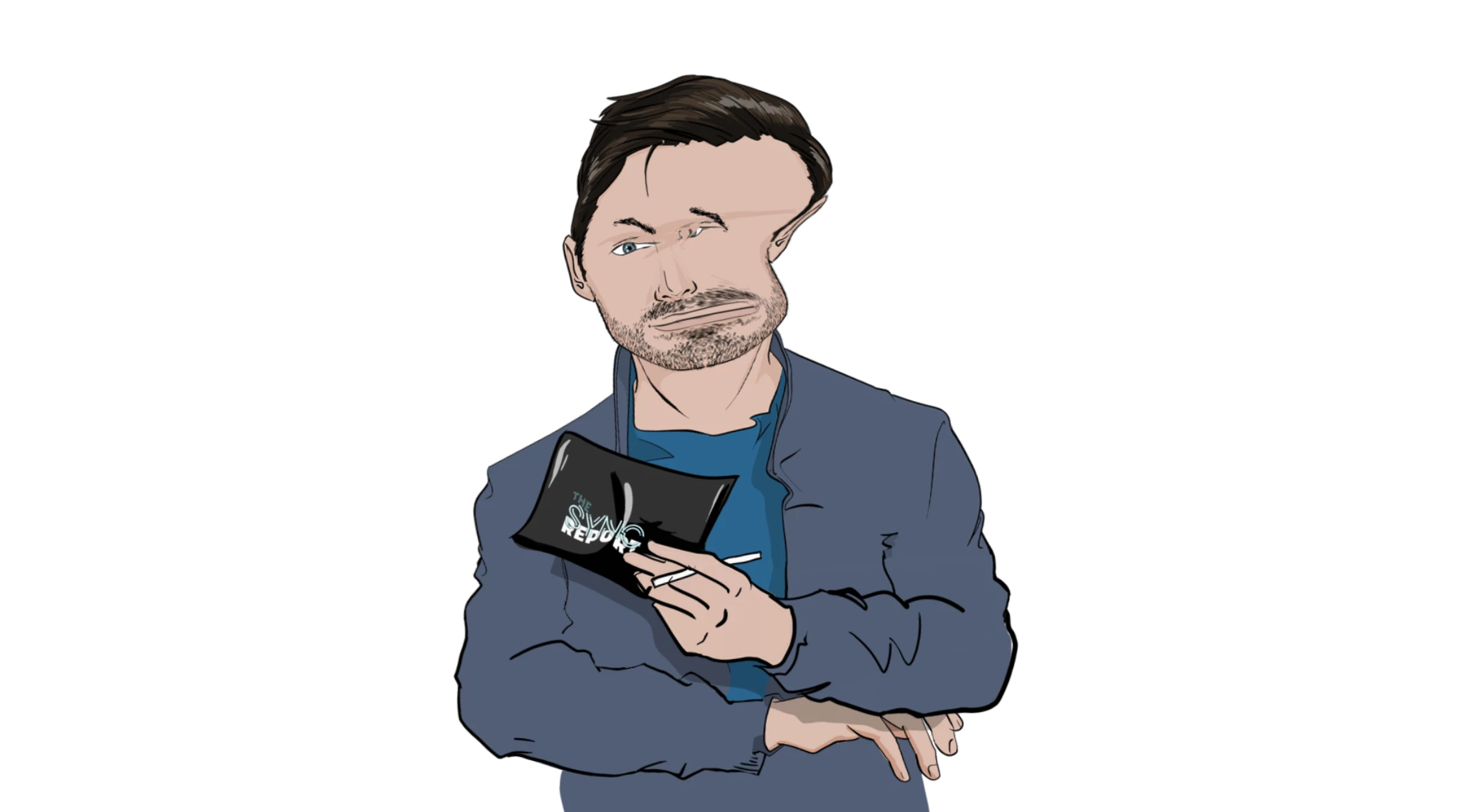
I tried looking for answers in the forum and the best one so far is to use the ninja template but I'm hoping I won't have to.

This is how my rig is now
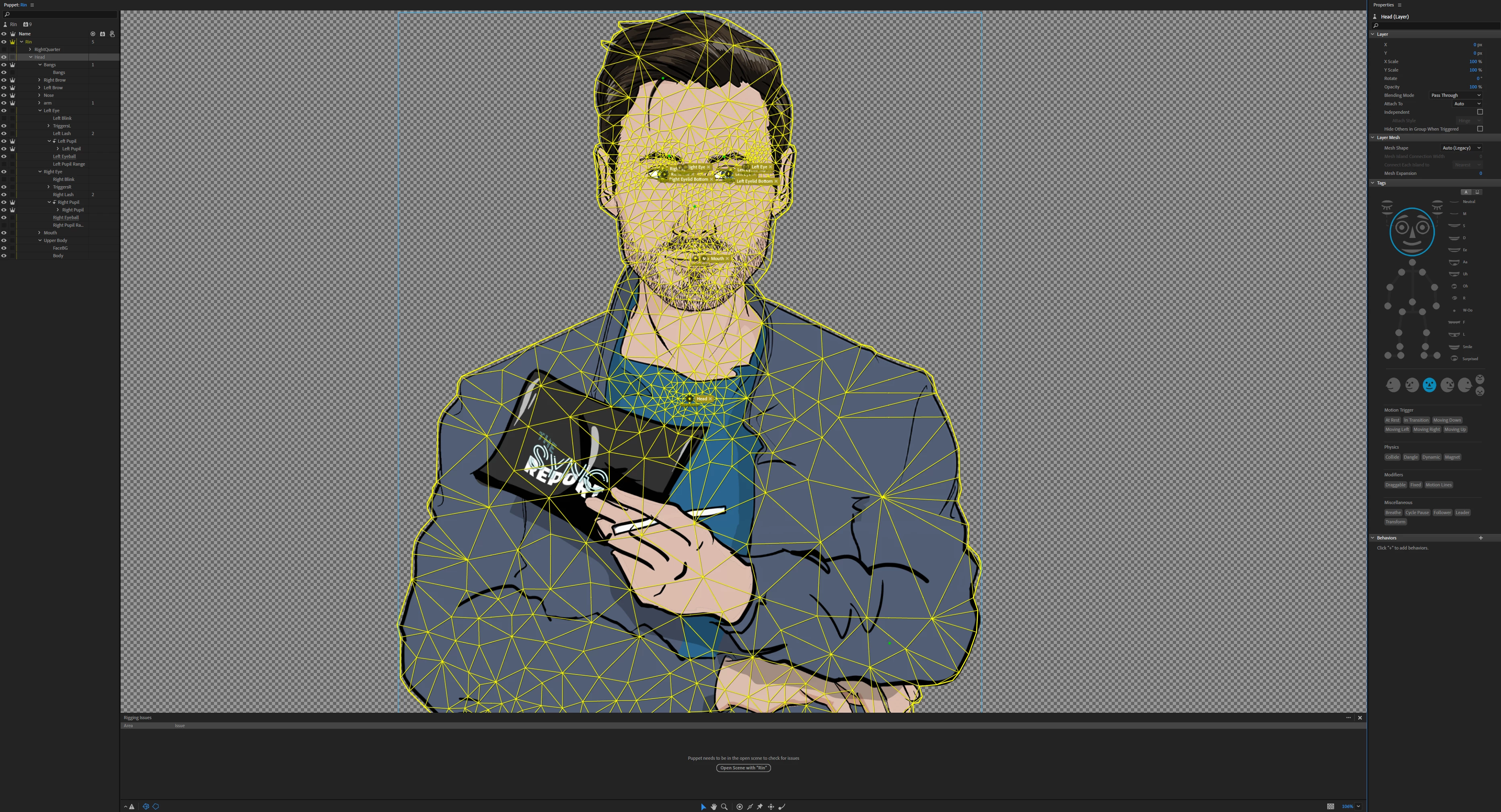
I am hoping I can get some help and I am thankful in advance.


This topic has been closed for replies.

1 reply

k_oshiro
Community Expert
Community Expert
April 15, 2023

Probably because the head range  is too large.
Separate the head layer from the body layer.
Add the head tag to the head layer only.

k_oshiro(AdobeCommunityExpert)
Participant
April 17, 2023

Thank you so much for taking the time to answer my question. The topmost head layer should actually be called Front/frontal. My actual head layer is the FaceBG that sits at the bottom on top of the body layer. When I remove the head tag from the top most layer and apply it only to the FaceBG then the neck to head effect that makes it look more fluid dissapears and I loose the ability to move the head around the XY axis.

Is the way that it's layered wrong? I used one of Adobe template to make sure everything would work.


Thank you

k_oshiro
Community Expert
Community Expert
April 17, 2023

It is converted into Japanese by translation software.
So your answer may not be correctly understood by me.

Even if you look at the template puppet that comes with the
The head and body are separated by layers.
The head tag is attached to the entire head layer.

Is it possible to make the configuration similar to the default puppet?
If so, the head would not be distorted and would move from side to side.
Thanks.

k_oshiro(AdobeCommunityExpert)