moonsungk26200309
Participant
June 8, 2019
Answered

puppets and scene no show
  • June 8, 2019
  • 3 replies
  • 794 views

How can I fix this problem?

    This topic has been closed for replies.
    Correct answer alank99101739

    It usually occurs when the artwork file is moved, so the puppet points the wrong path name. If you select the puppet, one of the first properties is the path to the artwork. If the path is orange, it means the file could not be read. Click on it to locate the file in its new location.

    3 replies

    Participant
    February 14, 2022

     look what I got here ! I don't know why ! I need a solution it's my project ! Please I need help !

    alank99101739
    Legend
    February 14, 2022

    That happens when the project is moved (or the artwork is moved). Single click on the puppet in the project panel. The first "property" over on the right should be "Path". Click on that and re-open the artwork file with the correct path for the PSD/AI file.

    Participant
    February 14, 2022
    I had a bigger problem I have a message now that the project is not found
    in users/documents/….
    alank99101739
    Legend
    June 8, 2019

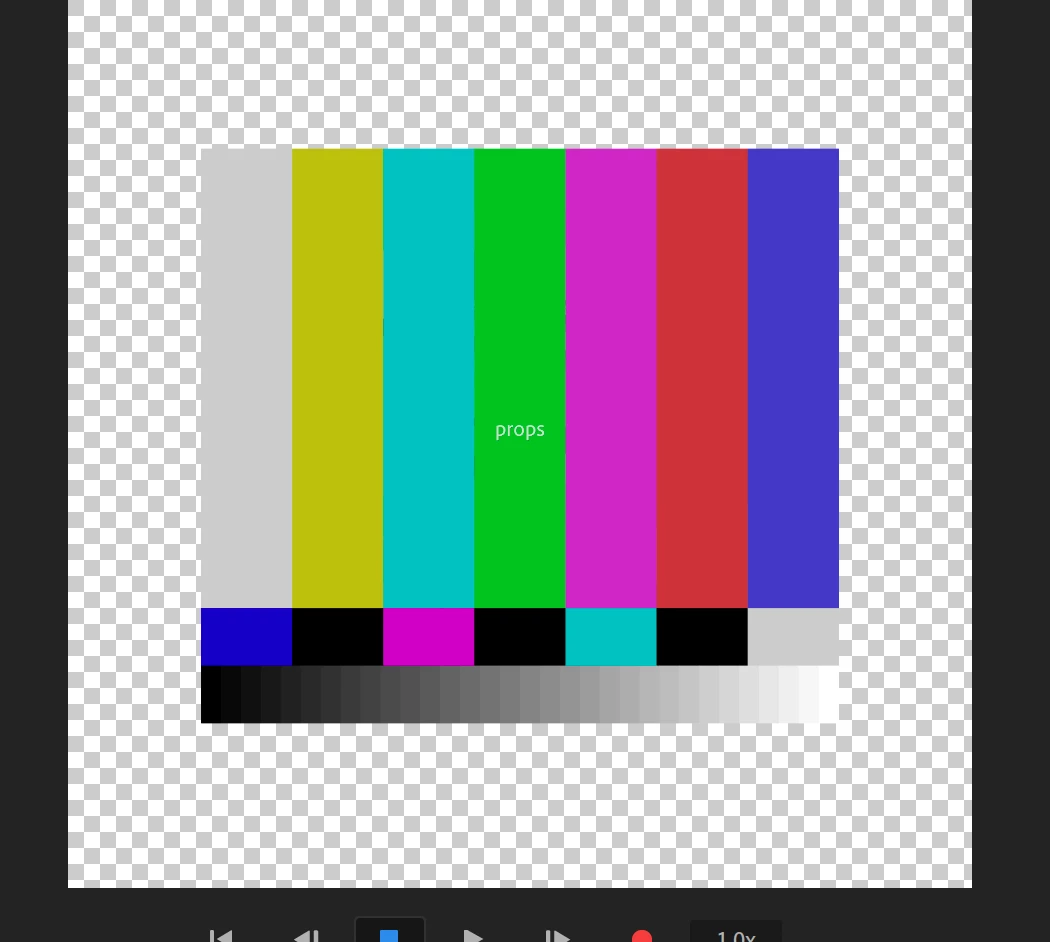
    Here is a recent similar problem. Puppet looks like a test pattern  If you look at the top right corner of the screenshot you can just see the orange path name to the puppet. Once that was fixed it started working again.

    alank99101739
    alank99101739Correct answer
    Legend
    June 8, 2019

    It usually occurs when the artwork file is moved, so the puppet points the wrong path name. If you select the puppet, one of the first properties is the path to the artwork. If the path is orange, it means the file could not be read. Click on it to locate the file in its new location.

    moonsungk26200309
    Participant
    June 8, 2019

    oh my god thank you very  much and fast and correct answer
