
Inspiring
January 10, 2022
Answered

Remove boundary?

  • January 10, 2022
  • 1 reply
  • 603 views

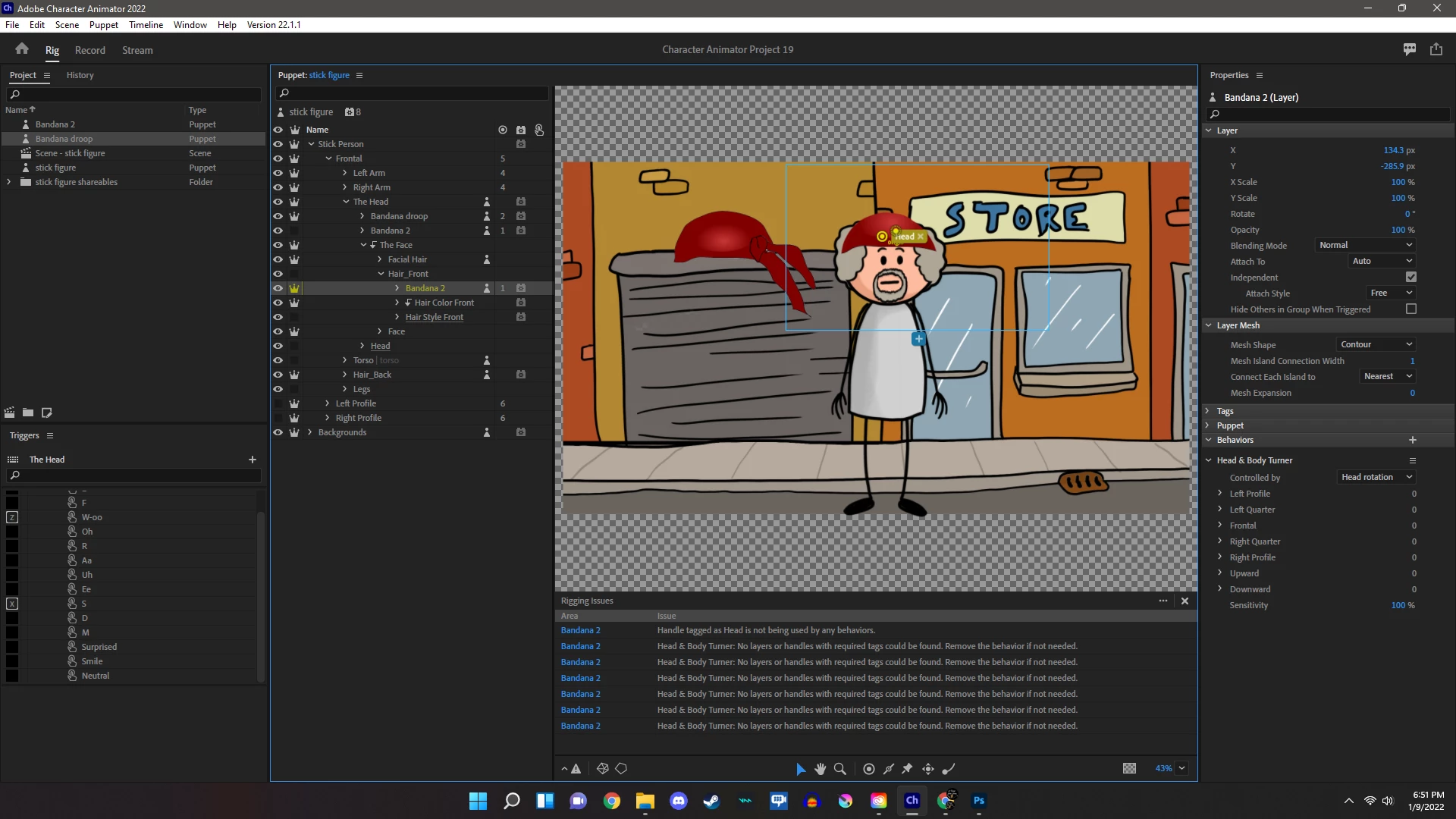
This may not make sensee, but ill try. (Im still new) I can add an object to any body part with no issues, but when i had anything to the face, there is a boundary that will not let me have the object protrude past the face group. in this example i have a bandanna with a piece hanging off, and it wont allow it to past the boundary. Why is this happening, how do I change it? the reason I'm doing this is becuase you cant edit sticky in PS at all, so this is a workaroud to have the bandanna move with the face. seems silly, but I'm not getting any other answers. Thank you!!
This topic has been closed for replies.
Correct answer kordell22491891j3v8

How do i turn clipping On/Off  stuff may look funky becuase im messing around a bit, but that sounds like what im refering to! thanks for the reply

1 reply

alank99101739
Legend
January 10, 2022

I am not sure what you mean by "wont let me", but I notice you have clipping turned on for a few layers (e.g. The Face has clipping turned on). I am wondering if that is what you are referring to. (Clipping is turned on/off via the menus.) I would try turning clipping off to see if things behave better - but you might find other things break as a result. But it might give you a starting point to move forward from.

kordell22491891j3v8AuthorCorrect answer
Inspiring
January 10, 2022

How do i turn clipping On/Off  stuff may look funky becuase im messing around a bit, but that sounds like what im refering to! thanks for the reply

alank99101739
Legend
January 10, 2022

Select the layer, then pick "Create/Release Clipping Mask" from the "Puppet" drop down menu. Its that funky bent down arrow next to the layer name in the rigging hierarchy (just in front of "The Face" in the screenshot you provided.)