
moobootoot
Known Participant
May 23, 2022
Question

Replicating a Charactiser rig set up

  • May 23, 2022
  • 1 reply
  • 229 views

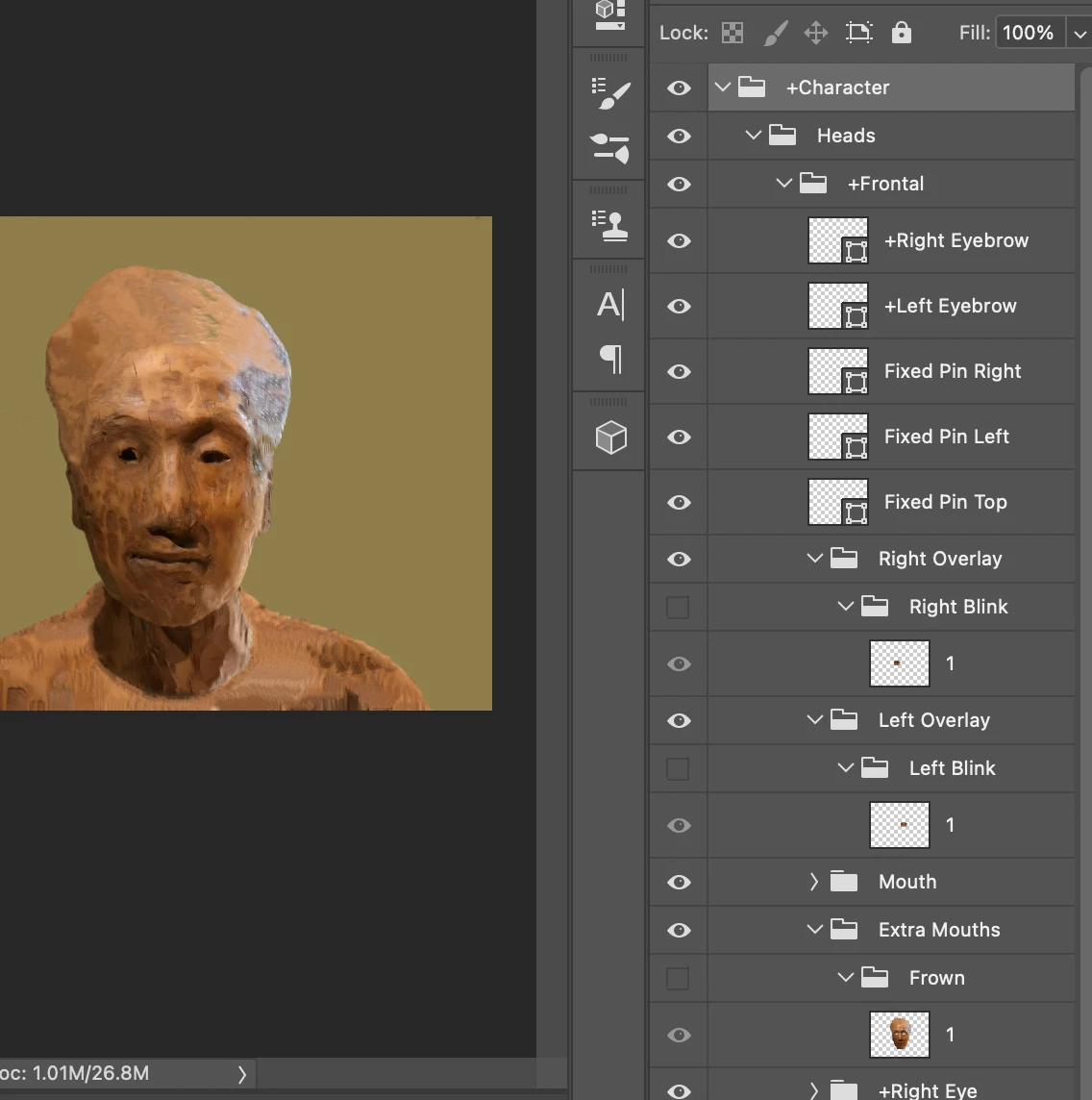
Hi I'm wanting to replicate how my Charactiser puppet is set up and use that rig in another puppet. The basic thing I want to do is have the mouth shapes be the full face (as they are in the Charactiser) and set up the eyebrows so that when the eyebrows move they warp the mesh. The Photoshop file (pic attached) has these bounding box symbols in the eyebrow layers I don't understand but would like to reproduce the warping effect rather than have seperate eyebrows moving on top of the face.
 

This topic has been closed for replies.

1 reply

k_oshiro
Community Expert
Community Expert
May 23, 2022

Notes.

Japanese into English using translation software.

So I may not understand your question correctly.


1) Uncheck the crown independent mark on the eyebrows

2) If the contour is independent, uncheck the box.

3) Move the origin point of the contour to the chin.


Maybe then the eyebrows will move with the face.

Thanks.

https://youtu.be/-IYmsGgNaYw

k_oshiro(AdobeCommunityExpert)
moobootoot
Known Participant
May 25, 2022

Okay thanks for the reply. However this is not the issue I'm trying to resolve. The eyebrows are working fine on the puppet in the picture. Imagine that you have a bitmap image of a face and wanted to warp animate the eyebrows. This is what Charactiser seem to do and I want to replicate this. The eyebrows are not a seperate image but the face (or actually it's the mouth shapes I think cause Charactiser mouth shapes are the entire face) that respond to the eyebrow input.