


Known Participant
Feb 19, 2022 3:57 PM UTC
Question

Rigging issue.

Hey all,


I am making a sample character for a project I am working on. The character's head isn't moving with the rest of the body when I activate the walk cycle. I have tried renaming the head layer, and changing the attach style. As far as I can tell, the origin point for the head doesn't want to move when I select it. Has anyone come across this?
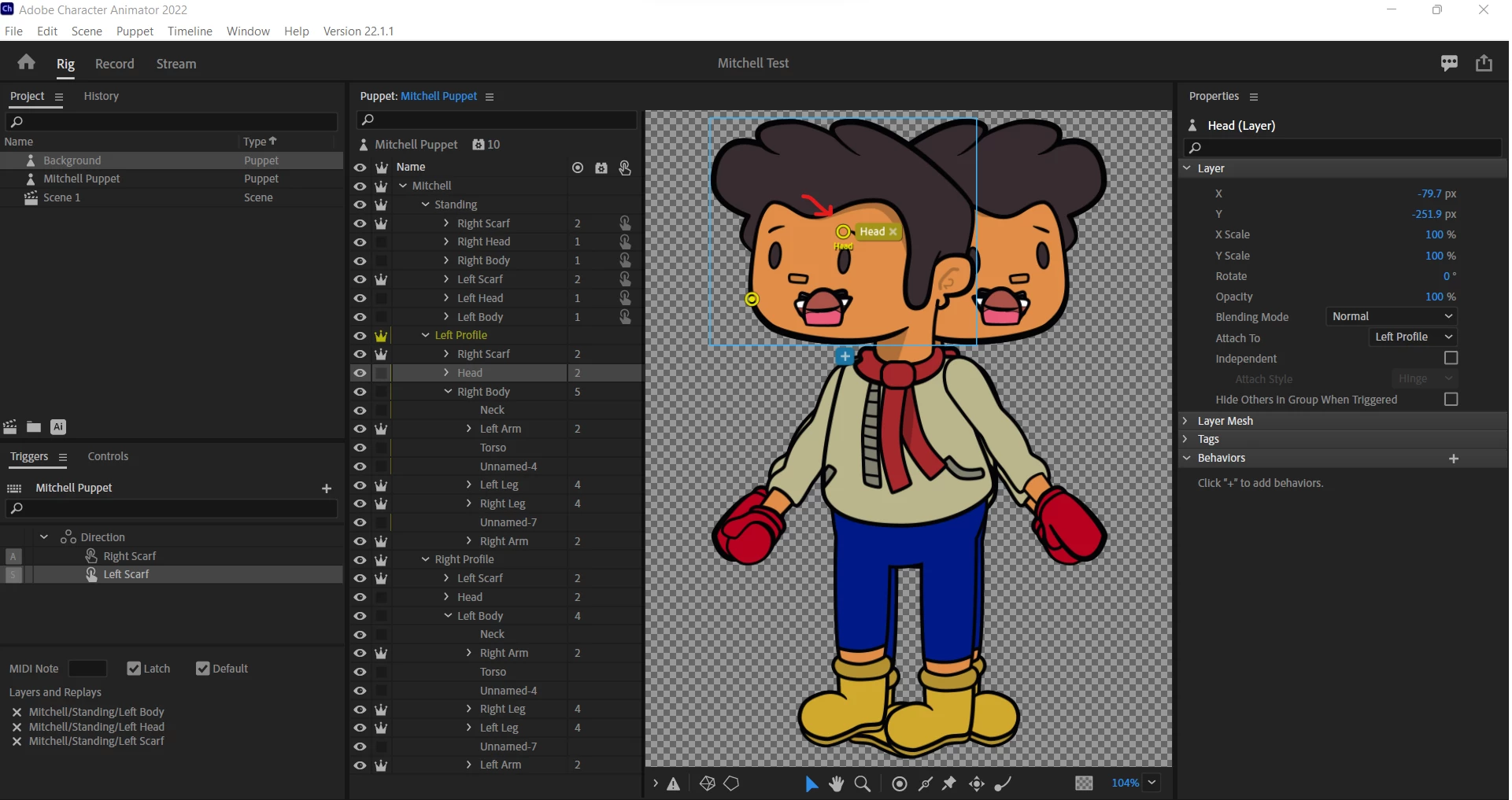
 

Thank you!

Kenny

This topic is closed to new replies. Start a new post to keep the conversation going.

4 replies

alank99101739
Legend
Feb 19, 2022 6:38 PM UTC

I normally leave the yellow outline icon on (bottom left) but in this case I put the yellow mesh icon on that covers face with lots of triangles too. It can sometimes show what part of face is not moving.


First guess is you have a head handle (the solid circle) on the head layer. A behavior might have picked the handle as the head instead of the enclosing layer. That can cause problems.


If you look at say the walk behavior (or Face behavior) and expand sections like views and handles, if you see a path like /puppet/standing/Head:Head, the colon at the end indicates it picked a handle inside the layer rather than the layer itself.


My suggestion as a first step is to delete the solid circle for the Head handle and see if that helps.

Translate
Known Participant
Feb 20, 2022 12:44 AM UTC

Hey.


I did delete the solid circle. The empty circle in the middle of the head is frozen in place. Normally I can move this to the body and everything works fine I think that is the issue, but I can't figure out how to move it. Any ideas?

Translate
Kenny WilsonSelf-Published Author, Illustrator, Screenwriter