


Inspiring
July 2, 2017
Answered

screen funny in character animate

  • July 2, 2017
  • 3 replies
  • 509 views

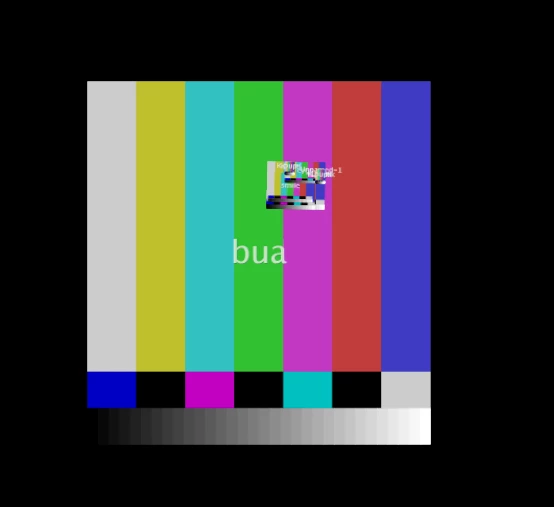
Hi In my creative cloud- character animate. the last work i done-my scene and characters-all  are not right - see attached
[Here is the list of all Adobe forums... https://forums.adobe.com/welcome]

[Moved from generic Cloud/Setup forum to specific Program forum... Mod]

    This topic is closed to new replies. Start a new post to keep the conversation going.
    Correct answer CoSA_DaveS

    The color bars are indicating that the artwork file (PSD/AI/PNG) is missing (likely moved or deleted, or the project was moved). Two ways to resolve this:

    1) before opening the project, place the artwork directly inside the Ch Media folder in the project folder

    or

    2) select the puppet in the project panel and click on the file path in the properties panel, then choose the new location of the artwork file

    3 replies

    CoSA_DaveS
    CoSA_DaveSCorrect answer
    Participating Frequently
    July 3, 2017

    The color bars are indicating that the artwork file (PSD/AI/PNG) is missing (likely moved or deleted, or the project was moved). Two ways to resolve this:

    1) before opening the project, place the artwork directly inside the Ch Media folder in the project folder

    or

    2) select the puppet in the project panel and click on the file path in the properties panel, then choose the new location of the artwork file

    Inspiring
    July 3, 2017

    Thank you! I will do that! Thanks again!

    Inspiring
    July 2, 2017

    Thank you that's great!