ASchrauwen
Participant
January 17, 2019
Question

shifted workspace
  • January 17, 2019
  • 2 replies
  • 307 views

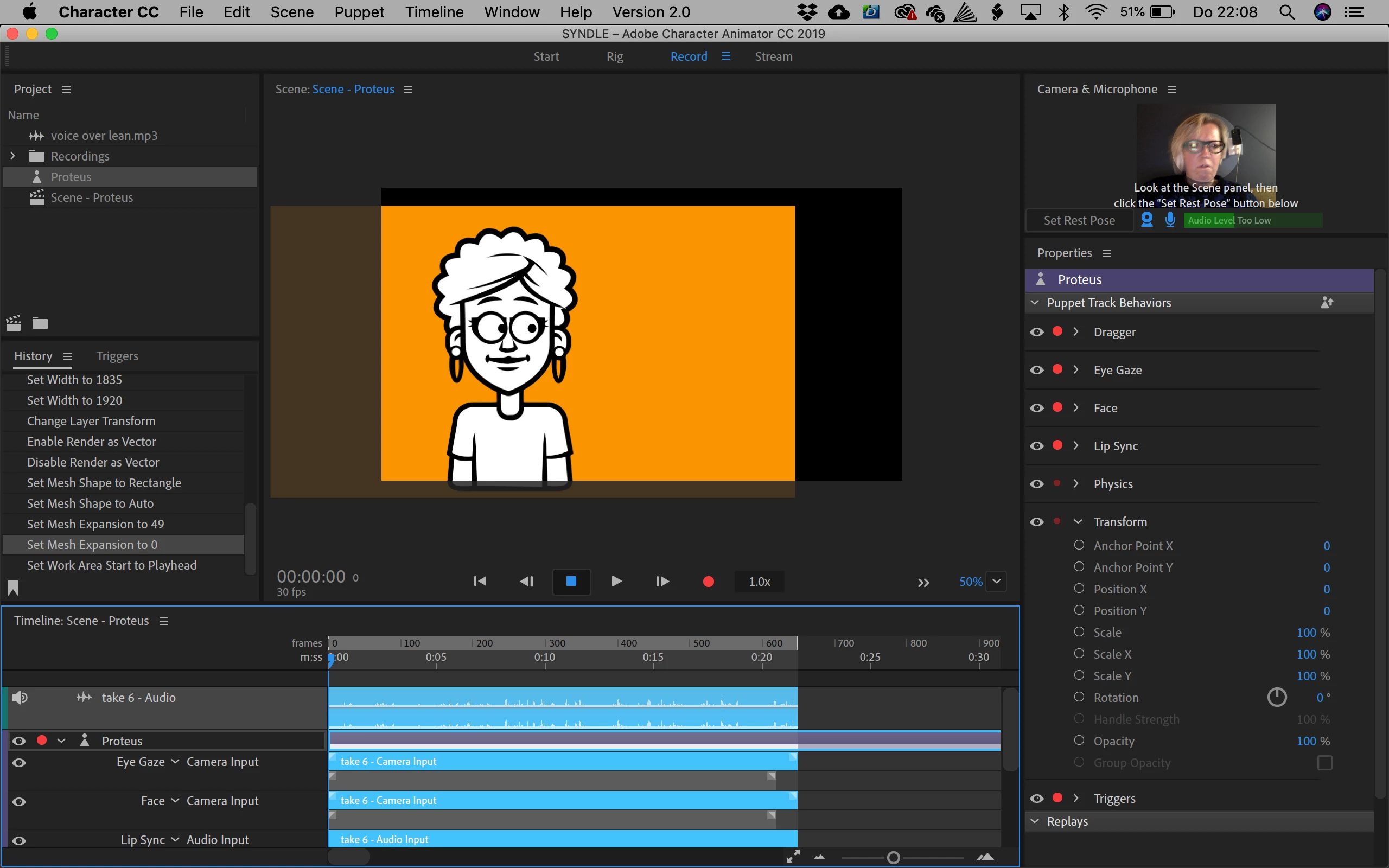
Why isn't my workspace not completely filled with my illustrator document? It seems to be shifted, but I can't move it to the right.

    This topic has been closed for replies.

    2 replies

    SharonfromMD
    Inspiring
    January 20, 2019

    Several possibilities

    1. Make sure your imported artwork is the same size as your screen area. Personally I use 1080 X 1920. (I think that's the proportion)

    2. In your artwork, you may have a tiny little thing somewhere outside the drawing area. To check this I go to the original artwork- I shrink it and then "select all"  If there is a little something it should show up. Erase it and you're all set.

    I've been where you have many times-it's annoying. Good luck

    alank99101739
    Legend
    January 17, 2019

    See the “50%” in the bottom right of that panel - if you click the drop down, is there a “fit” setting? Does selecting that fix it?