


Small raster photoshop images (72dpi) are importing blurry into Character Animator or Animate
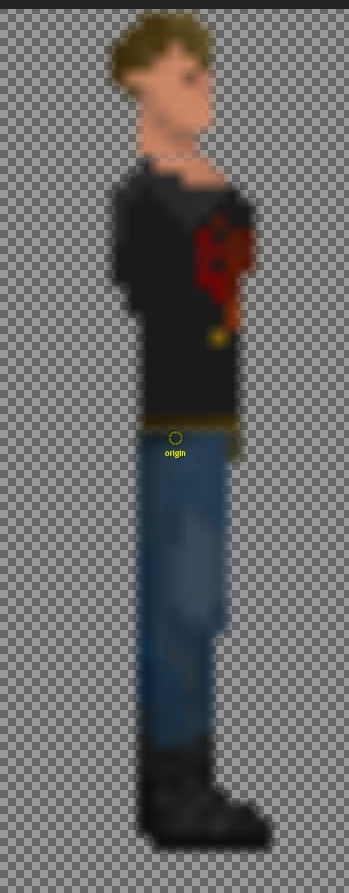
Just as the title says. Much of my work is smaller pixel art and they appear crisp and sharp in photoshop. When importing the .psd photoshop image (not a png or jpg but importing a .psd file) into Character Animator or Animate, the images appear blurry or anti-aliased. My photoshop images are 72 dpi and smaller resolutions. Does Animate and Character Animator upscale to a higher resolution than the source? Or is my image being anti-aliased somewhere?
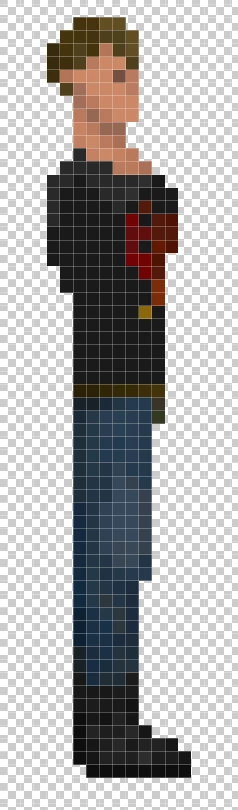
Here is the pixel art image in photoshop
Here is what it looks like in Character Animator or Animate.
Here are my settings in Photoshop:
-RGB, 8-Bits per Channel, 21px x 63px, Resolution 72dpi. Pixel Aspect Ratio: Square Pixels, Color Profile: sRGB IEC61966-2.1
Note: I have tried creating an image at 300dpi and then assembling my source art, but get the same result.
 AdChoices