
Answered
Stroke import from PS
I've been adding Stroke to outline my character at the Character, body or head folder level but it won't import into PS. Is there a trick here or is this not supported? 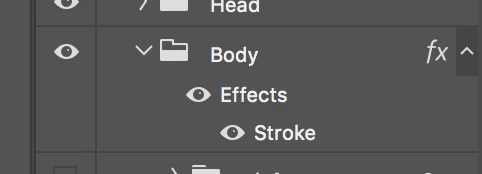

I've been adding Stroke to outline my character at the Character, body or head folder level but it won't import into PS. Is there a trick here or is this not supported?
Not sure I'm following you exactly. But if you mean adding a stroke in PS will not show up in CH, here is what I've found.
For the stroke to carry over into CH, the effect needs to be added to a layer in PS, not a group. This is what I did in PS to the Wilk puppet
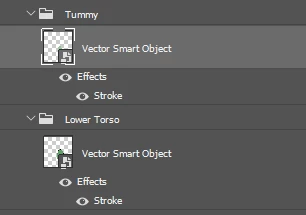
and what it looks like in CH

Already have an account? Login
Enter your E-mail address. We'll send you an e-mail with instructions to reset your password.


 AdChoices