bobokirk
Inspiring
January 10, 2019
Answered

Swap Set Not Working

  • January 10, 2019
  • 3 replies
  • 1894 views

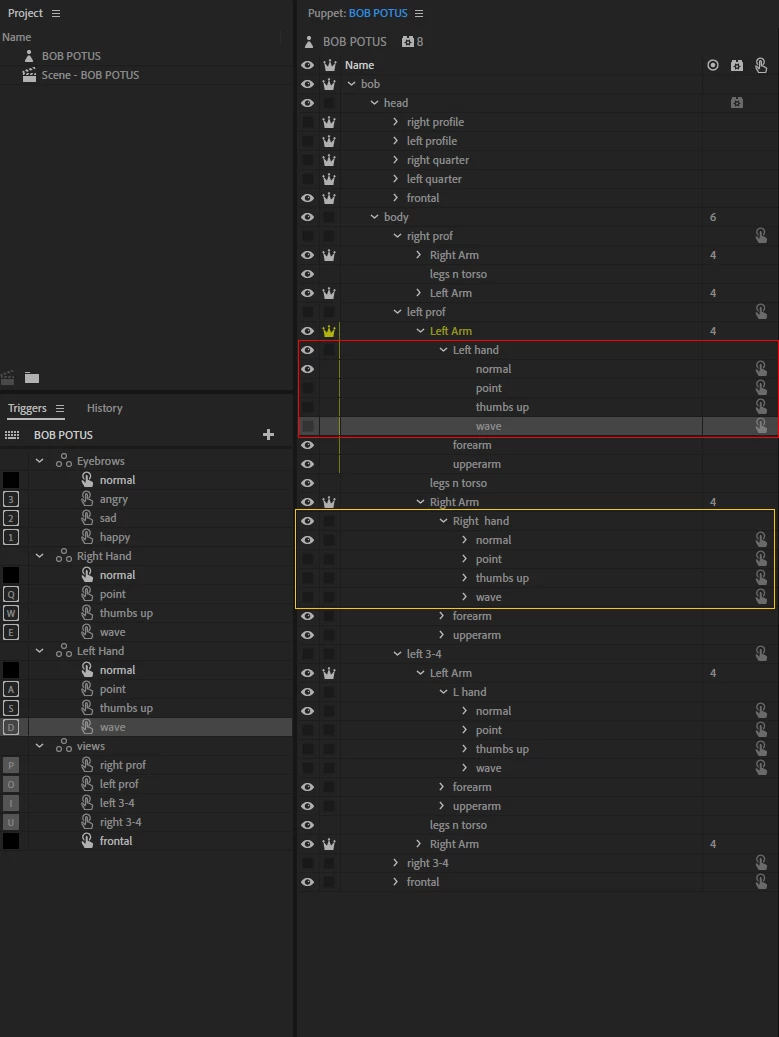
I set up Swap Sets for my character's hands. I have a front view and body turns in each direction (1/4 and 1/2 in each).  All the hands are working in each "view" except one group (shown here) where the "default" hand disappears and no others in the swap set show at all. I'm perplexed at very least, but I'm sure it's something I don't see.
Anybody have this problem before?

Thanks for any help you can give.
This topic has been closed for replies.
Correct answer bobokirk

OK SOLVED.  Notice that the "Left Arm - Hands" are no longer in individual folders in the main file (.PSD), like those in the "Right Arm -Hands".  And that solved the problem.  But I don't know why the others do work.  I'll remove the other "Hands" from their individual folders, one-by-one, and test them.
But this solved the one issue.

3 replies

alank99101739
Legend
January 11, 2019

I only ever create swapsets from siblings. If the artwork was another level deeper, that might have been causing issues.

bobokirk
bobokirkAuthor
Inspiring
January 11, 2019

I changed all of the "Hands" structure last night, removing each from the folders in the hierarchy.  It's working perfectly now.

alank99101739
Legend
January 10, 2019

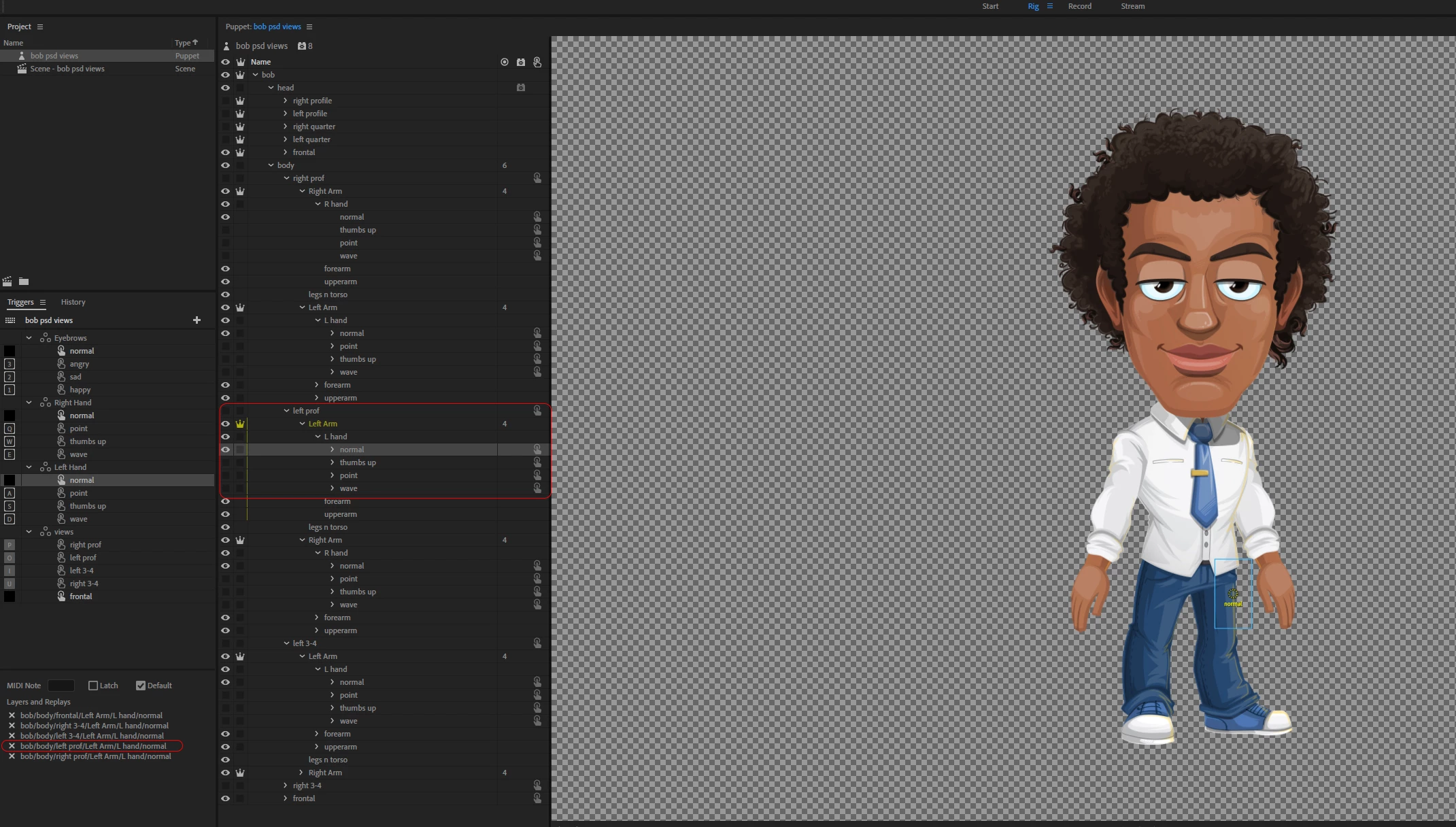
You provided a screen shot of the “normal“ trigger bindings - can you include one of the hand positions that is not working?

is it when you press the trigger, the hand is staying as it was?

But before all of that, I would hold down ALT and click the refresh button (two arrows in circle) in the scene window to flush caches in case its some internal caching bug.


Everything you are doing looks sane, and that the other hand works... I suspect some obscure thing like a spelling error, or one wrong layer in a trigger causing CH to be confused rather than something fundamentally wrong. I would go through and check each swap set and binding carefully.

bobokirk
bobokirkAuthor
Inspiring
January 10, 2019

When I tap the trigger, the "normal" hand is in the group is hidden, but the hand associated with the trigger does not show - nor do the others in the group.
I'll try to get a screenshot of it .... hold on ....

bobokirk
bobokirkAuthor
Inspiring
January 10, 2019

Just to note, the Right Hand is working fine (set up the same way), but the Left is not.