christineavatar
Legend
April 14, 2019
Answered

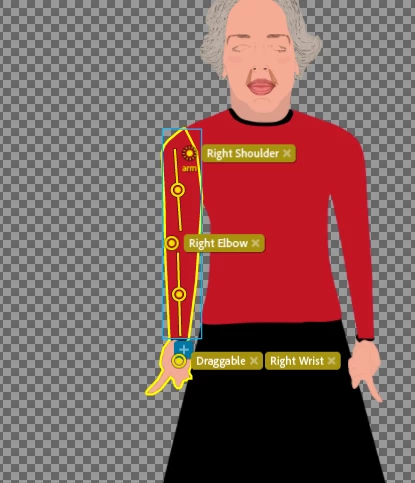
The arm are behaving like a snake

  • April 14, 2019
  • 23 replies
  • 2085 views

This is one where I don't even know where to look.
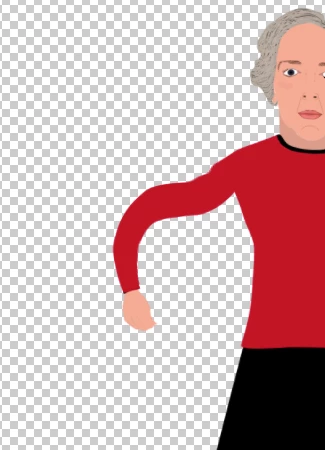
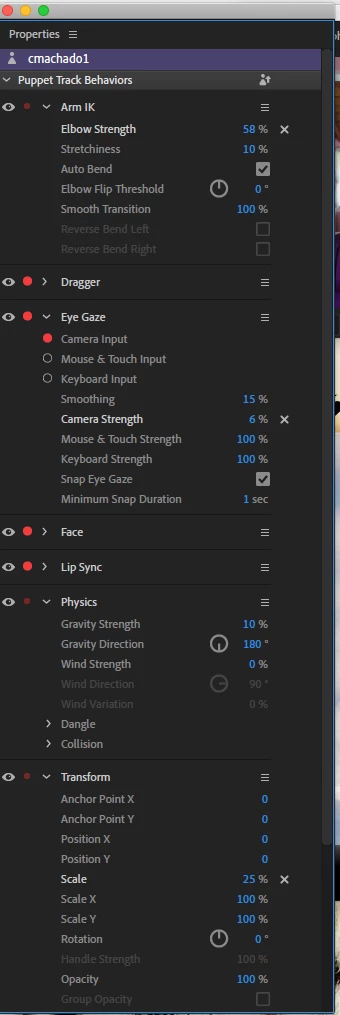
The one on the right is rig mode and the one on the left is actual performance. When I adjust the Arm IK 'Elbow Strength' it doesn't help. Here are all the properties in case there is a conflict.
    This topic has been closed for replies.
    Correct answer alank99101739

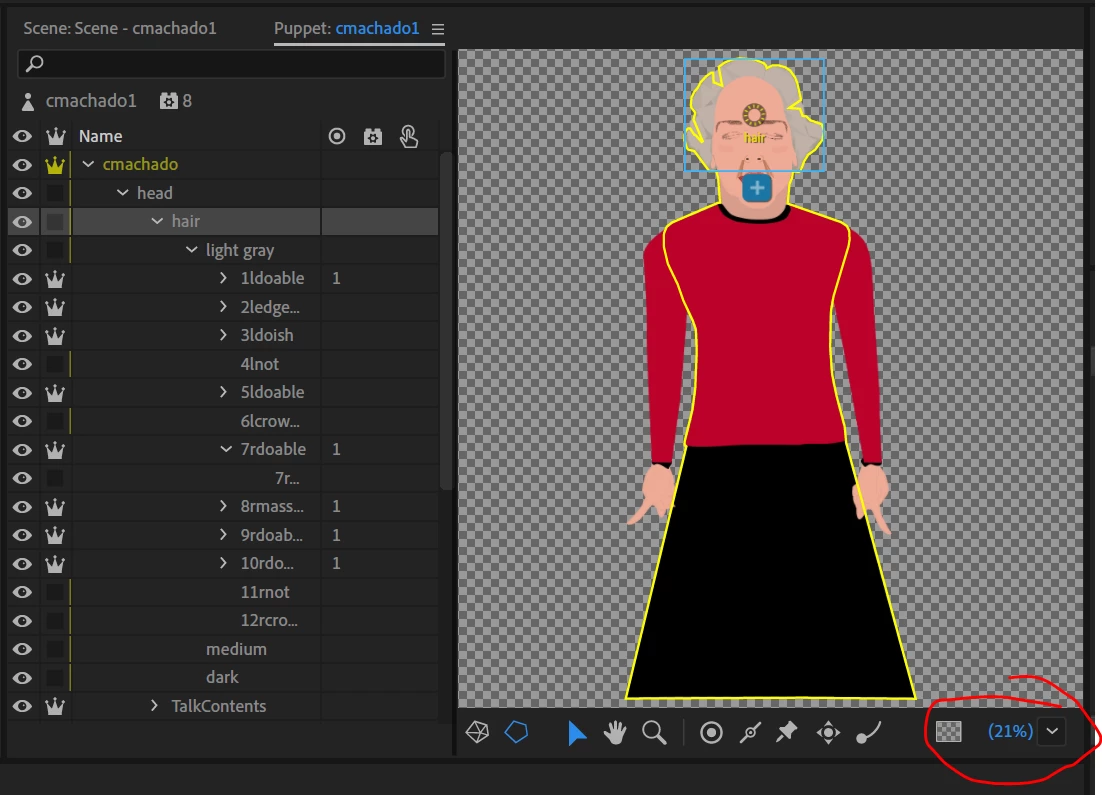
    To zoom the character in the rigging panel by the way, you can use the drop down in the bottom right corner, or you can hold down ALT and either drag the panel contents around, or use the mouse wheel (with ALT pressed) to zoom in/out. THere are probably menu items and other keyboard shortcuts too, but that is what I do.

    I also had to turn on the right mesh icon (the outline) to get the green anchor points appearing again (confused me for a while).

    23 replies

    christineavatar
    Legend
    April 20, 2019

    I am not sure if this will be needed, but here is the puppet panel. It should have all the same items as the 'problem child'.

    angie_taylor
    Legend
    April 21, 2019

    sadly, I can’t see inside the body group in this image?

    christineavatar
    Legend
    April 20, 2019

    Now I have cmachado1 opened. I'm going to have to start doing everything all over again. I'll try to get it done today.

    christineavatar
    Legend
    April 20, 2019

    I tried importing, from Illustrator, the original drawing but it said it couldn't because there was already one open.

    christineavatar
    Legend
    April 20, 2019

    I intended to do that. When I opened the file this morning, this is what I got.

    That is supposed to be my puppet

    I swear, if it wasn't for bad luck I'd be having no luck at all.

    angie_taylor
    Legend
    April 20, 2019

    Can you please upload a screenshot of the Puppet panel, showing layers and groups open? This will helps us to see if there’s an issue with the puppet layers.

    also, as Alan says, the sticks and handles don’t look as if they AR aligned properly. Try removing t’he sticks to see what happens first, then add them so that they line up correctly.

    the other thing to check is that the layers are named correctly? And that you’re not in 3/4 mode or using a walk behaviour on it?

    christineavatar
    Legend
    April 15, 2019

    That's okay. I'll stay busy working on her hair. The piece isn't any more than 20 second long, or so.

    alank99101739
    Legend
    April 15, 2019

    I will try to have a look in A week’s time (hopefully someone else can help). When I try to download the video on my iPad it comes up with Dropbox errors. I won’t have access to PC until next week. Hopefully someone else will have a look. Sorry about the delay.

    christineavatar
    Legend
    April 15, 2019

    Never mind. Found it.

    Dropbox - goofed up stuff.mp4

    alank99101739
    Legend
    April 15, 2019

    Sorry, you need to upload the file to Google Drive, Dropbox or similar, or since its a video file upload it to YouTube. Then get a publicly shareable link to share here. The file:// URL is a pointer to a file on your local machine (which I cannot access)

    christineavatar
    Legend
    April 15, 2019

    I need an address or name to allow you to view.

    christineavatar
    Legend
    April 14, 2019