IsabelleCA
Known Participant
October 27, 2021
Question

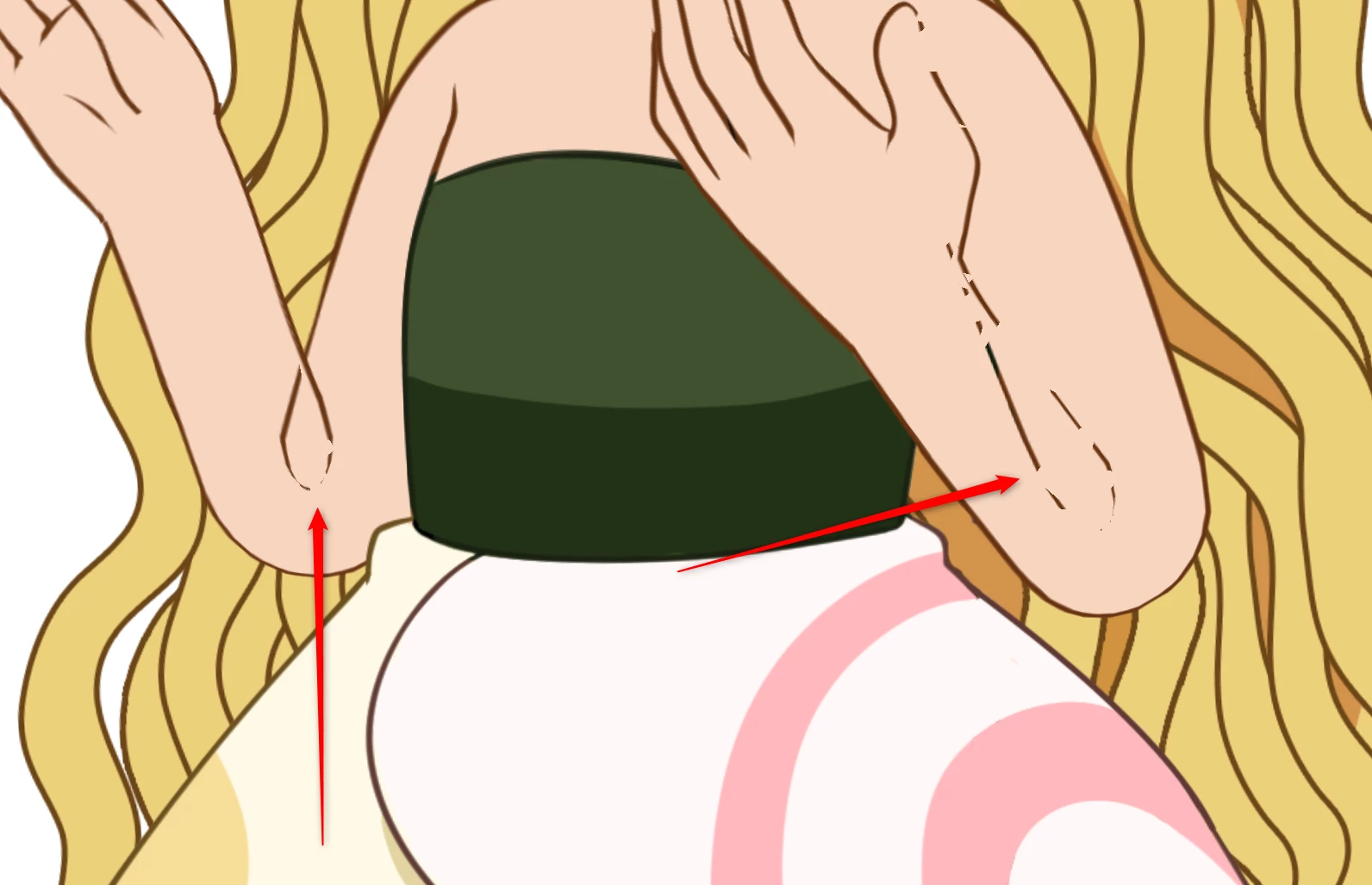
The bend in my puppet's elbow looks like a problem

  • October 27, 2021
  • 2 replies
  • 592 views

Hello !
The bend in my puppet's elbow looks like a problem. I looked for an answer on the net but I couldn't find anything

This topic has been closed for replies.

2 replies

TheOriginalGC
Community Expert
Community Expert
October 28, 2021

Here's some tips for slicing up the arm. Include a little overlap - a half circle should do - on both pieces. Also, change the arm joint settings from "weld" to "hinge." This will allow the pieces to behave like an actual paper puppet.

alank99101739
Legend
October 28, 2021

I think attach to will only be relevant if the forearm is made independent. I am not suggesting that in this case. By slicing the artwork into two groups it overcomes that weird peek through effect of the outline at the elbow. It will act exactly as before, bending like before, but the upper arm outline with the weird loop at the elbow should be behind the forearm artwork so you cannot see it.


the cut point is going to depend on the psi toon of the sticks, so play with them first, then fiddle with the artwork.

TheOriginalGC
Community Expert
Community Expert
October 28, 2021

Sorry. reading too fast as usual.

alank99101739
Legend
October 27, 2021

That one can be hard to get right. Sometimes you can get lucky shortening the sticks in the arms.


The problem is the artwork for the forearm and upper arm are in the same layer, so have the same priority. So it does not know what to draw in front and what to draw behind (and it ends up a mess sometimes).


The most effective solution I have seen is to chop the arm artwork in half near the elbow (maybe have it overlap a bit). (I would keep the original artwork around until you get it right!) Then put the forearm group/layer in front of the upper arms. Because you explicitly put the forearm artwork in front of the upper arm artwork, it knows what should be in front of what. Don't make either layer independent, just chop it into two groups/layers so it knows what should be in front. It can take some experimentation to get the right place to chop it.