Could you include a screenshot in Illustrator/Photoshop too please? Un-hide the other hand positions so you can see all of the hands at once. I have messed up some puppets by moving the artwork - but hidden layers did not move (!). I had to show all the layers, then move things, then hide them again, or else things got out of whack. Just wanted to make sure that was not your problem.
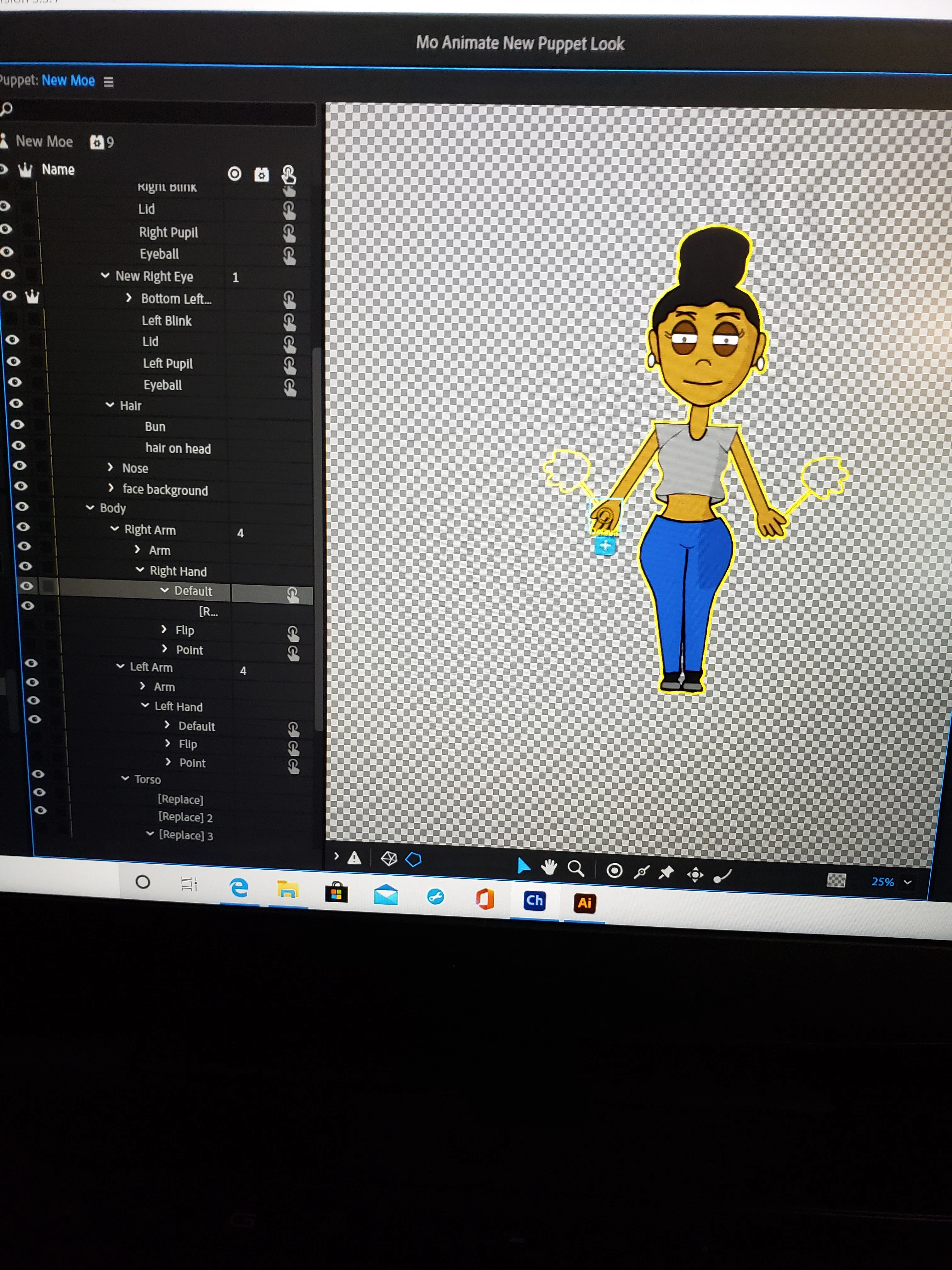
The other thing I was interested was what was the alternate images. It looks like the hands holding sticks? Are those ones in the right spot? But the third set of hands are the ones in the wrong spot? I assume if you un-hide the layer in CH you see the artwork where the yellow outline is...
Regarding triggers, you have a lot of triggers on layers in the face! Are you saying you did not put them there? That is strange! Could you do a screen shot of the triggers panel (you might need to try and make it a bit bigger if too small). That shows the key bindings and layer names, as well as swap sets.
Platty has a good suggestion regarding re-importing. But that might lose some of your rigging or recording work. I'll add a couple more things to try first:
1) right-click on the layer that's out of place and choose Reset Layer
I have had similar problems when I make a lot of changes to my puppet going back and forth between AI where I create the puppet and CH. After a while it seems as if CH forgets where things are. If you have been making a lot of changes, and if you are not too far into rigging your puppet, you might try deleting the puppet and importing it fresh. Another approach would be to simply move the outline in CH to align with your puppet.
Someone else will probably reply with a better solution.
Thank you. Sometimes when I think of starting over, especially with rigging, my eyes weld up with tears. Luckily I'm this case my hidden layers for my hand triggers in AI were in the wrong place. A quick adjustment and save in AI corrected the issue. Thank you for your help!



 AdChoices