

turkey90
Participant
February 2, 2019
Question

the time changes when I import

  • February 2, 2019
  • 5 replies
  • 315 views

Hello,

4 minutes after the effect when I import the 6 minutes, what can be the problem?

Good luck with.

Character animator record
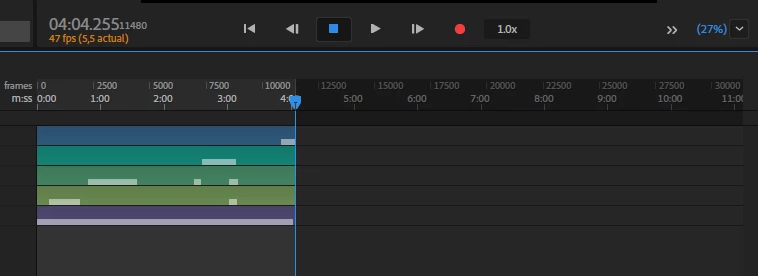
After effect import later 6 minutes?

    This topic is closed to new replies. Start a new post to keep the conversation going.

    5 replies

    alank99101739
    Legend
    February 3, 2019

    I would change the CH FPS to what you need for the final video for the smoothest result. Its in the scene properties panel I think.

    You may need To clear caches, not sure. But I suspect (but not 100% sure) that was the cause of the problem. You might need to re-add the CH scene into AE to pick up the fps changes. Dunno.

    turkey90
    turkey90Author
    Participant
    February 3, 2019

    there is a strange problem, when I import it in pr it seems to be 4 minutes but ae is not like that, the problem is still in direct import into the ae. 4 hours of animation, 7 hours passed and 7 more hours total 14 hours rendered media encoder allocated ram 6 gb, I am very fortunate this time

    turkey90
    turkey90Author
    Participant
    February 3, 2019

    I did the fps settings at ae to f fps, so

    47 fps but nothing changed

    alank99101739
    Legend
    February 2, 2019

    Check the FPS settings for both. It looks like ch is set to 47 FPS? If you put that into a 30 FPS AE project, it becomes longer. That is the number of frames does not change - it extends the duration instead.

    turkey90
    turkey90Author
    Participant
    February 3, 2019

    png recorded at ch 11501 but ae looks at 18017, what should i do?
