christineavatar
Legend
April 1, 2019
Answered

The vanishing puppet

  • April 1, 2019
  • 1 reply
  • 466 views

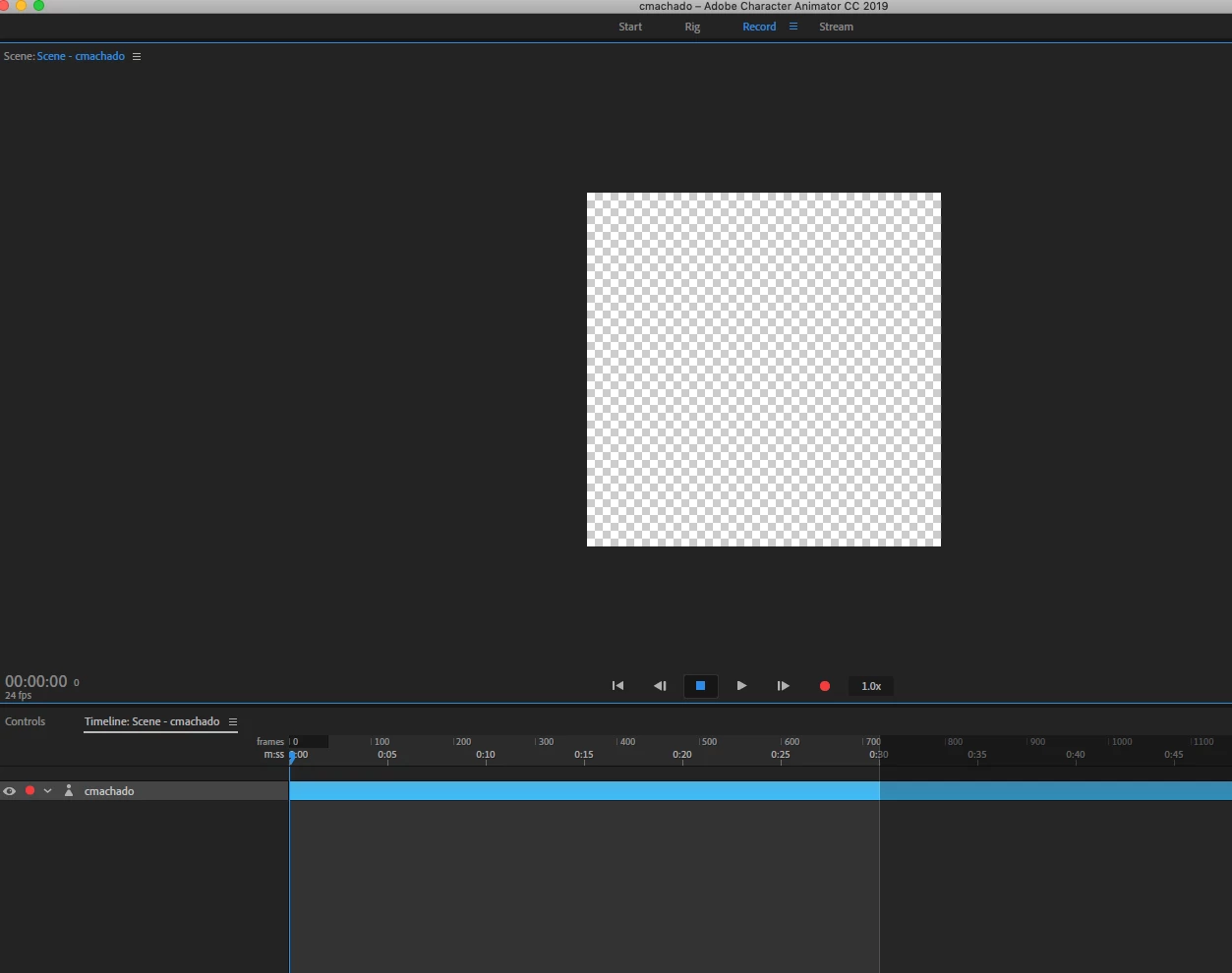
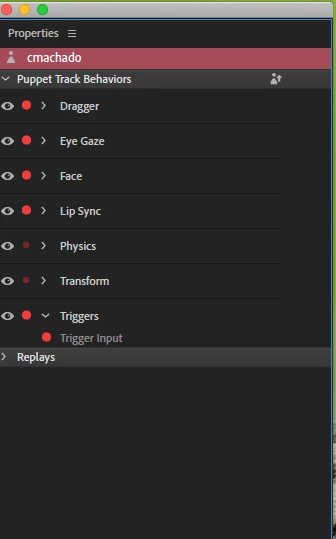
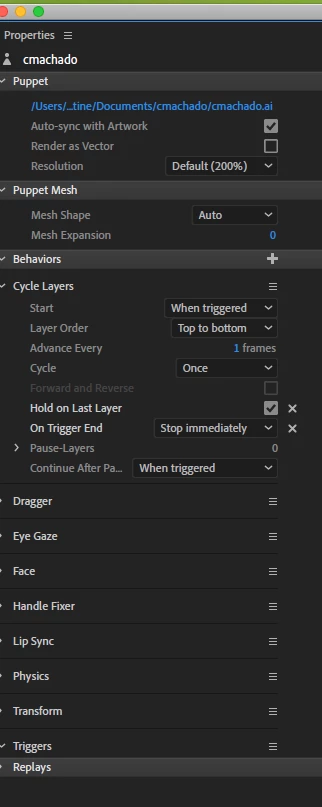
I have been working on this for almost a week. When I add the Cycle Layers behavior to my puppet the entire puppet disappears from the stage. The Cycle Layers also does not show up in the Properties panel. The issue I am dealing with is the Puppet disappears from the stage and doesn't come back until I eliminate the Cycle Layers property. What am I doing wrong?
    This topic is closed to new replies. Start a new post to keep the conversation going.
    Correct answer christineavatar

    I gave up on the discussion group and contacted Adobe proper. It took us over an hour and a half to finally discover that what we needed to do was change where we put the Cycle Layer behavior. I had been placing it with all behaviors that modified the puppet which caused the puppet to disappear. When we moved the Cycle Layer down into the puppet's mouth - put the behavior on the sounds themselves - it no longer disappeared!

    1 reply

    christineavatar
    christineavatarAuthorCorrect answer
    Legend
    April 1, 2019

    I gave up on the discussion group and contacted Adobe proper. It took us over an hour and a half to finally discover that what we needed to do was change where we put the Cycle Layer behavior. I had been placing it with all behaviors that modified the puppet which caused the puppet to disappear. When we moved the Cycle Layer down into the puppet's mouth - put the behavior on the sounds themselves - it no longer disappeared!