Inspiring
October 7, 2017
Answered

Two questions please

  • October 7, 2017
  • 8 replies
  • 951 views

1. I just changed my graphics card because my built in card won't let me open the "Rig" panel

without error. Got a GTX 1050 TI card and now I can open the Rig panel without an error.

However, the panel is blank. The puppet does not show up in the panel. Where it shows

"puppet", it says "none" in blue letters. Could it be because it is one of those free puppets

that I got off the Internet? I tried Wilka or something like that and Crimson. They only come

with a .puppet file. i.e. Crimson.puppet. Could this be the reason?  I watched a video and did

exactly like was shown. I am in the process of making my own puppet in Photoshop but not

finished yet to try it out.

Every time I open the program, it brings the project I was working on the last time. How can

I clear out all of this.

The second question is not that important because I can always just click "new project" but

I really would like to work on the Rig part as part of my learning.

Thanks.

    This topic is closed to new replies. Start a new post to keep the conversation going.
    Correct answer oksamurai

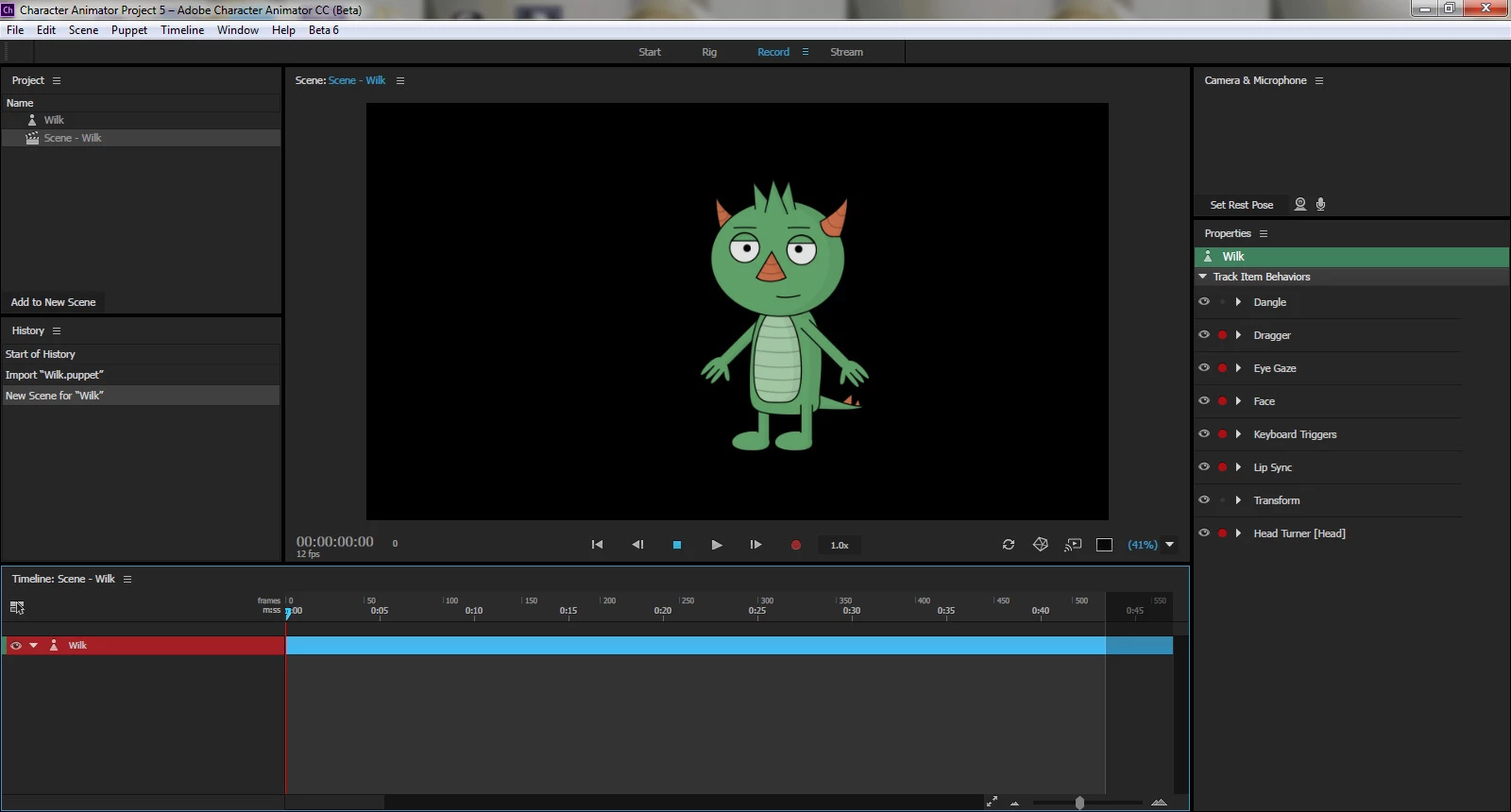
    Here is screen shot when in "Record panel"


    Okay, and if you double-click on Wilk in the Project Panel on the left, Rig mode stays blank?

    What happens if you click Chloe from the Start menu? Does she open up in Rig & Record mode or does it stay blank?

    8 replies

    oksamurai
    Legend
    October 9, 2017

    Hold down option (Mac) or alt (PC) while opening CH to open a fresh project. By default, CH always opens with your last project. If the Rig issue persists let us know - sounds like a temporary bug (hopefully).

    This FAQ may help. There's a thread linked there about how to fix issues with Nvidia specifically: FAQ: How do I diagnose and resolve an OpenGL-related error?

    Inspiring
    October 9, 2017

    Thanks for the reply. I already went over that link and everything checks out.  My card is

    up to date. I tried it with another puppet and still the panel is blank. Right now I need it to

    pin the body down because it keeps drifting. My screen resolution is 1600 x 900 if that matters.

    My program is up to date as well.  Hopefully something will come along.

    oksamurai
    Legend
    October 10, 2017

    Strange...the only past incident like this I could find was this thread, where the only solution seemed to be several un/re-installs: Why can't I see puppet in CH?

    Can you please post a screenshot of what you see in Rig mode, and if there's an error message what it says?