
Question
Unable to turn on all puppet view and puppet dissapearing issue
I encounter a few questions in doing my animation assignment. I really need help! Thank you in advance!
#CharacterAnimator
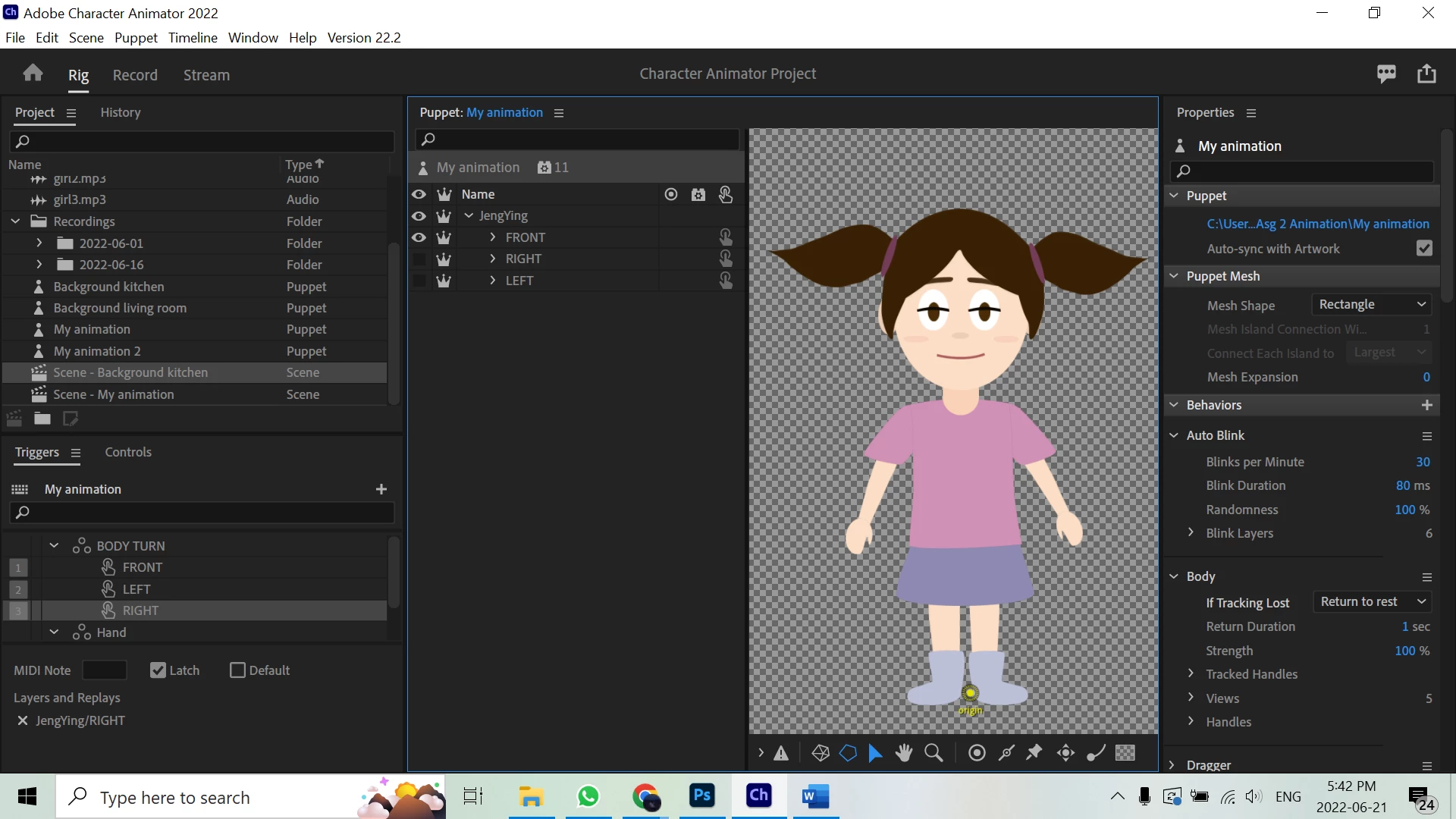
- I can’t turn on all my puppet’s views at the same time. When I click either of these 3 views, the other one will automatically untick. I have turned on all 3 views in Photoshop.
- I have set triggers for the body turn (front, left, right). However, when I turn on the walk behaviour, the triggers can’t function. When I turn off the walk behaviour, the triggers can function again.
- When I record walking with left and right arrow keys, the puppet disappears when I let go of the key. Also, the puppet is only visible when I click the right key. It moves but won’t appear when I click the left key.


 AdChoices