House of Sugars
Inspiring
September 14, 2018
Question

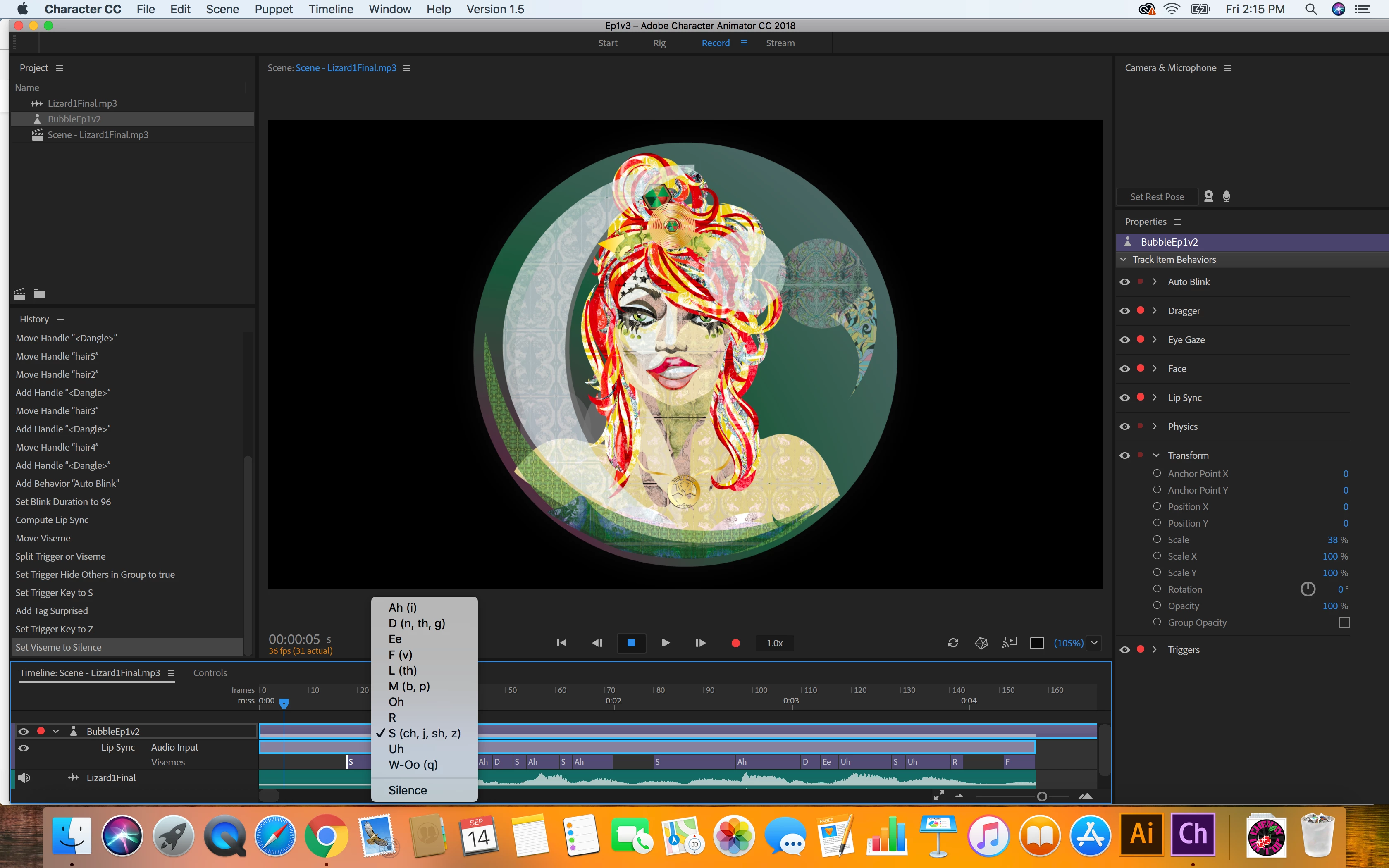
Visine options in 'compute lip sync from scene audio'
  • September 14, 2018
  • 1 reply
  • 1357 views


These are my visine options right now. I'd like to add 'suprised' and possibly others, is this possible? What are my other options?

    This topic has been closed for replies.

    1 reply

    alank99101739
    Legend
    September 14, 2018

    “Surprised” is actually a built in viseme, as is “smile”. The supported visemes are in the tags panel. I am guessing you don’t have it tagged in the puppet. But if you want to go beyond those (e.g. “angry”, “sad”, “sleepy”) you need to use a different approach with triggers.

    My recommendation is to create “Mouth Group” under which you put “Mouth” under which goes “Ah”, “Uh”, ... “Smile” - the standard visemes. Then you create additional layers under ”Mouth Group” (siblings of Mouth) for all the non-standard visemes. You then create a swap set with “Mouth” being the default, and “Angry”, “Sad” etc triggered by a keyboard triggers. So the default mouth comes up for lip sync, but you can override it with an expression with a keyboard trigger.

    It‘s not perfect, but its the best option I know of.

    House of Sugars
    Inspiring
    September 14, 2018

    But I DO have it tagged!

    I need to know how to make it an option HERE if possible

    alank99101739
    Legend
    September 15, 2018

    Silly me. Sorry, I forgot the two Smile and Surprised emotions are not actually visemes. They are used by the Face behavior based on facial expressions. So if you want to trigger them by hand, put a keyboard trigger on them and use those triggers to make them appear.