

TheOriginalGC
Community Expert
Community Expert
August 16, 2021
Answered

Visually sync volume levels

  • August 16, 2021
  • 1 reply
  • 382 views

Here's a request. If I make a robot with something like an equalizer for a mouth, is there some way to set it up so that the lights get brighter when the voice is louder? Or do I have to just fake it by using visemes for the lights?
This topic has been closed for replies.
Correct answer k_oshiro

I converted Japanese to English with translation software.


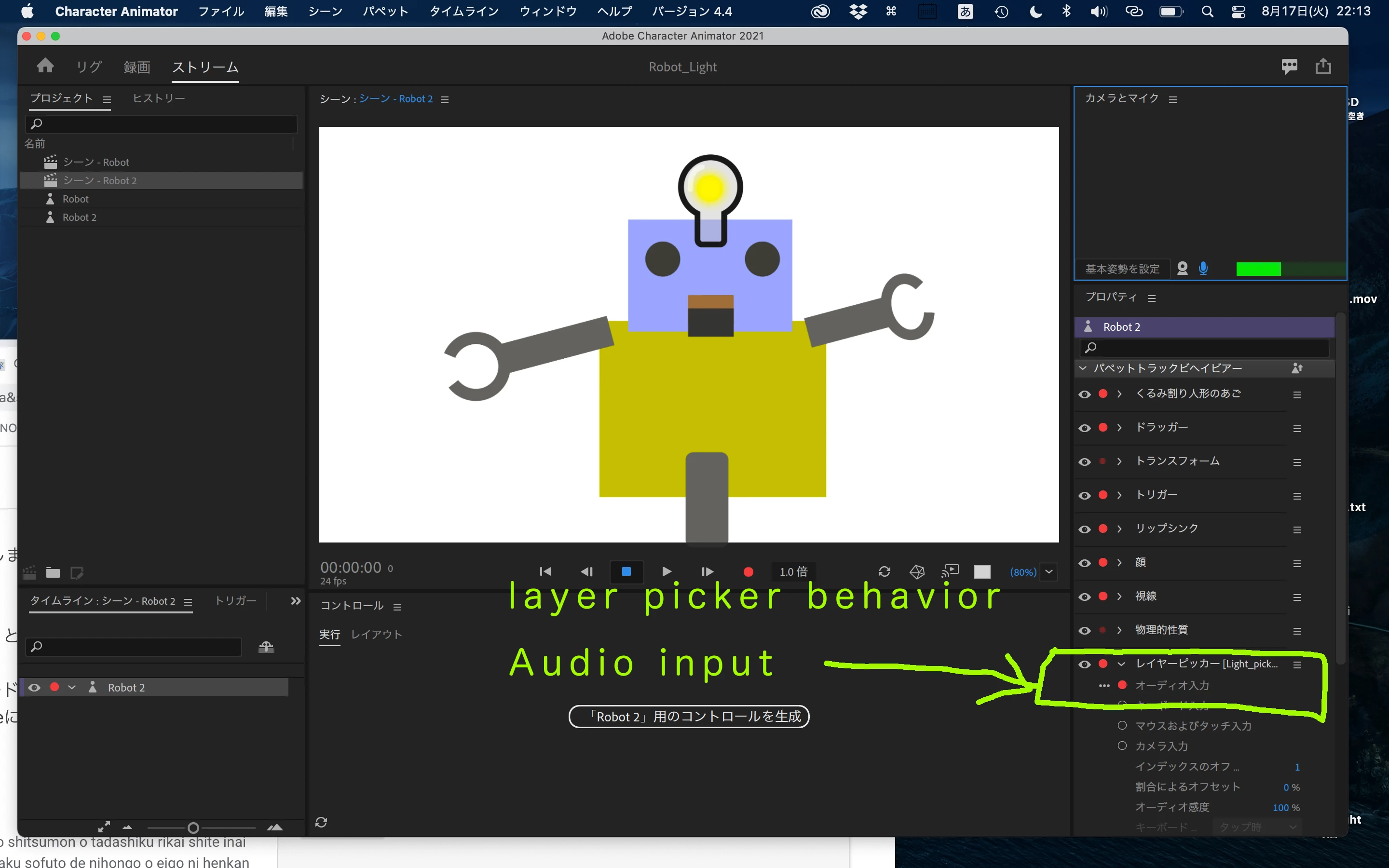
Use the layer picker behavior to switch layers in response to the audio level.
I uploaded a sample project.


https://www.dropbox.com/s/xzgl9jo0rxlgn74/Robot_Light.zip?dl=0


Although it is in Japanese, the commentary video has also been uploaded to YouTube.


https://youtu.be/c38htWXvUaw


I hope it helps you.
thank you.

1 reply

k_oshiro
Community Expert
k_oshiroCommunity ExpertCorrect answer
Community Expert
August 17, 2021

I converted Japanese to English with translation software.


Use the layer picker behavior to switch layers in response to the audio level.
I uploaded a sample project.


https://www.dropbox.com/s/xzgl9jo0rxlgn74/Robot_Light.zip?dl=0


Although it is in Japanese, the commentary video has also been uploaded to YouTube.


https://youtu.be/c38htWXvUaw


I hope it helps you.
thank you.

k_oshiro(AdobeCommunityExpert)
TheOriginalGC
Community Expert
Community Expert
August 19, 2021

Thank you, your response pointed me in the right direction. I never understood layer picker before now.