



sandras52643068
Participating Frequently
May 23, 2018
Question

Walk Cycle distorts limbs and body

  • May 23, 2018
  • 3 replies
  • 930 views

When using a walk cycle I have tried reverse engineering Maddy and the puppets provided and when I thought I had the naming conventions right  and in the same place my character still distorts. She gets extremely weighed down and lengthy.

This is what she looks like when not walking. It doesn't matter to me which direction she walk as long as she walks correctly.

But no matter where I put points and origins and tags I get this
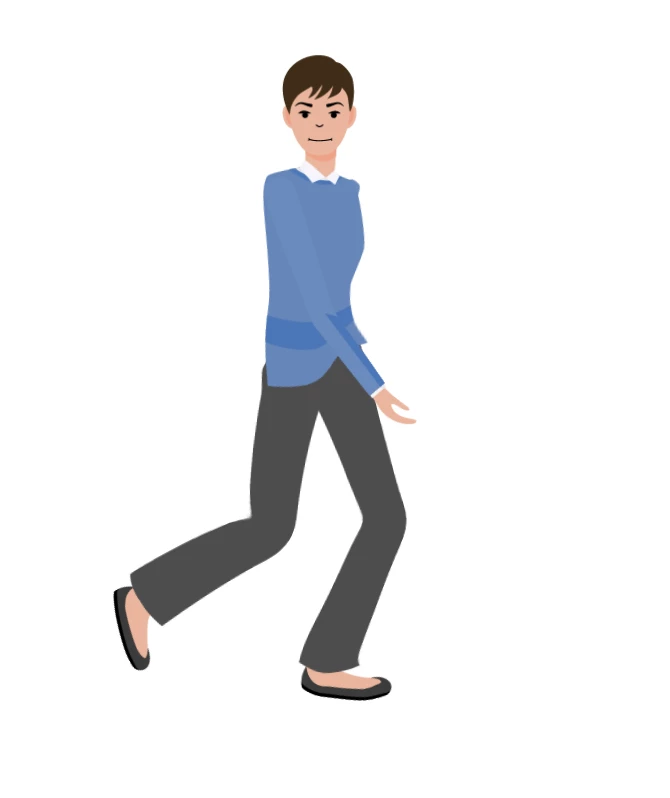
Where her legs, arms and torso distort. If you wait to walk and use the left/right arrow keys you will see the body just drop like a huge amount of gravity was applied to her body. I have tried for days to fix this and am at wit's end. Please help! I've attached both the puppet and the original AI file. Thank you.

Quarter Turn Essa - Google Drive

This topic is closed to new replies. Start a new post to keep the conversation going.

3 replies

SharonfromMD
Inspiring
May 24, 2018

I'm a beginner am currently in the process of buying 10 puppets, so I have been reviewing and this issue has come up.

Besides the suggestion above, it really helps to refesh after you have recorded. I found most of the distortion goes away with a refresh.

-Sharon

alank99101739
Legend
May 24, 2018

Will try to come back later tonight, but quickly, your head layer has "Head" and "Neck" tags on it. Remove the "Neck" tag" (see the "tags" section of the puppet properties section - I like clicking on the "A" to show the text names of tags). Also make sure the "waist" handle is a bit above the "hip" handle (they are pretty close together).  Also your legs go a long way up behind the shirt, so I think they are distorting things. I would consider shortening them. Maybe even have a grey rectangle as part of the body section so you can put your hip and waist a bit lower then attach the legs to that pelvis area (rather than have two legs going up so high on the body).  I worry about the leg joint being higher than the hip/waist.

alank99101739
Legend
May 24, 2018

Darn - lost all my typing. Take 2 (shorter this time).

Alan Quarter_Essa Character.puppet - Google Drive

I created the pelvis and attached the legs. I removed the "head" tag since the head was not indpendent. I deleted the other profiles because I was too lazy to try and fix them. I think the arms look strange because they are at different angles in the default pose. I move the hip and waist points more accurately because of the pelvis.

I would not use the attached puppet - just use it to experiment and explore and see if its better than what you had before.

(See how the pelvis is part of the body group now, with legs attached - although I seem to have the two attachpoints at different heights! Sloppy Alan, very sloppy!)