Participant
April 20, 2017
Answered

Walk cycles do not work for the head

  • April 20, 2017
  • 1 reply
  • 2118 views

Hello.

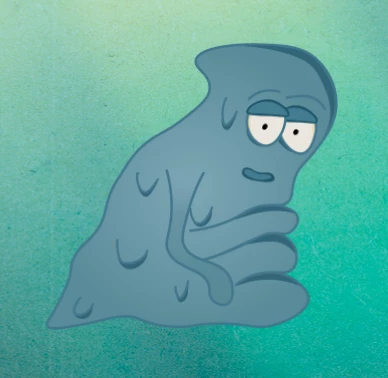
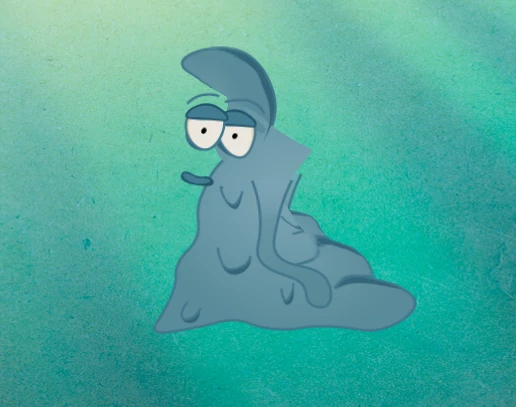
I'm working on this "mucus" character and wanted to use new walking cycles. It works quite fine, except of the head. Both eyes and mouth just do not want to move with the rest of the body....

I did add the walk cycle even for the Head section, but still no positive result. There are no fixed points on the head of this character.

Am I doing something wrong? Or how should I solve this problem?

Thanks for help

This topic has been closed for replies.
Correct answer Dan Ramirez

OK. I took a look and re-rigged it the way I personally would.

The Walk behavior was applied directly to the body. This means the Walk behavior will only look for handles found in that puppet, or its subgroups. This is why moving the head into the body worked. It probably doesn't matter, but I deleted the Walk behavior from the body and added it to the main puppet. I also tagged the head handle with the neck tag and deleted your neck tag. I'm not sure that made any difference, but I found it worked well for another puppet.

Like you already found out, having the body warp independent disconnects the face from the body, so I unchecked the crown for the body.

Finally, I was finding a single point getting stuck behind as I was walking. I deleted the Left Eye group and the problem went away. When I looked into the Left Eye group, I saw that the pupil for the Left Eye wasn't Warp Independent like it was for the right eye. This meant that the pupil being controlled from the mouse and/or camera was controlling the entire puppet. I made that pupil Warp Independent and that fixed the problem. I also deleted a stray "Left Eyeball" handle on the Left Eye. I don't think it was doing anything negative, but it also wasn't doing anything positive.

By the way, AWESOME puppet!! One of my favorites and it works GREAT with the walk behavior.

Here's the file:

Adobe Creative Cloud

Dan R.
CH QA

1 reply

oksamurai
Legend
April 20, 2017

Because this character isn't bipedal as the walk behavior was optimized for, you may run into weirdness.

The Neck tag is the primary driver of head movement. So you can try tagging different areas and/or moving a neck-tagged handle to see if that helps your character. You may also want to adjust the hip and waist handle positions - I've found those three non-limb handles seem to have the biggest effect on body movement. And are the eyes and mouth independent? If so try toggling that off.

KhainAuthor
Participant
April 20, 2017

Ok... so I didn't have body section independent. But the rest was. I turned it off and now whole body is moving quite "normal", but the head is still at the same position.

Here is a link for video: walk.mov - Google Drive

Even when I added neck, hip and waist, this head just didn't move a bit.

I really do not know what should I do, kind of lost in this