jimmyw3876728
Inspiring
February 23, 2019
Answered

Walking : Legs walk, body does not move with legs!! ahhhhhh!!!!

  • February 23, 2019
  • 5 replies
  • 1475 views

Hello CC World,
Have you had this happen before?
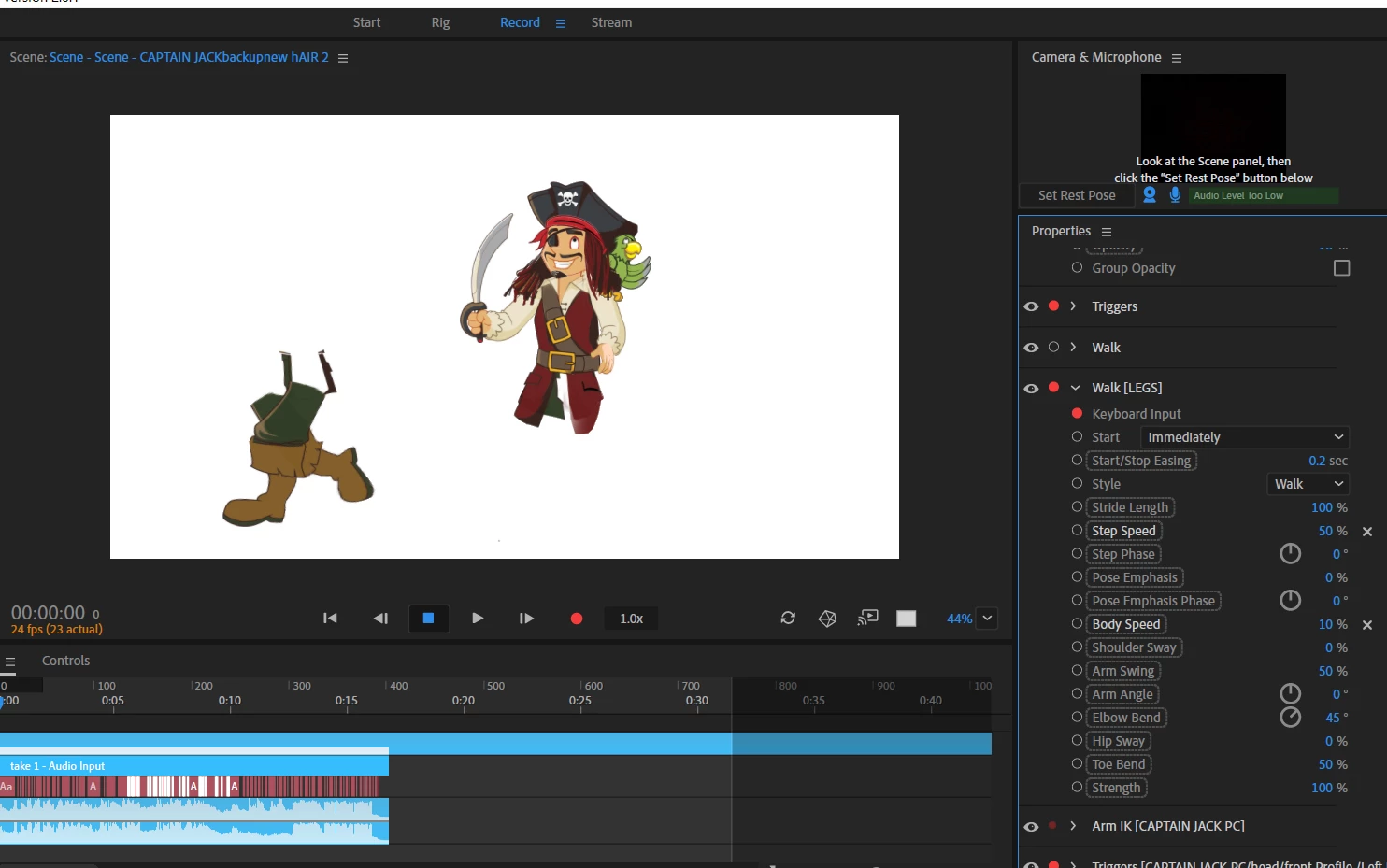
I am working on getting this lad walking for a few hours. when he does walk, his legs go walking and his body does not move!!

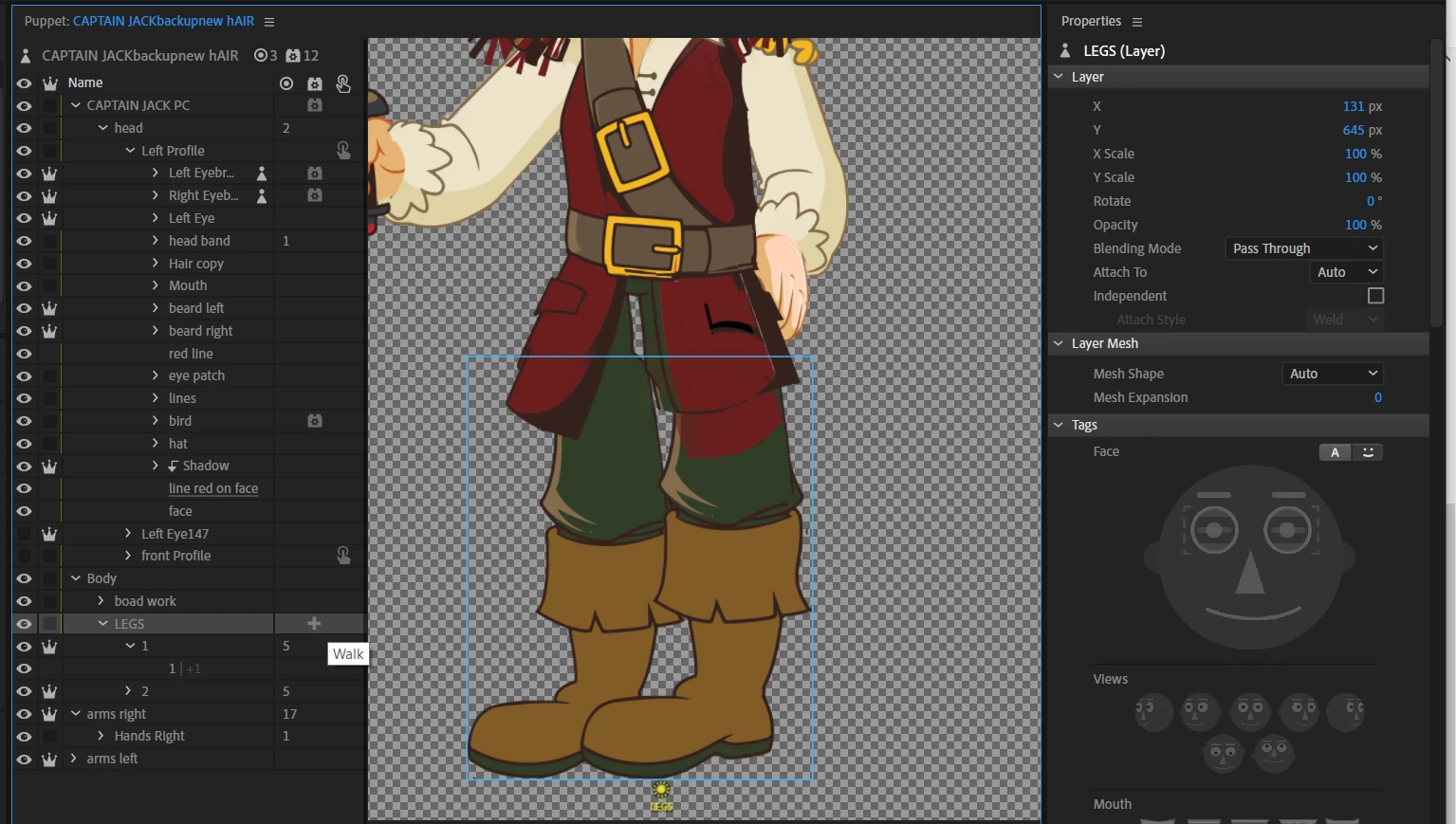
legs have behaviors walking, as i could not get him walking on 'behaviors on the main puppet'

Many Thanks for your info

JW


Walking behaviors on legs

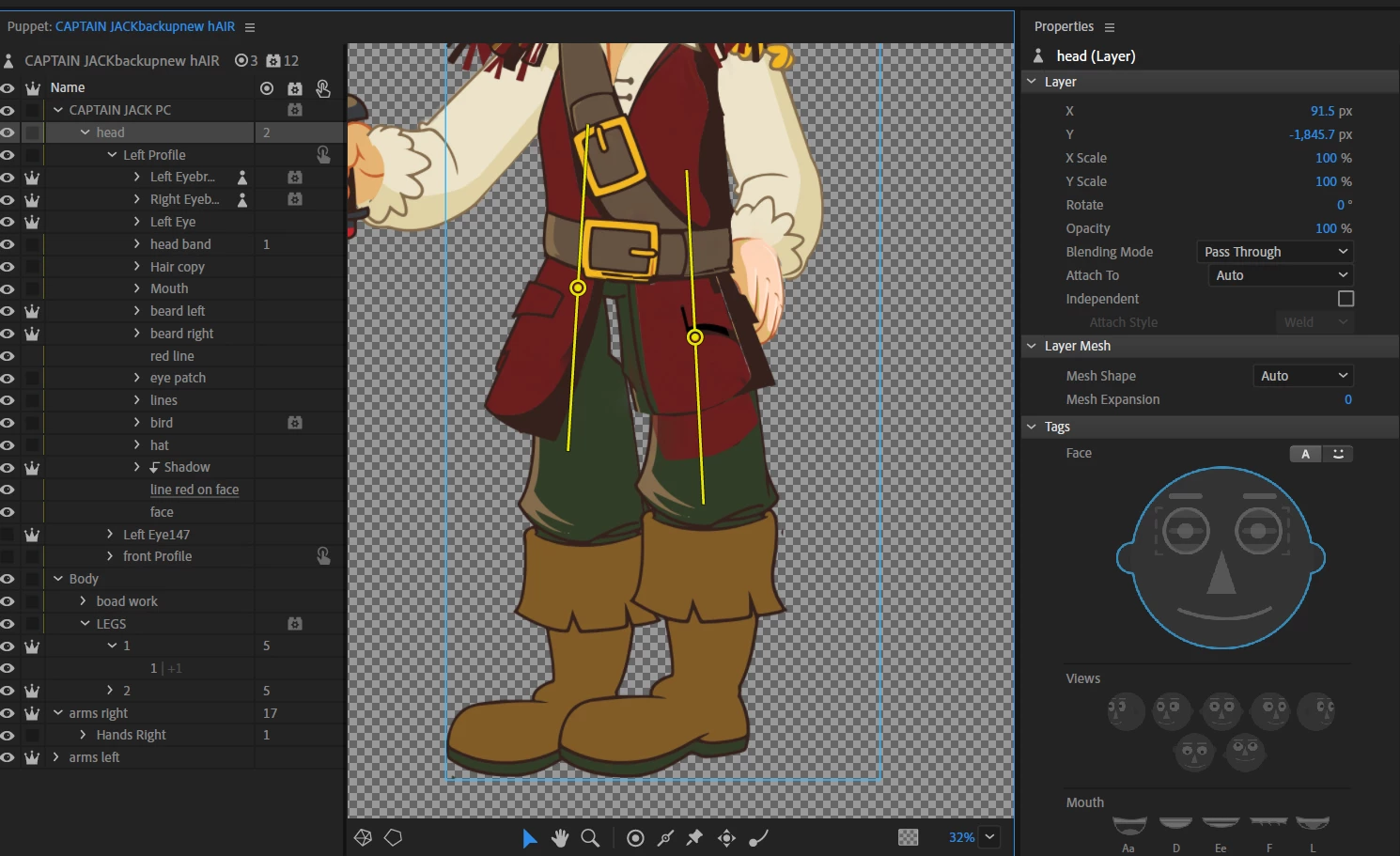
I had to add sticks here, as when i remove them, his legs get very warrped

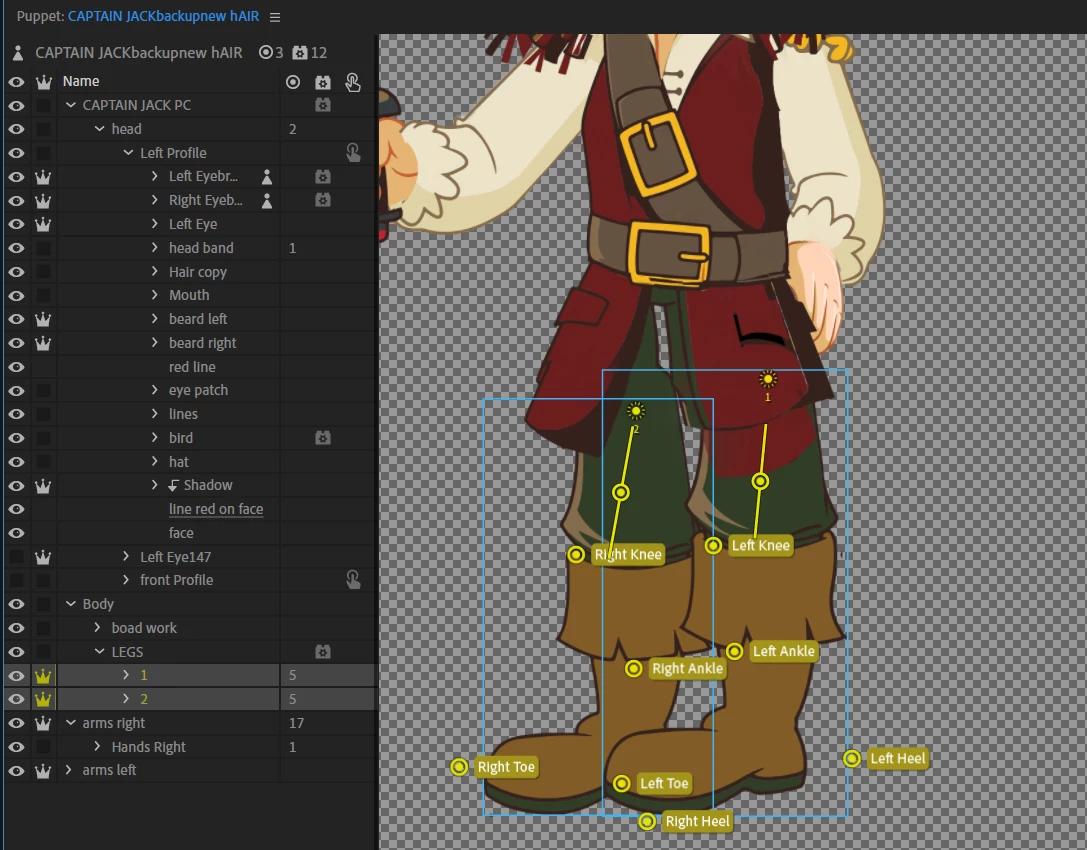
Legs setup

This topic is closed to new replies. Start a new post to keep the conversation going.
Correct answer alank99101739

Err, not sure what Kaufman is, but it is probably because you have the walk behavior on Legs whis is independent. Maybe try removing that crown from the Legs layer?

I am more used to seeing the walk behavior at the top of the puppet hierarchy, not nested. This is because there are walk profiles (Left Profile/ Frontal/ etc) which work best with the walk behavior at the top of the puppet.

Looking back at your previous post, I notice that you have a Head profile. That might have confused it. The walk behavior may have latched onto that instead.

It may require reigging everything (sticks etc), so probably try on a copy, but I would suggest introducing up high Left Profile/Right Profile/Frontal (even if you only use one for now). Then you put the Head Turner behavior on the Head layer so it controls the Left Profile/Right Profile etc of the head. Unfortunately they used the same tags for both, which gets them fighting over the tags at times.

There is also a “Views” and “handles” areas on many behaviors you can expand to see what the behavior has bound to. That is useful for debugging. When you put walk behavior on the root of the puppet, I bet it bound to “Head/Left Profile” (which is not what you want). Hence I think you will need a Left Profile up higher for walk to latch on to.

That is my guess.

5 replies

alank99101739
alank99101739Correct answer
Legend
February 23, 2019

Err, not sure what Kaufman is, but it is probably because you have the walk behavior on Legs whis is independent. Maybe try removing that crown from the Legs layer?

I am more used to seeing the walk behavior at the top of the puppet hierarchy, not nested. This is because there are walk profiles (Left Profile/ Frontal/ etc) which work best with the walk behavior at the top of the puppet.

Looking back at your previous post, I notice that you have a Head profile. That might have confused it. The walk behavior may have latched onto that instead.

It may require reigging everything (sticks etc), so probably try on a copy, but I would suggest introducing up high Left Profile/Right Profile/Frontal (even if you only use one for now). Then you put the Head Turner behavior on the Head layer so it controls the Left Profile/Right Profile etc of the head. Unfortunately they used the same tags for both, which gets them fighting over the tags at times.

There is also a “Views” and “handles” areas on many behaviors you can expand to see what the behavior has bound to. That is useful for debugging. When you put walk behavior on the root of the puppet, I bet it bound to “Head/Left Profile” (which is not what you want). Hence I think you will need a Left Profile up higher for walk to latch on to.

That is my guess.

jimmyw3876728
Inspiring
February 25, 2019

Yes, The Head/Left Profile” was the problem Than ks for your help Top Class

alank99101739
Legend
February 23, 2019

Also beware of handles being off the artwork - I think it can cause crashes at times. E.g. the toes etc were not on the actual artwork shown. And the “Knee” handles don’t have to be exactly over the physical knees - I generally put them in line with the sticks to avoid ugly stretching. They are basically handles that the software drags for you. So I usually put more towards the center of the leg, in line with the sticks down the thighs and shins.

jimmyw3876728
Inspiring
February 23, 2019

I have fixed the puppet root in PS, but i have looked at your own art work on Kaufman, and he walks so well. Im not sure why the legs are running away from his body.


thanks


alank99101739
Legend
February 23, 2019

Lol! The legs have a mind of their own!

I think you have the body no longer under the root of the puppet. If you collapse “Head”, you will see Body (and other layers beneath) is not nested at same level as the Head layer (under the puppet root). So the legs are effectively a separate puppet.