Participant
November 15, 2021
Question

Walking problem when combining sections of other puppets

  • November 15, 2021
  • 1 reply
  • 232 views

Hi, I'm new to this & need help. I took the "Blank" character offered in adobe & changed its features to become my character. I did this because it was recommended by the Okay Samurai as the best place to start if you are new to animating.

Then I took that character, shifted its body a little (to appear from the side) and tried to animate it to walking. I rigged & re-rigged multiple times & couldn't get it to walk, so I took the bottom section of the "Linden" character & placed that as the bottom half of the"Blank" character. Good news is it walked & I was able to get the head to bounce with the walk. Bad news is that regardless of all the re-rigging, the arms would not take on the swing of walking & I couldn't get the character to stop walking.

Are these adobe characters programmed a certain way which does not allow a person to re-rig it? Do I need to start from scratch? Or, is there something I'm missing?

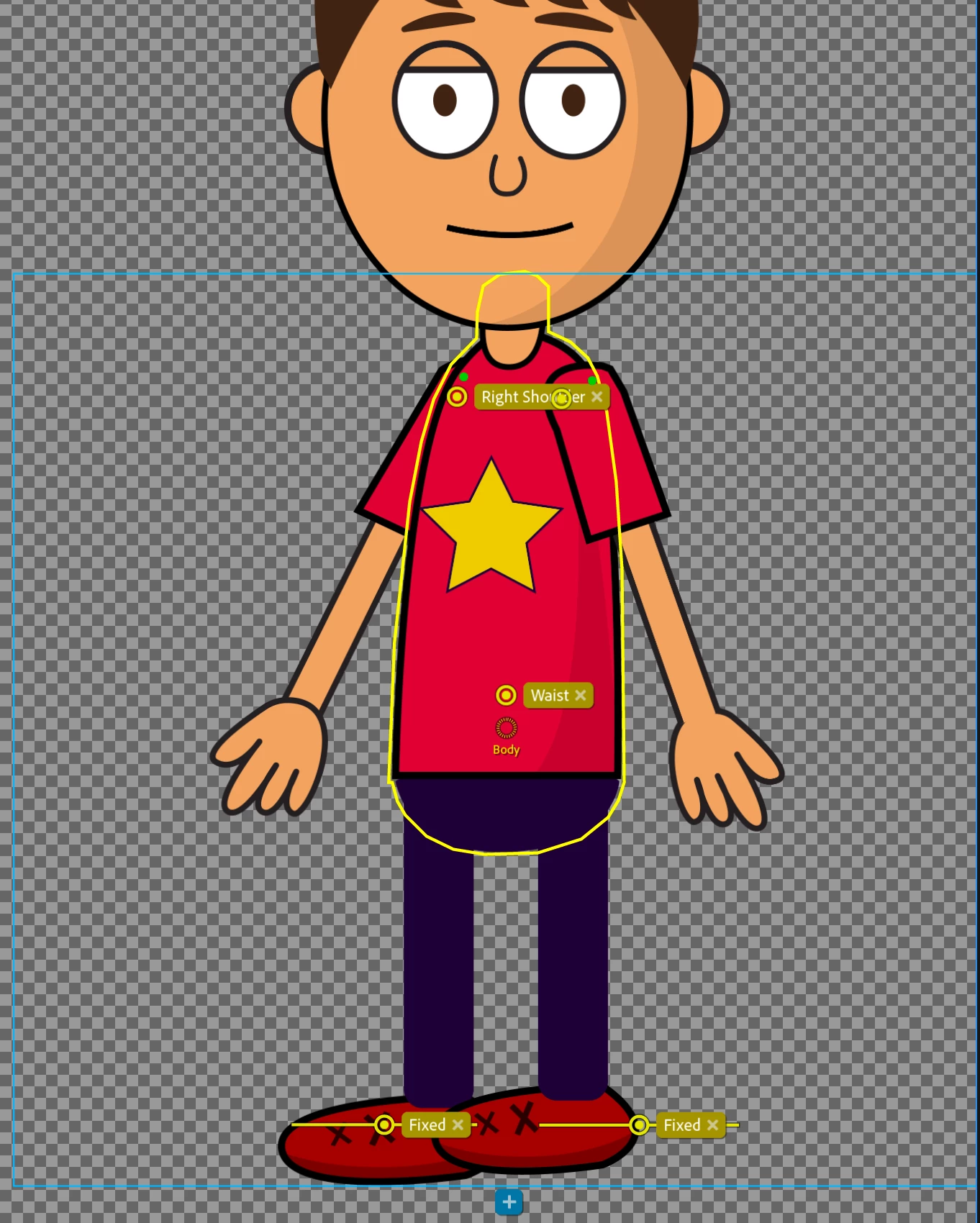
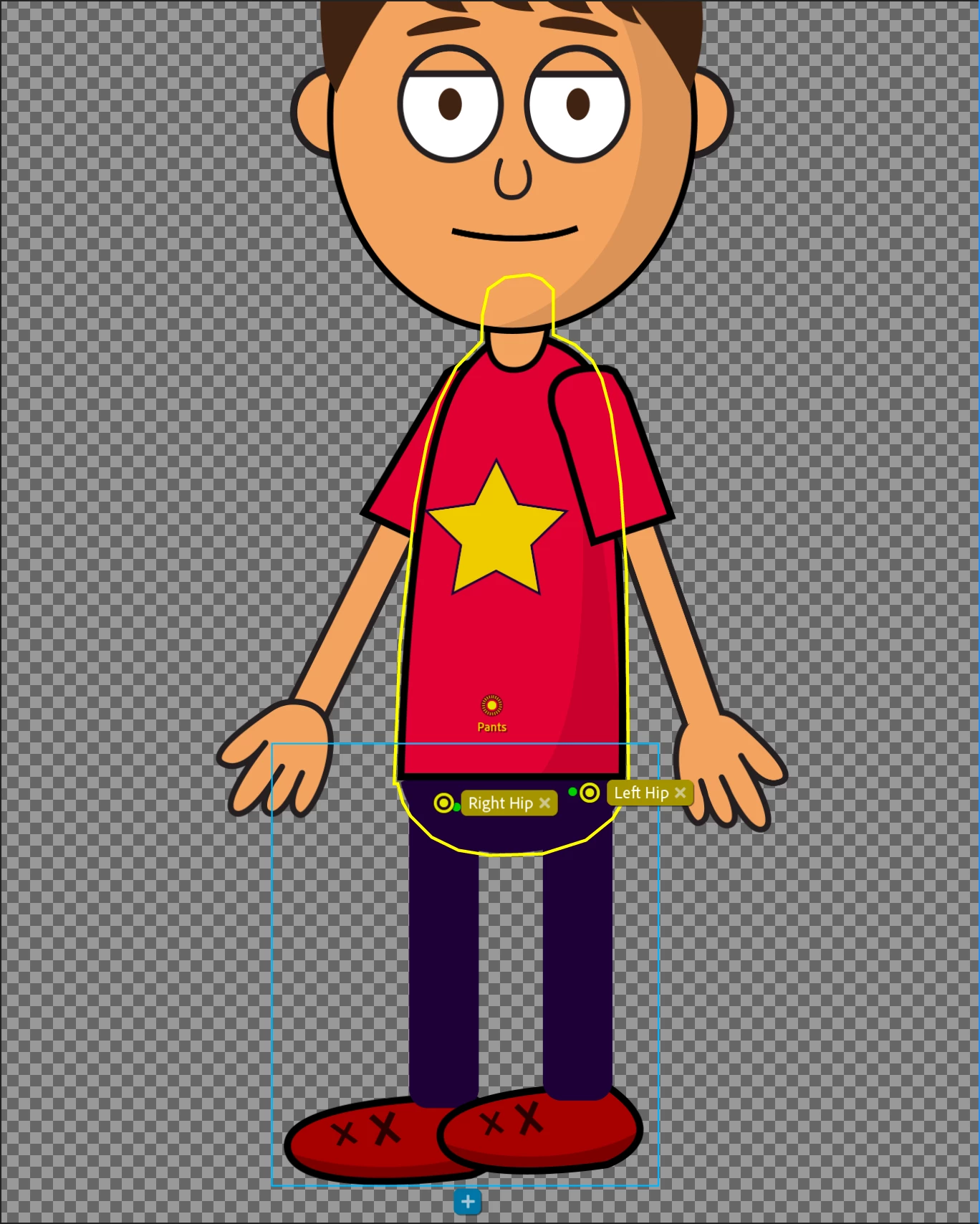
Below is my walking character. Top pic is what I see when I clicked into his pants while the bottom pic is what I see when I click inot his body. When I try to move the green orientation leg points into the body, the middle collapses into itself. Does anyone have any ideas on how I might get the arms to swing with the walk and get the character to stop walking?

Thank You
This topic has been closed for replies.

1 reply

CoSA_DaveS
Adobe Employee
Adobe Employee
November 16, 2021

It’s hard to say from just those screen shots. But two things do look wrong there:

  • The top screen shot shows you've selected a Pants group (based on the origin name), as you described, however the artwork appears to be just the body (based on the yellow outline).
  • In the bottom screen shot, the Fixed sticks in the feet are at a level where there's only body artwork (the yellow outline of the mesh). As a rule, handles and sticks should not be outside a mesh.


If you share a screen shot of the Puppet panel layer hierarchy it might help to diagnose further.

Participant
November 16, 2021

Hello,


Thank you for your quick response. I am new to this so I hope that what I have attatched is helpful.


Thanks

alank99101739
Legend
November 16, 2021

Unrelated to the question you asked, I might consider removing independence from the "Face background" layer. Normally that is not independent (so it is part of "head" and all the other parts of the face attach to that). Also, looks like there is no pupil range / eyeball (looking at the eye gaze behavior handle counts) - normally the whites of the eyes are tagged with pupil range.


Regarding "it wont stop walking", there are different modes in the walk behavior. I think you have a setting to say "keep walking". I find the position based walking works quite well (err, I don't actually use walk much, so use this advice at own risk! Lol!)


Another screenshot that might help is the Walk behavior expanded to show the handles (like you have expanded for eye gaze). It should show names like Left Elbow and Right Wrist. If you expand them out, it should show what it bound to. If the number is zero, it means it did not find the parts of the arm, so does not know how to move them.