
Webcam is busy in Character Animator
Hi!
I've seen a lot of questions about the camera being busy in Ch but none of them has helped my case.
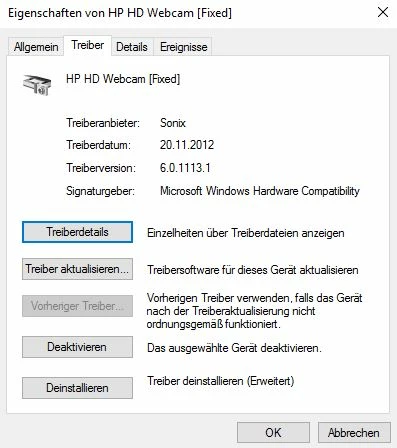
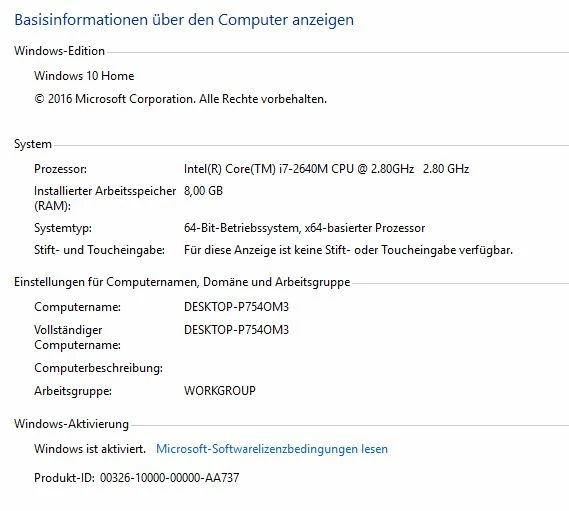
I'm running Windows 10 on a HP Elitebook with buildt in webcam. The webcam works in pretty much every application, just not in Ch. I see the audiolevels responding to the noise in the room but the panel says "Camera busy."
When I try to switch to next or default camera, the webcam LED switches on for about 5 seconds, then off again, and I get the same message.
There are no other applications making use of the webcam at the moment.
The version of Ch is the latest Adobe has released.
Upon trying to switch ro next camera and then back to default, the console returns this:
<10028> <dvalua> <5> trying to switch to next camera from camera 1
<10028> <CameraTracker> <5> Extra cvQueryFrame call: 1
<10028> <CameraTracker> <5> Extra cvQueryFrame call: 2
<10028> <CameraTracker> <5> Extra cvQueryFrame call: 3
<10028> <CameraTracker> <5> Extra cvQueryFrame call: 4
<10028> <dvalua> <5> trying to reset to camera 1
<10028> <CameraTracker> <5> Extra cvQueryFrame call: 1
<10028> <CameraTracker> <5> Extra cvQueryFrame call: 2
<10028> <CameraTracker> <5> Extra cvQueryFrame call: 3
<10028> <CameraTracker> <5> Extra cvQueryFrame call: 4
Any help would be greatly appreciated!


 AdChoices