


Participant
March 15, 2017
Question

Weird error when trying to Compute Lip Sync
  • March 15, 2017
  • 3 replies
  • 453 views

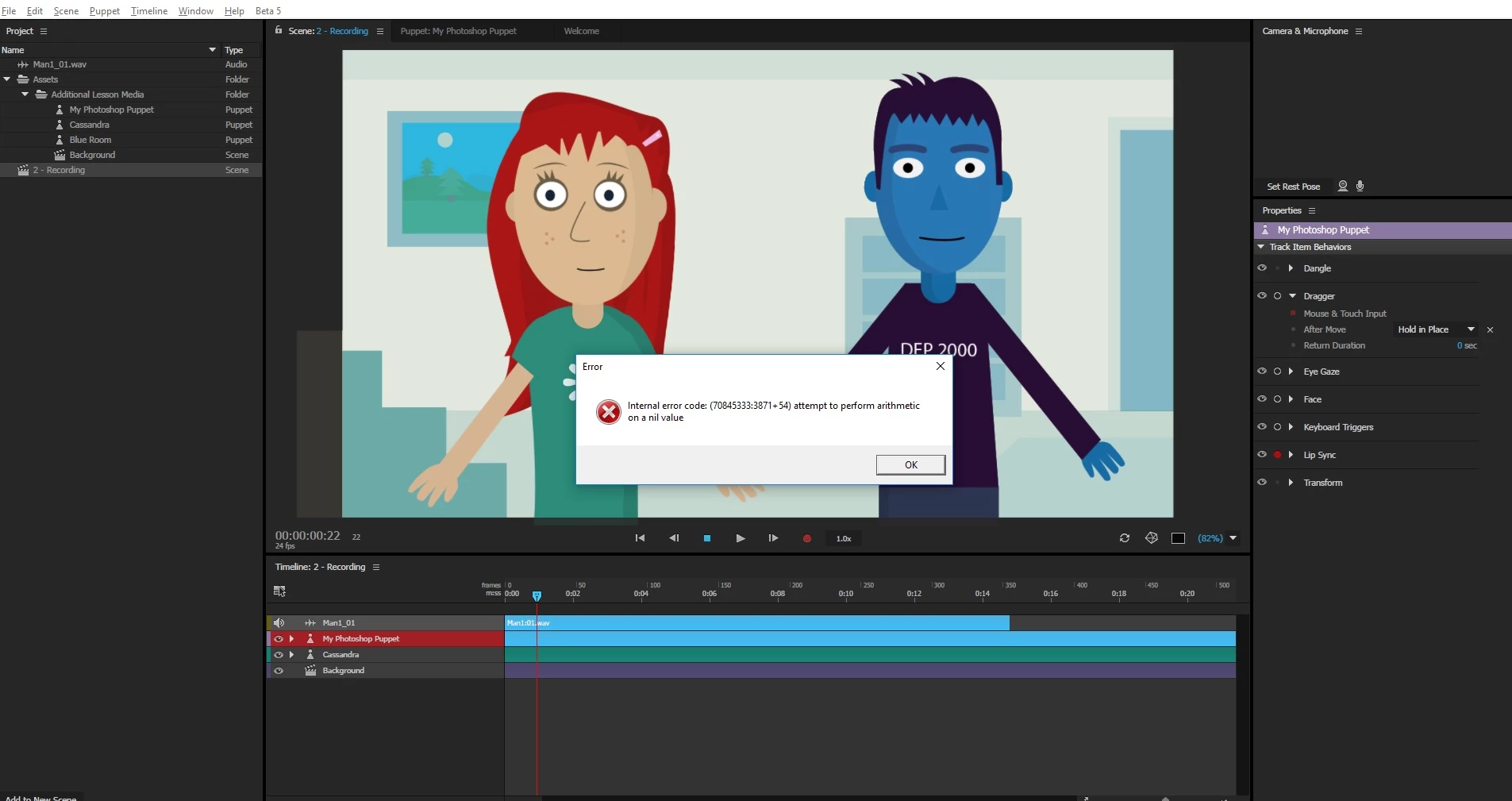
This is basically the error 😕😕 I recorded the audio in Adobe Audition, and then when trying to use the function of computing Lip Syinc this happens... can someone help me? Is this maybe because a bad installation of Character Animator on my computer?

In case you cant read the error, it says: Internal error code: (70845333:3871+54) attempt to perform arithmetic on a nil value.

This topic is closed to new replies. Start a new post to keep the conversation going.

3 replies

oksamurai
Legend
March 15, 2017

Not sure exactly about that error, but I have found playing around with sample rate and bit depth in Audition can help solve audio errors / issues. If you adjust these, does it have any effect?

If not, could you share here or DM me your audio file via a shared link on Google Drive, Dropbox, or Creative Cloud to take a closer look?

asd123dfgAuthor
Participant
March 15, 2017

Hi oksamurai!

I tried all the sample rates, all the bit depth setting etc etc and nothing. What I did was to uninstall it and install it again, and basically to do the same and the error was still appearing, then I just decided maybe just my scene is not working properly, and i think that was the error because I tried to do the same i was doing of recording myself on audition to then put it on the scene to compute lip sync, but this time in the default scene of "Getting started" and it worked, why? No idea... My scene didn't have anything like extra or something that wouldn't allow to lip sync, it is just weird.

oksamurai
Legend
March 15, 2017

That is weird. If it keeps happening please let us know, and any files you can share would help.