


Participant
July 6, 2026
Question

Why are the trigger controls not consistently working?

  • July 6, 2026
  • 1 reply
  • 20 views

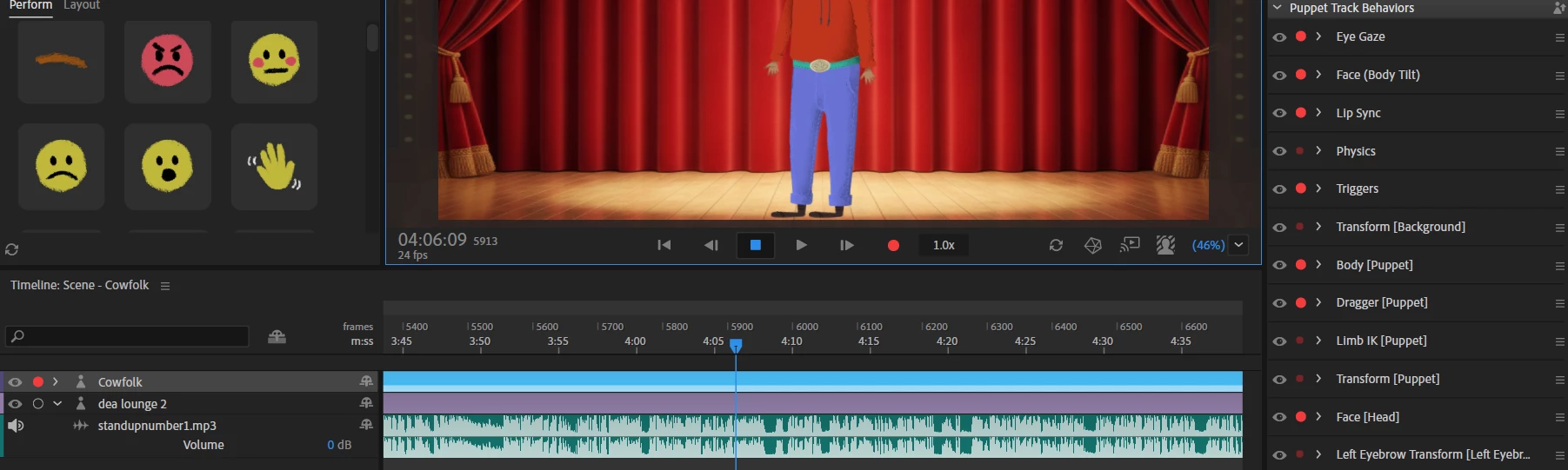
I am trying to record a scene for a pre-rigged Adobe puppet called “Cowboy”.  The puppet comes with a number of shortcuts for poses and hand positions, for sad and angry and so forth.  I was recording the gestures during playback without problem.  Then I stopped to lengthen the cowboy track and the music track.  When I went back to record, the trigger icons no longer worked.  At one point, I got them to work a little -- but they only affected the bottom half of the character, while the full gestures  should have the hands waving in air and so forth.  In addition to this issue, I have had other times when the controls seem to have no effect for no reason that I can figure out.  Where am I going wrong?  In this case, I have made sure that the puppet track is selected and the control panel is in “perform” mode…. It’s just inconsistent.  It will work for a while, then it won’t.
 

    1 reply

    TheOriginalGC
    Community Expert
    Community Expert
    July 17, 2026

    There could be several reasons for this, such as possibly switching focus from the character to something else in the timeline - CH triggers only apply to the currently selected character. That doesn’t explain how you are sometimes getting partial compliance. It is possible that something happened to modify the replays. In the bottom of the properties panel to the right of the scene, there is a group called “Replays.” This contains all of the replays set up for your puppet (see below). By clicking and holding on the play arrow next to each trigger, it will replay the action until you release the mouse button. Check to make sure all of the replays still work as they are supposed to. If something happens to cause the puppet to “forget” a replay, it will display in a different color. 

    To the lest of the scene, beneath the Project panel, is the Triggers and Controls panel. Based on the image that you uploaded, yours is currently displaying the Controls. By clicking on the Triggers tab (to the left of Controls) you can get it to display a list of all of the triggers. As with the Replays. if something is missing, that action will no longer be displayed in white. Check to make sure that the keyboard commands for the triggers are as they should be. If you need to change a trigger, click on the box to the left of the trigger name to assign a new key to it. If multiple replays are assigned to the same trigger, they will all be played at the same time.