


November 10, 2016
Question

WorkSpace that Works for Me!

  • November 10, 2016
  • 2 replies
  • 824 views

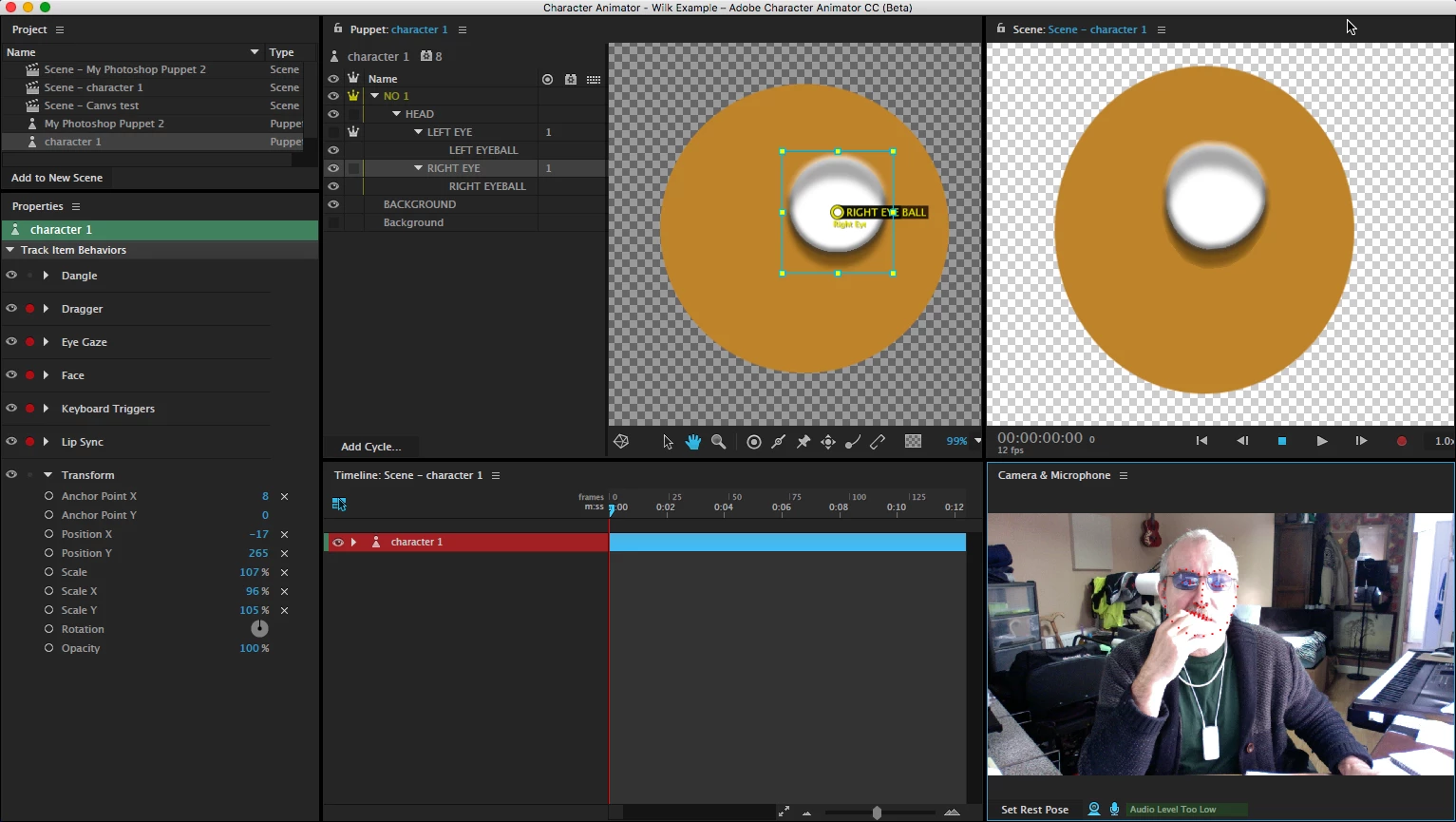
I've been adjusting my WorkSpace...Window>Workspace>New Workspace and I've found one that works for me.

All the settings and adjustments are together and you can see the Puppet and Scene at the same time.

You can make adjustments and see the effect of these in real time.. and no swapping required!

I know this isn't to every bodies taste, but this feature, that allows you to customize the Work-space to the individual is great!

It is simple to do, so well worth a go.

In Ps you can save and share Workspaces, but not sure if you can do that in Ch!? If it can be done, I'm happy to share this Workspace with anyone who would like it!
    This topic is closed to new replies. Start a new post to keep the conversation going.

    2 replies

    Jeff Almasol
    Adobe Employee
    Adobe Employee
    November 10, 2016

    Nice layout, although note that the lower-right controls in the Scene don't appear (we're aware of that for narrow Scene panels). We don't have a nice user interface for sharing workspaces with others, but the layouts are saved on disk as .xml files in:

    mac: <volume>/Users/<username>/Library/Preferences/Adobe/Character Animator/Beta/WorkspacesV5/SavedWorkspaces/

    win: C:\Users\<username>\AppData\Roaming\Adobe\Character Animator\Beta\WorkspacesV5\SavedWorkspaces\

    The .xml files won't have the names as they appear in the user interface, but you might be able to tell which one is the one you edited based on the date it was last modified.

    Note that there might be issues trying to use workspaces on different screen resolutions, or if you're trying to move workspace files between versions of Character Animator, so your mileage may vary here. Just a head's up.

    November 10, 2016

    Hi Jeff and thanks for the input!

    I hadn't noticed! I've just been checking and it seems that if the Scene Panel is less than about 50% of the width of Ch, those controls disappear. In Full Screen it works ok.

    I'll leave sharing Workspaces for now! It is easy enough to  create your own Workspace and very intuitive.. I like the way you get an indication of where the panel will attach.

    Many thanks again!

    Richard