Inspiring
July 17, 2020
Answered

[CF2018] Web Server Configuration Tools fails with "An unknown error has occured"

  • July 17, 2020
  • 3 replies
  • 1341 views

Hi,


So, I have two server: msrvwin2016 and msrvwin2016-02.

I have 2 instances on each (cfusion and msrvwin2016instance1 / msrvwin201602instance1).

I created a cluster on the cfusion instance on msrvwin2016 with msrvwin2016instance1 and the remote instance msrvwin201602instance1


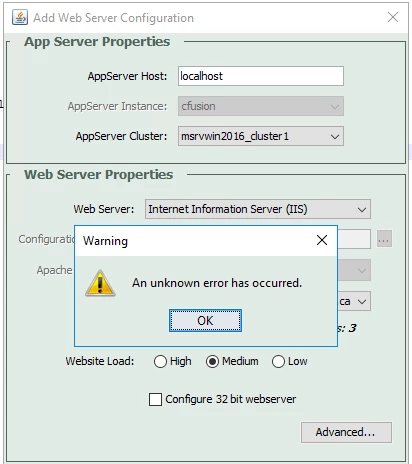
When i try to link IIS and CF with this cluster selected, i have an error "An unknown error has occured".

I don't have this issue with the first release of CF2018, but since the "Update 2", it doesn't work. I don't find any logs where there is more detailed informations


Weirdly, it works when I select one instance and not the cluster in the Web Server Configuration Tool

and when I select the cluster and there is no Remote Instance in the cluster.


So the problem seems to be the remote instance, but the configuration looks ok and it worked before Update 2.


Does any one had the same problem or knows what to do?

Thanks,

Guillaume


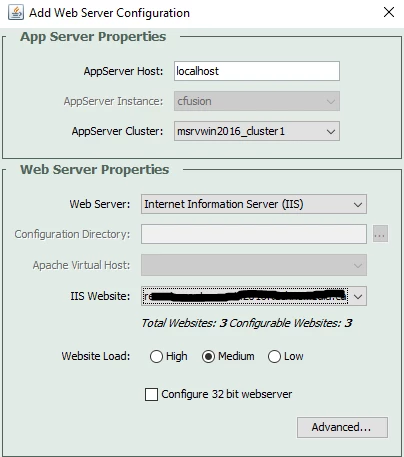
Few screenshots:

When making the configuration with a cluster:
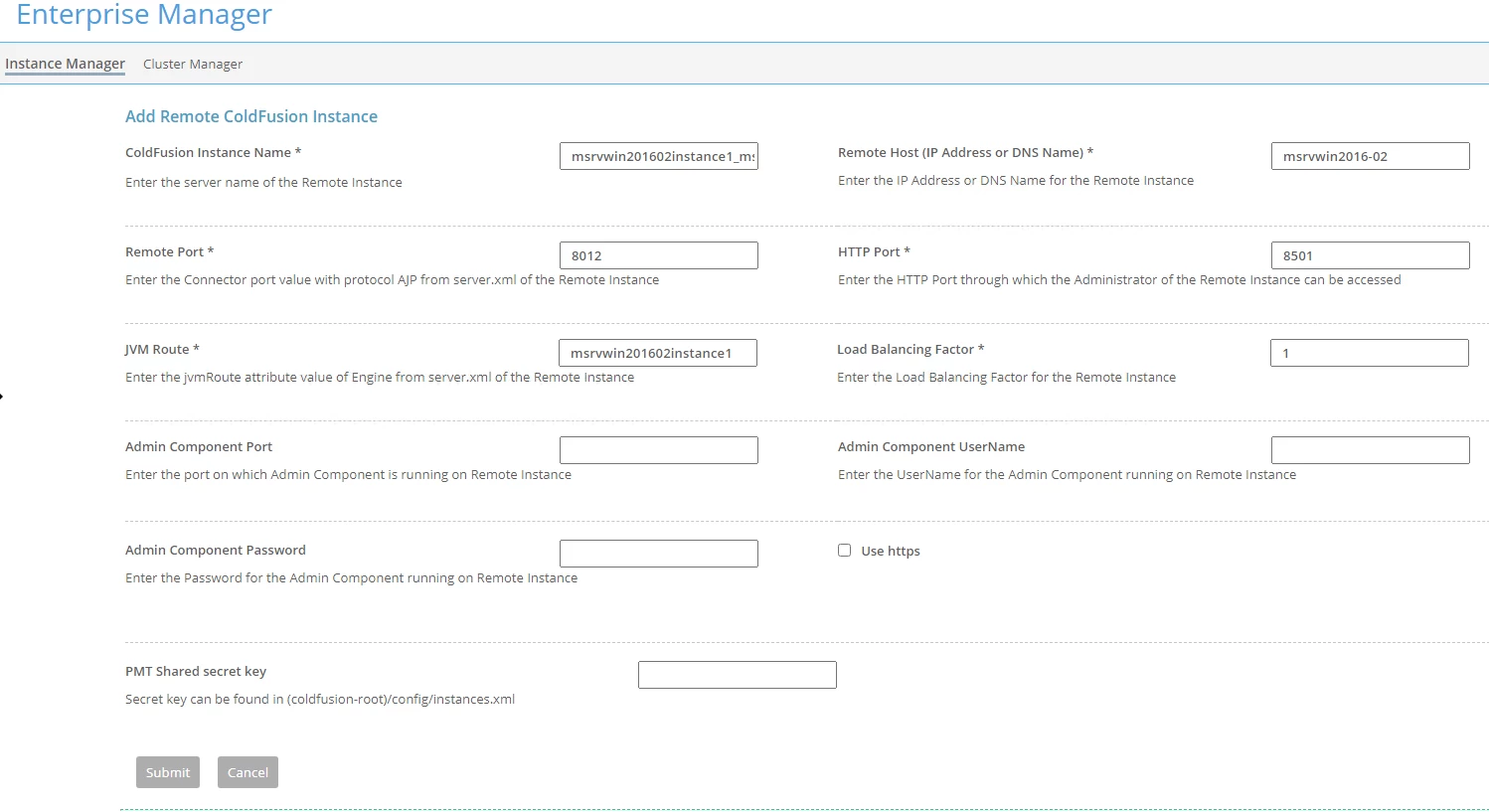
Remote Instance configuration:
 

EDIT:

I did the test again:

On CF2018, with no update.

1) I create my remote instance
2) I create my cluster

3) I add my local and remote instance to the cluster

4) I launch the "Web Server Configuration Tools", I select my cluster and my website, and it works

On CF2018, Update 1:

1) I install the update

2) I launch the "Web Server Configuration Tools" and delete the configuration from before

3) I add again the connection between my cluster and my website, and it works

On CF2018, Update 2:

1) I install the update

2) I launch the "Web Server Configuration Tools" and delete the configuration from before

3) I add again the connection between my cluster and my website, and it fails wih the "An unknown error has occured". It creates the folder in wsconfig with only the isapi_redirect.dll, it also create the virtual directories in IIS (cf_scripts and jakarta).

But there'sno logs in coldfusion, wsconfig, event viewer...nothing.


So i'm lost...


I've made a zip files with my configurations and screenshots, if somebody has time...

https://drive.google.com/file/d/1pglrTAn6eBPK-ibJuXf1svF5wCSvPm1e/view?usp=sharing


Thanks

 

This topic has been closed for replies.
Correct answer guillaumeb23328293

Hi Chalie,


Thanks again for the time you took to look at my problem, i appreciate it.


I've talked to Adobe support and the issue was that i didn't filled the "PMT Shared secret key" when creating the remote instance which is required since update 2 (even if the field is not marked as mandatory)


Now, it's working fine ! 

3 replies

Charlie Arehart
Community Expert
Community Expert
August 4, 2020

This is all very interesting (especially after the additional discussion). But it would seem there must be something unique to your setup, or we'd have heard of people hitting this in the nearly 2 years since update 2 of cf2018. 🙂 


I can see from your zip (offered in a later comment) that you did take Dave's suggestion to create new instances, rather than rely on the cfusion one. That's important especially for replication of sessions but can affect other aspects of tomcat clustering (which cf uses under the covers since cf10).


I have a few more thoughts :

  • When you've done the update of cf, I assume it's been done to the cfusion and the new instances, right?
  • And when you run the wsconfig tool, is it the one in cfusion/runtime/bin, and does it show being from July 2020 (after update 10)?
  • Have you modified any permissions, or done any "lockdown" steps? Indeed, have you perhaps run the cf2018 auto lock down tool? 
  • The wsconfig tool runs a set of appcmd commands (the ms iis cmd line tool) via an exe launched from a temp dir. There are no logs of that effort, which is why you are finding none. You may see it run briefly in task manager, which might help with disgnosis. 


If you don't get to a resolution, this may call for Adobe's direct help, which  you can request at cfinstal@adobe.com. They don't often get involved here.


And if you remain stuck, I'll again offer how I help folks remotely. Sometimes there's no substitute for seeing things directly. And if I didn't solve it, you'd not need to pay for the time. But see if Adobe may help first for free. Perhaps they've seen this and may have a thought.


I'd you do resolve it, please do update us here. We're obviously interested. :-=

/Charlie (troubleshooter, carehart. org)
guillaumeb23328293AuthorCorrect answer
Inspiring
August 8, 2020

Hi Chalie,


Thanks again for the time you took to look at my problem, i appreciate it.


I've talked to Adobe support and the issue was that i didn't filled the "PMT Shared secret key" when creating the remote instance which is required since update 2 (even if the field is not marked as mandatory)


Now, it's working fine ! 

Community Expert
July 17, 2020

I can think of a few reasons why this might happen. First, though, I'd recommend that you not use the default cfusion instance for anything other than creating new instances, if you plan to run multiple instances in the first place. When you're not creating new instances, you can turn off the default cfusion instance. This is because it's used as a template for any new instances you create, and things can get kind of weird as a result.


OK, with that out of the way, there could be some sort of TCP communication error or blockage between the two machines. That could be a Windows Firewall issue (assuming you're using Windows) or a Linux iptables issue (or whatever iptables is called now). That seems kind of unlikely, but it is possible.


Another potential cause is that the connector versions might be different, and that this difference is breaking something. This seems more likely to me. You'll have to verify that you're using the latest connectors for your CF version on each box.


Finally, each box will need to have the same basic file structure if I recall correctly (I could be wrong about this, it's been a while since I've needed to use CF's clustering ability thanks to AWS). That is, if you have c:/inetpub/wwwroot/index.cfm on one box, you'd have to have it on the other box as well. I don't know if that would prevent the clustering from even being set up in the first place or not, though.


Dave Watts, Eidolon LLC

Dave Watts, Eidolon LLC
Inspiring
July 20, 2020

Hi Dave,


Thanks for your answer.


I don't think it's a firewall issue as it fails only when the update 2 or more is installed.


The connector should be updated during the installation of the update, no? If no, how can i check that the version is up to date?


I'll try to do more tests and provide you with more exemples.


BKBK
Community Expert
Community Expert
July 28, 2020

Hi GuillaumeCeg ,

It might be a problem with connections between the clusters. If so, then you should find clues in the log files, C:\ColdFusion2018\config\wsconfig\[MAGIC_NUMBER]\isapi_redirect.log.


Perhaps also in C:\ColdFusion2018\[INSTANCE_NAME]\logs\coldfusion-error.log 

Charlie Arehart
Community Expert
Community Expert
July 17, 2020

This not some known issue I'm aware of. So let's start with you saying, "when I select the cluster and there is no Remote Instance in the cluster". Are you saying you HAVE used the feature in instance manager to add a remote instance? Is it there? And when you edit the cluster, can you see it as available?


And either way when you say it worked before update 2, do you mean this very machine had the instances and cluster before? And that all you did was update cf, and now things "don't work"?


That wouldn't make sense really, as the update mechanism does not affecr cluatering. (Of course, if you have multiple instances on a machine and run the cf update from the cfusion instance, it should ask to update the instances also.)


Let's take it from your responses to this. 

/Charlie (troubleshooter, carehart. org)
Inspiring
July 20, 2020

Hi Charlie, thanks for you answer.


Yes, I added a remote instance, I see it and I can add it to my cluster.


It worked before Update 2 with the exact same servers, instances and same cluster. I updated CF, and if I remove the link between IIS and CF (i don't know the official name) and I try to recreate it, it fails with the "An unknown error occured". If i uninstall the update, I can create it without problem.


And as i said, it fails only if there is a remote instance in my cluster...