
Question
How and where to enable CORS policy on coldfusion to connect to PAYPAL
Hi Experts,
I am trying to send billing information to - pilot-payflowlink.paypal.com
and I am using AJAX call to do that,
$.ajax({
url : "https://pilot-payflowlink.paypal.com",
headers: {
"Content-Type": 'application/x-www-form-urlencoded',
"accept": "application/json",
"Access-Control-Allow-Origin":"#HostAddress#"
},
type: "POST",
crossDomain: true,
Accept: "application/json",
async: true,
contentType:false,
processData: false,
data: data,
cache: false,
success : function(data) {
alert("Posted Successfully!");
alert(data);
console.log(data);
},
error :function(data, textStatus, errorThrown){
alert(JSON.stringify(data));
console.log(JSON.stringify(data));
console.log(textStatus);
console.log(errorThrown);
}
});
But I am getting CORs message
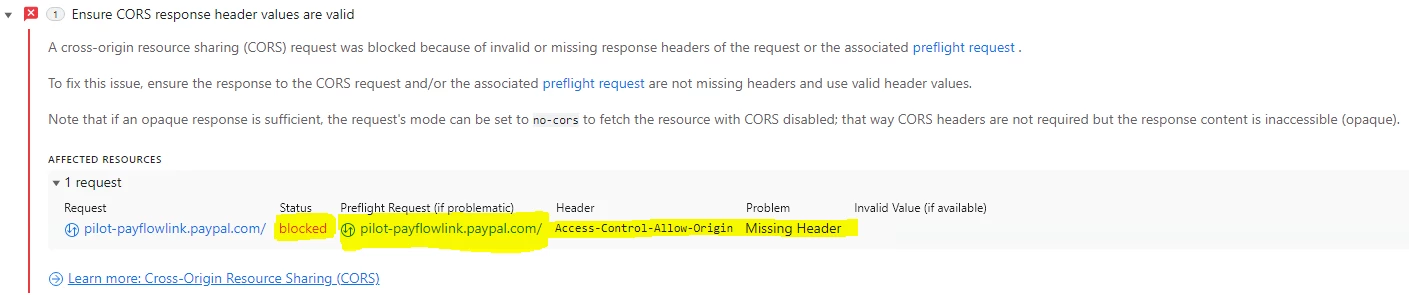
- Ensure CORS response header values are valid
A cross-origin resource sharing (CORS) request was blocked because of invalid or missing response headers of the request or the associated preflight request .
To fix this issue, ensure the response to the CORS request and/or the associated preflight request are not missing headers and use valid header values.
Note that if an opaque response is sufficient, the request's mode can be set to no-cors to fetch the resource with CORS disabled; that way CORS headers are not required but the response content is inaccessible (opaque).
- AFFECTED RESOURCES
- 1 request
Request Status Preflight Request (if problematic) Header Problem Invalid Value (if available) pilot-payflowlink.paypal.com/blocked pilot-payflowlink.paypal.com/Access-Control-Allow-Origin Missing Header
I am sure many of you may have seen this message, and so please post the solution if you have one.- I modified web.config
- I modified Application.cfc
- Added CORS headrs in the page (.cfm) page that I was calling
- Sending request from even AJAX call.. but no helping.


 AdChoices