
Inspiring
January 24, 2022
Answered

Issue with Upgrade to CF2021

  • January 24, 2022
  • 2 replies
  • 2482 views

I tried to upgrade my CF2018 to CF2021.  The installation process seemed to go well until I tried to reach my website.  It showed my codes in the UDFs that I defined in the Application.cfm in the same directory. 


I scrolled the Elements section to the top. 
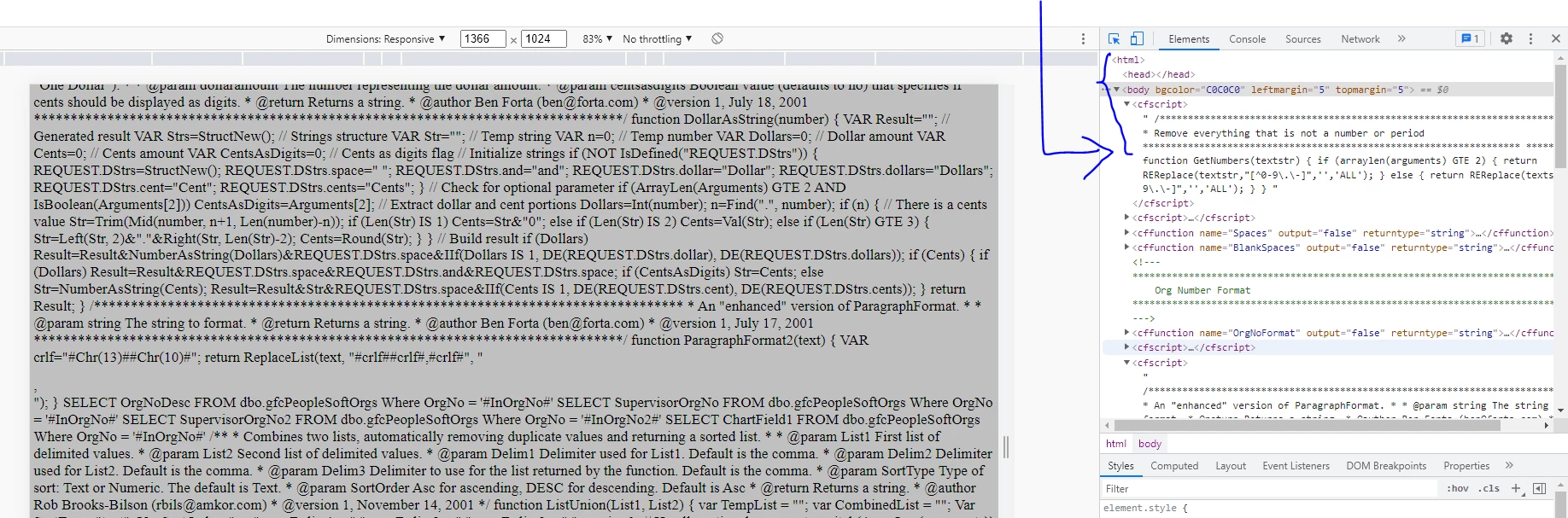
I scroll the webpage to the top, and on the Sources section, "<html><head></head><body>" were probably above what is showed below.  
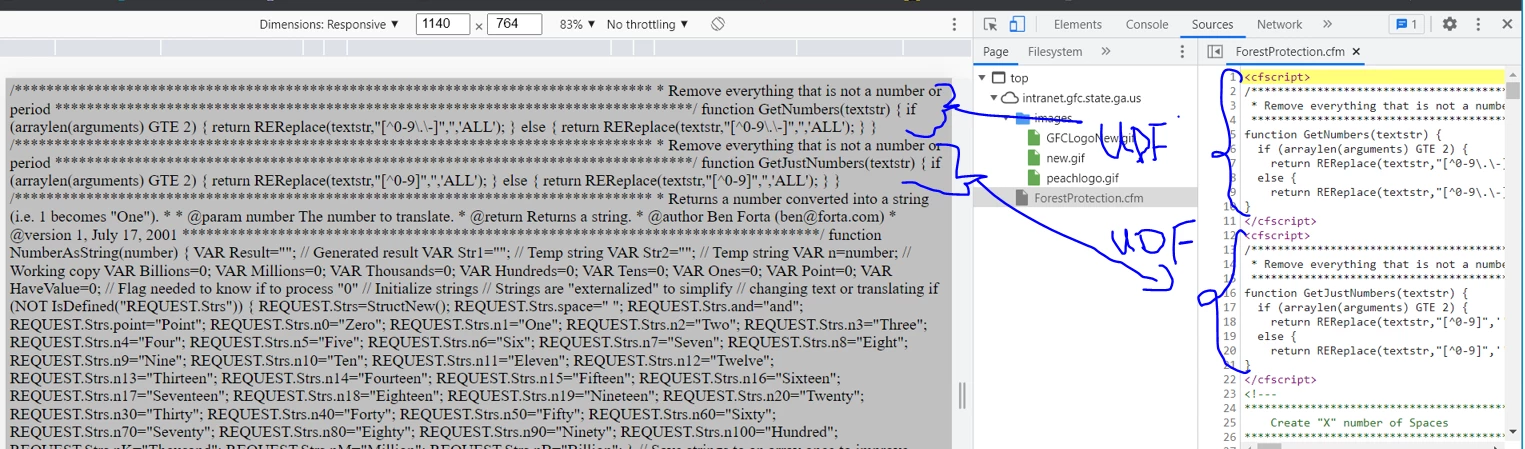


This is the section of my Application.cfm.
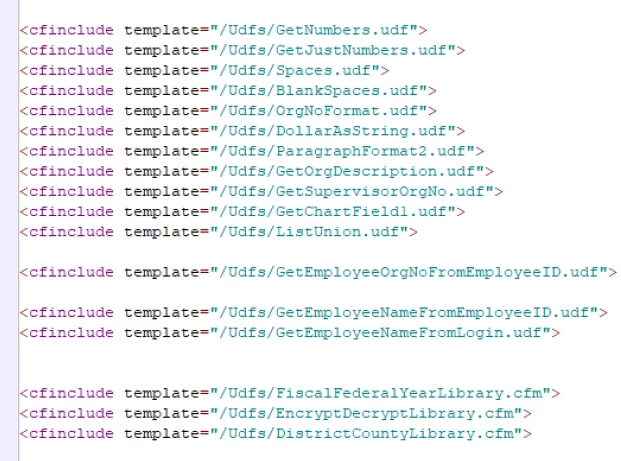
This is getnumbers.udf
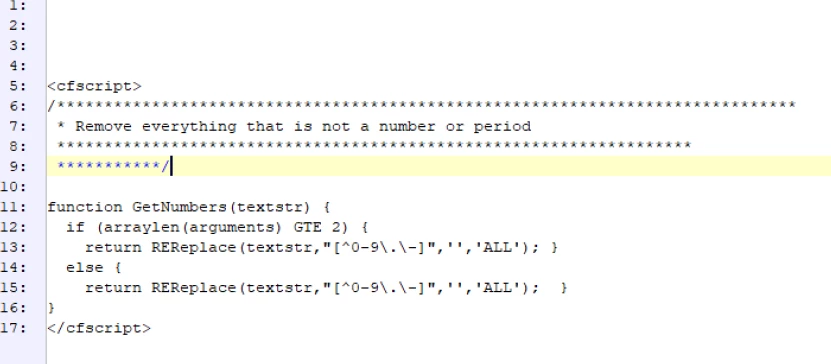
 

So, I think my webpage is showing the content of UDF!  

Any idea what went wrong? and how it may be fixed? 

Thanks! 

dchan


This topic has been closed for replies.
Correct answer BKBK

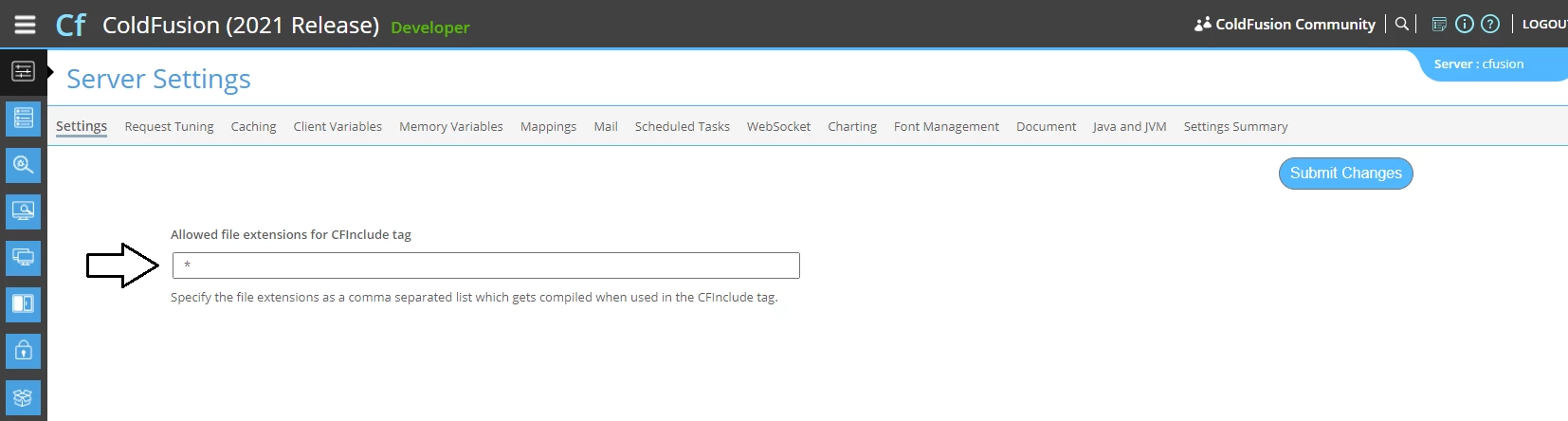
The cause is the UDF extension, as Charlie has said. ColdFusion simply parsed the included UDF files as static text, instead of compiling them. See the documentation on cfinclude


I am surprised that that happened. (Assuming, of course, that you had not been playing with the this.compileExtForInclude setting in Application.cfm). I thought ColdFusion would compile every included page the default. That is, the default setting in the ColdFusion Administrator is *.


I have 2 suggestions:

  1. Manage the setting the ColdFusion Administrator. Use * or a comma-delimited list of file-extensions. My preference is *.  Afterwards, press the button to Submit Changes, then restart ColdFusion.

  2.  Convert your Application.cfm to its Application.cfc equivalent. Perhaps not now, but something to bear in mind for the future. Application.cfc is more modern and offers you many more possibilities.


2 replies

BKBK
Community Expert
BKBKCommunity ExpertCorrect answer
Community Expert
January 24, 2022

The cause is the UDF extension, as Charlie has said. ColdFusion simply parsed the included UDF files as static text, instead of compiling them. See the documentation on cfinclude


I am surprised that that happened. (Assuming, of course, that you had not been playing with the this.compileExtForInclude setting in Application.cfm). I thought ColdFusion would compile every included page the default. That is, the default setting in the ColdFusion Administrator is *.


I have 2 suggestions:

  1. Manage the setting the ColdFusion Administrator. Use * or a comma-delimited list of file-extensions. My preference is *.  Afterwards, press the button to Submit Changes, then restart ColdFusion.

  2.  Convert your Application.cfm to its Application.cfc equivalent. Perhaps not now, but something to bear in mind for the future. Application.cfc is more modern and offers you many more possibilities.


Inspiring
January 24, 2022

Hi @Charlie Arehart   and  @BKBK ,

THANK YOU!  


But, CF2021 still does not work.  It gives me the following errors.... 

Any idea? 
"Error","ajp-nio-127.0.0.1-8020-exec-7","01/24/22","17:29:23","INTERNET","Error Executing Database Query.[Macromedia][SQLServer JDBC Driver]An SSL socket connection could not be established because JRE 1.4 or above is required. The specific sequence of files included or processed is: F:\Forestry.gatrees\about-us\contact-us\county-units\CountyUnitsShow.cfm, line: 8 "

"Error","ajp-nio-127.0.0.1-8020-exec-6","01/24/22","17:30:24","INTRANET","Operation failed on the Migrate-CookieStorage data source.Reason of failure java.sql.SQLNonTransientConnectionException: [Macromedia][SQLServer JDBC Driver]An SSL socket connection could not be established because JRE 1.4 or above is required. The specific sequence of files included or processed is: F:\Forestry.Intranet\index_helloworld.cfm, line: 8 "


Is the above related to this setting?  Should I point the Java Virtual Machine Path to C:\ColdFusion2021\jdk-11.0.12, which was the setting in CF2018? 

Thanks in advance. 


Dchan


Charlie Arehart
Community Expert
Community Expert
January 24, 2022

If the change of the Admin solved your problem about the UDF include showing source code, great. That was the goal of my first answer. Note also that I offered there the option to change it in code, so that you don't run into this again in a future move to a new CF version. (And please mark one or both of the above as the "answer", for future readers. I don't see BKBK saying anything in his note that I did not say in mine. But if you may feel that his showing the screenshot was an important difference for you, ok.)


Moving on to your other problem, not it has nothing at all to do with the above setting. This is just a case where now that you've solved one problem, the code was able to run further and hit this other error.


And yes, this almost surely will be solved by changing your CF to use a newer JVM. You have not said what JVM your CF2021 is using. If this was a CF2021 installer you got from Sept 2021 or forward, it came with Java 11.0.11. If instead, your CF2021 installer was from before, back to the original release in Nov 2020, THAT one mistakenly came with a pretty old JVM, 11.0.1.


Then note that the latest JVM is 11.0.14, which came out last week (and includes bug fixes, security fixes, and more). Adobe offers the two most recent JVM versions (for 11 and 😎 at https://www.adobe.com/support/coldfusion/downloads.html#additionalThirdPartyInstallers


So to be clear, yes updating the JVM will almost certainly be the solution for you, whether to 11.0.12 or perhaps better to 11.0.14  


Let us know how it goes.

/Charlie (troubleshooter, carehart. org)
Charlie Arehart
Community Expert
Community Expert
January 24, 2022

I think I know what's happening, and how to fix it.


Take a look at your CF Admin, and the first "settings" page, and look at the value for the setting "Allowed file extensions for CFInclude tag". Is it *? or CFM,CFML? If it's the latter, this means that ONLY those kinds of file extensions can be CFINCLUDEd. (If you don't have access to your CF admin, see the last paragraph I offer here.)


This was a change introduced in CF11 (not CF2021). And the setting is controlled not only by what you may pick on this page, but also by whether you/someone may have enabled the "secure profile" in the admin (or may have chosen during CF installation to implement CF's profile as "production+seecure"). That sets "more secure" default settings (the "secure profile" feature was added in CF10, so is also not "new"). You can even see this particular setting discussed on the CF admin Secure Profile page (in the Security section of the Admin), and how "cfm,cfml" is the "secure default value".


So it would seem you either didn't enable the "secure profile" in your CF2018 setup, or you or someone had changed this setting in your CF2018 admin and did not bring that changed setting into your CF2021 setup.


FWIW this setting is documented. See the section there, "allowed file extensions for <cfinclude>". Noe that it says there that "If any other file included using the <cfinclude> tag is not found in this list, their content will be statically included."


Finally, here's more good news: note how that doc also discusses how you can set this at the application level instead, which may be good for you to do in case you want to prevent this problem happening in a future move to a new CF version. The setting is called compileExtForInclude, and it can be set either as an attribute of cfapplcation or as a this.compileExtForInclude setting in an application.cfc. You could set it to "cfc,cfm,udf".


Let us know if this helps and how things go.

/Charlie (troubleshooter, carehart. org)