Participant
June 19, 2023
Question

Messed up Maps

  • June 19, 2023
  • 1 reply
  • 412 views

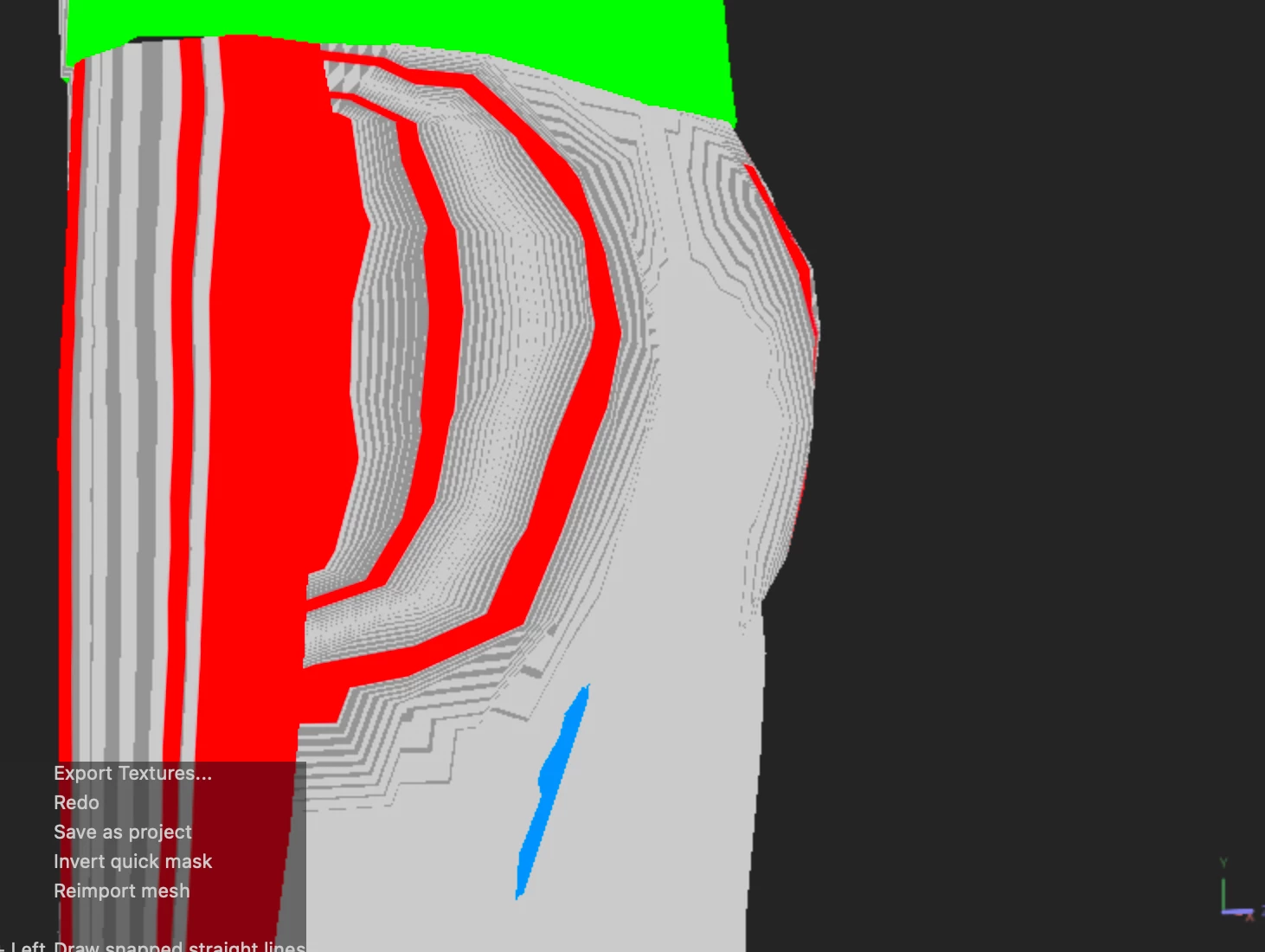
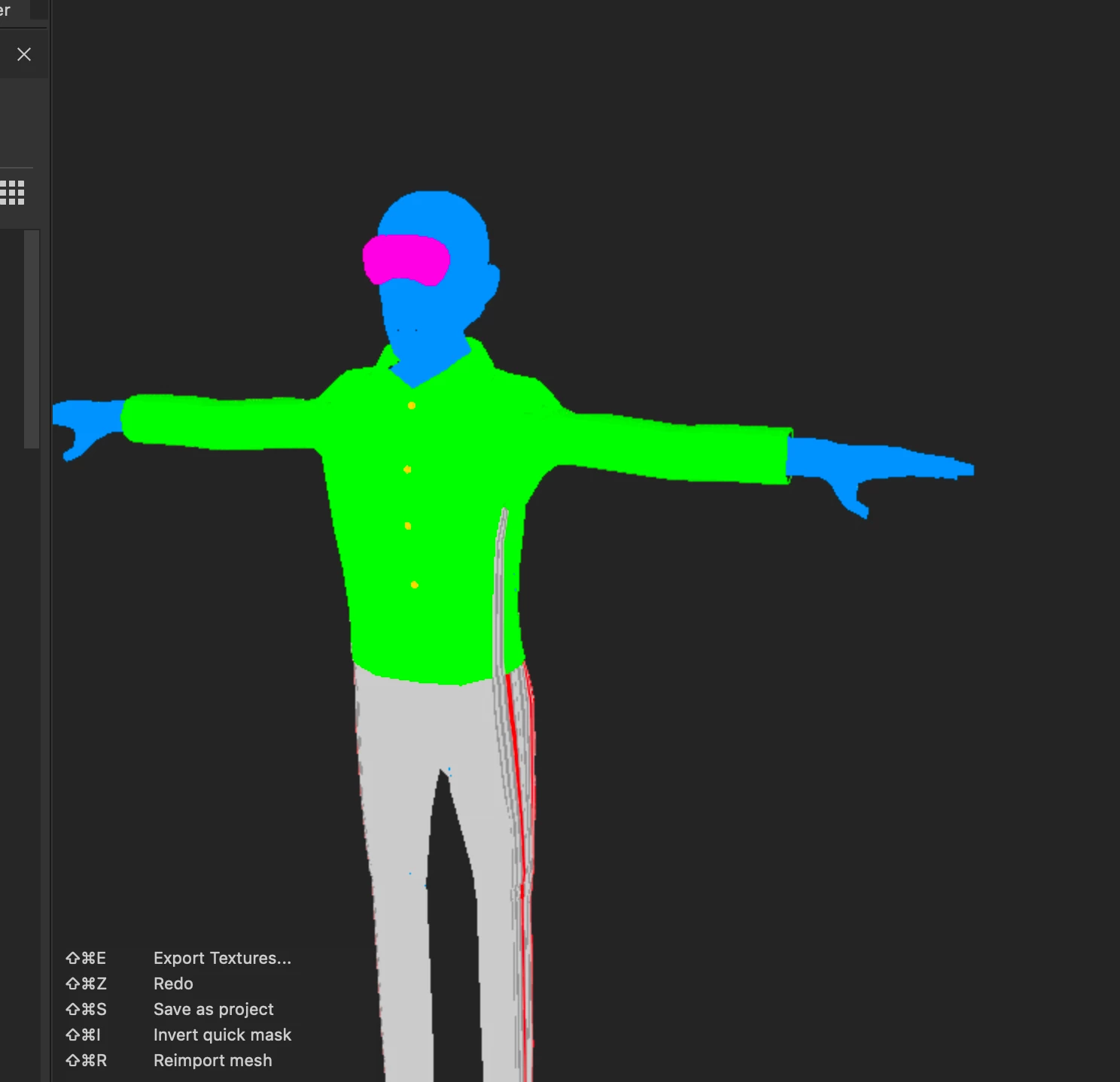
Hello, I would like to share an issue I've been having. Whenever I bake my model I have been having weird artifacts with it's maps and I'm unsure as to what's causing it. I put this in discussion as I'm not sure if this is a bug or me just not understanding how the software works as I am relatively new to it. I would greatly appriciate some help.


Here's the ID Map for an example as to what I'm dealing with:
 

This topic has been closed for replies.

1 reply

Cyril Dellenbach
Community Manager
Community Manager
June 19, 2023

Hi @Lucas28129185cfy6,


Thanks for all the details.


My first guess would be an issue with the UVs. Can you share a screenshot of the 2D view? This also reminds me an issue with .FBX exported from Blender, but it's a bit soon to say whether it's this or not. I'd also love to have more details on what happens with the other maps?


Let me know.


Cyril Dellenbach (Micro) | QA Support Artist | Adobe
Participant
June 19, 2023

Actually I did export this from Blender. Could that have something to do with it?


Here's some of the other maps I have, along with the ID Map:


ID Map:

Position Map:


World Space Normal Map:


Ambient Occlusion Map:


Normal Map:

Cyril Dellenbach
Community Manager
Community Manager
June 20, 2023

Thank you for sharing screenshots.


I don't know if these UVs represent the entire mesh, but the issue very likely comes from them. 


UVs are the 2D representation of the 3D mesh, therefore they need to adopt a certain shape in order to correctly represent 3D parts in a 2D space.


If certain rules are not followed, issues like the one you're facing are likely to occur.


I advise to make sure the UVs are ready to be used in a texturing software and you can obviously share to me a screenshot of your UVs in Blender if you need anymore guidance.


Best regards,


Cyril Dellenbach (Micro) | QA Support Artist | Adobe