


Known Participant
February 5, 2024
Answered

Texturing map issue I'm having

  • February 5, 2024
  • 1 reply
  • 203 views

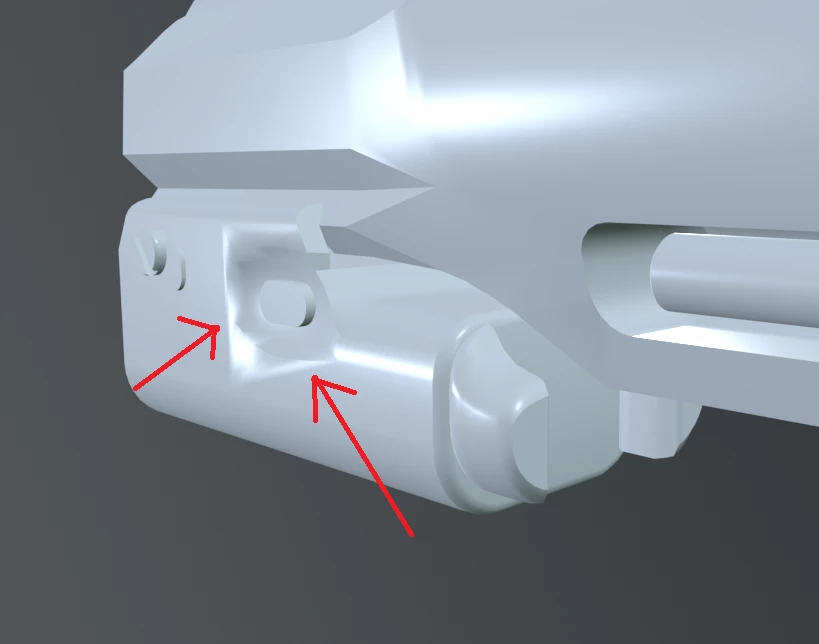
Hi so I have it where I'm baking in this weapon i'm working on. Now first I'm using marmoset to help me just do the baking part and I have it where in this one we can see how the low poly look for it.
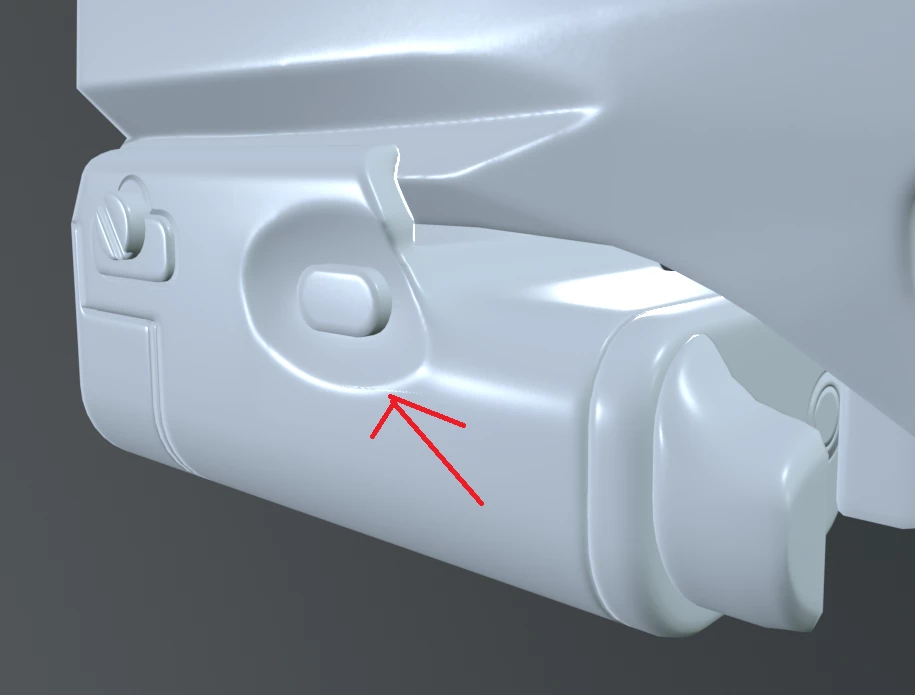
and then when i bake with it high and all it has it where it fix and looks better as shown here.
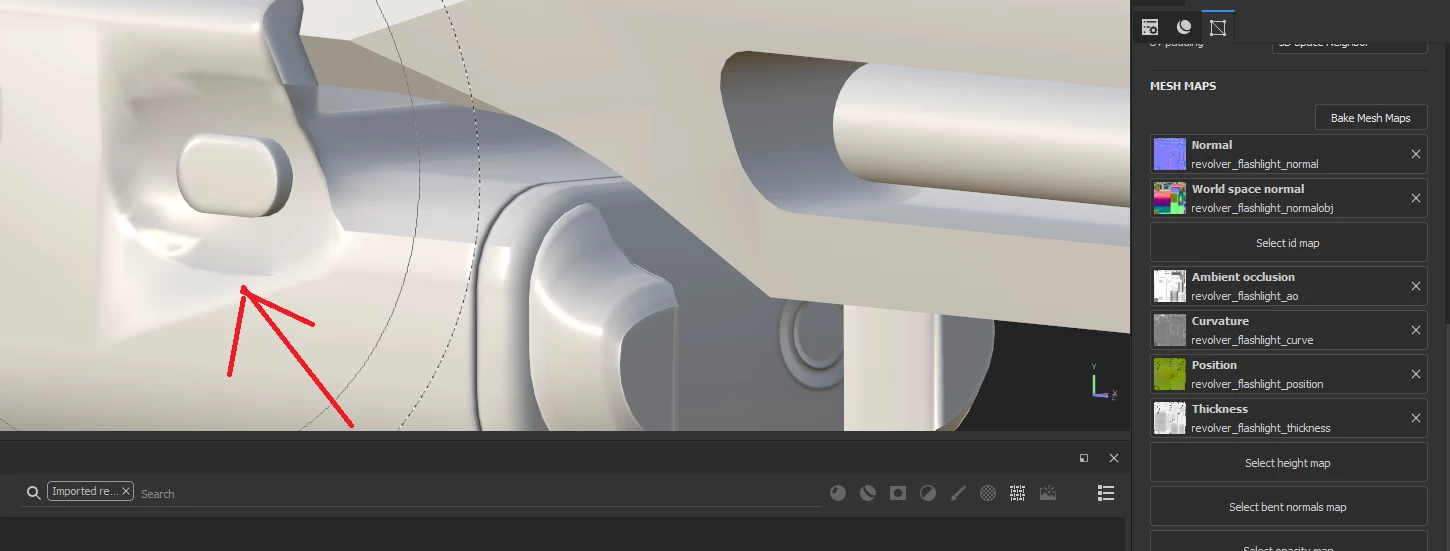
Now here comes my question. I have it where i bake the textures and then I put them all in substance painter but when I do, i get the same issue i got from my low poly before as shown here.
So what am i doing wrong. I'm including the texture maps I put in. am i missing something or have something disorganize.

This topic has been closed for replies.
Correct answer Cyril Dellenbach

Hello @Wolfer123,


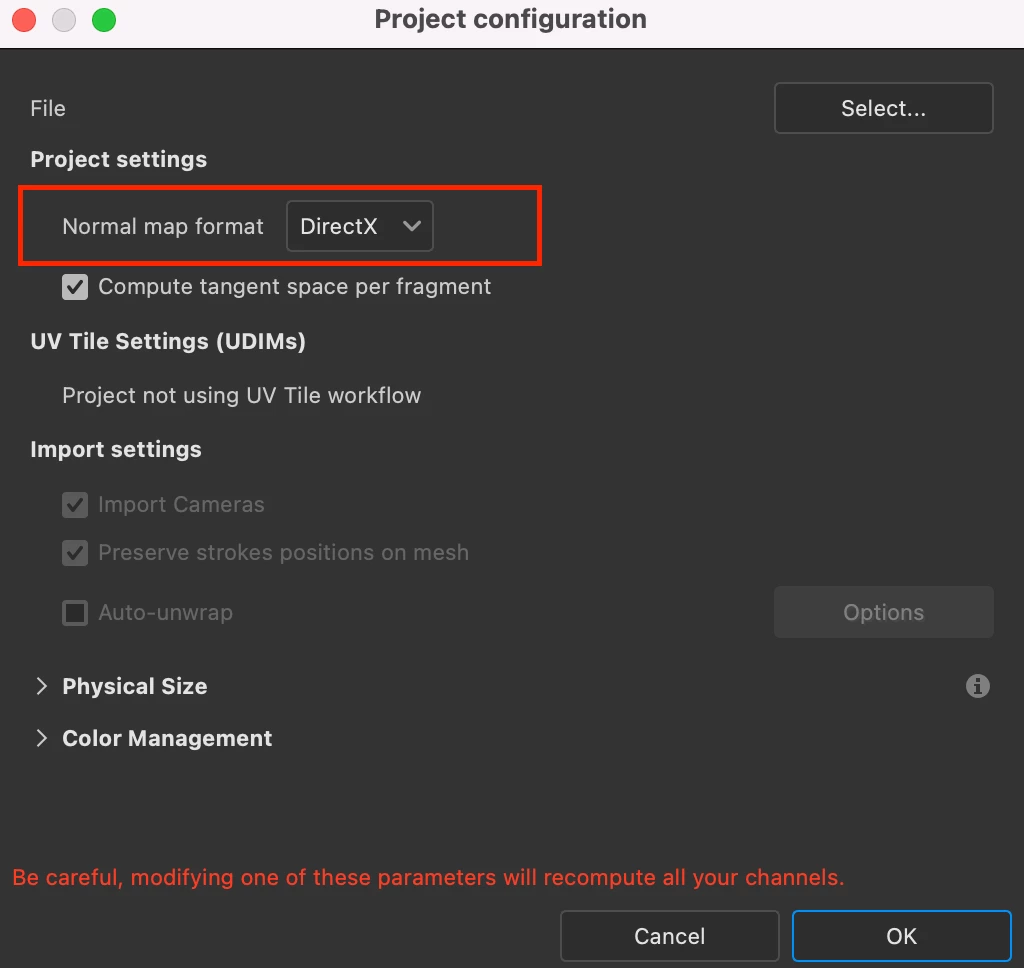
Have you check that the Normal Map was bake in the proper format? From my knowledge (I could be wrong with this one), the Normal map is natively baked in OpenGL, Substance Painter natively expects DirectX. I would be worth to either export a DirectX map from Marmoset, or switch the format in Painter.
Edit > Project Configuration > Normal Format


If this doesn't solve the issue, can I have a look at the Low Poly's Topology ?


Regards,

1 reply

Cyril Dellenbach
Community Manager
Cyril DellenbachCommunity ManagerCorrect answer
Community Manager
February 6, 2024

Hello @Wolfer123,


Have you check that the Normal Map was bake in the proper format? From my knowledge (I could be wrong with this one), the Normal map is natively baked in OpenGL, Substance Painter natively expects DirectX. I would be worth to either export a DirectX map from Marmoset, or switch the format in Painter.
Edit > Project Configuration > Normal Format


If this doesn't solve the issue, can I have a look at the Low Poly's Topology ?


Regards,

Cyril Dellenbach (Micro) | QA Support Artist | Adobe