


Participant
October 8, 2026
Question

Account Locked Due to Compromised Passwords & Malware Attack — Need Escalation (Case ID: ADB-47444245-Y4Y8)

Hello ! Adobe Community & Support Team,

I am writing to seek urgent assistance regarding my locked Adobe account.

# Background of the Issue:

Recently, my system detected several Trojans and malware via Windows Defender. Shortly after, Chrome alerted me about multiple compromised passwords, and I received security warnings about unauthorized login attempts across various online services including Adobe.

I immediately updated passwords for all my accounts. However, I was unable to reset or access my Adobe account as it became locked due to these security triggers.

# Previous Support Attempts:

  1. I initially contacted Adobe Support and was advised to wait 24-72 hours without attempting any logins for the automated lock to resolve.

  2. I waited over 3 weeks to be safe and attempted to log in again yesterday, but the account remained strictly locked.

  3. I contacted Adobe Support again, and agent Jyoti created Case Reference Number ADB-47444245-Y4Y8 and advised me via email to post my issue here on the Community Forums for assistance from staff/moderators.

# Why I Need Immediate Help:

I heavily rely on my Adobe Cloud and Adobe Scan documents for my studies and daily work. All my critical scanned files and study materials are saved under ([Personal information removed by moderator.]) account, so creating a new account is not an option for me. I urgently need access to my existing account and stored documents.

Could a community manager, moderator, or Adobe staff member please look into Case ID: ADB-47444245-Y4Y8 and help me escalate this to the account security team for identity verification and account restoration?

Thank you for your time and support !
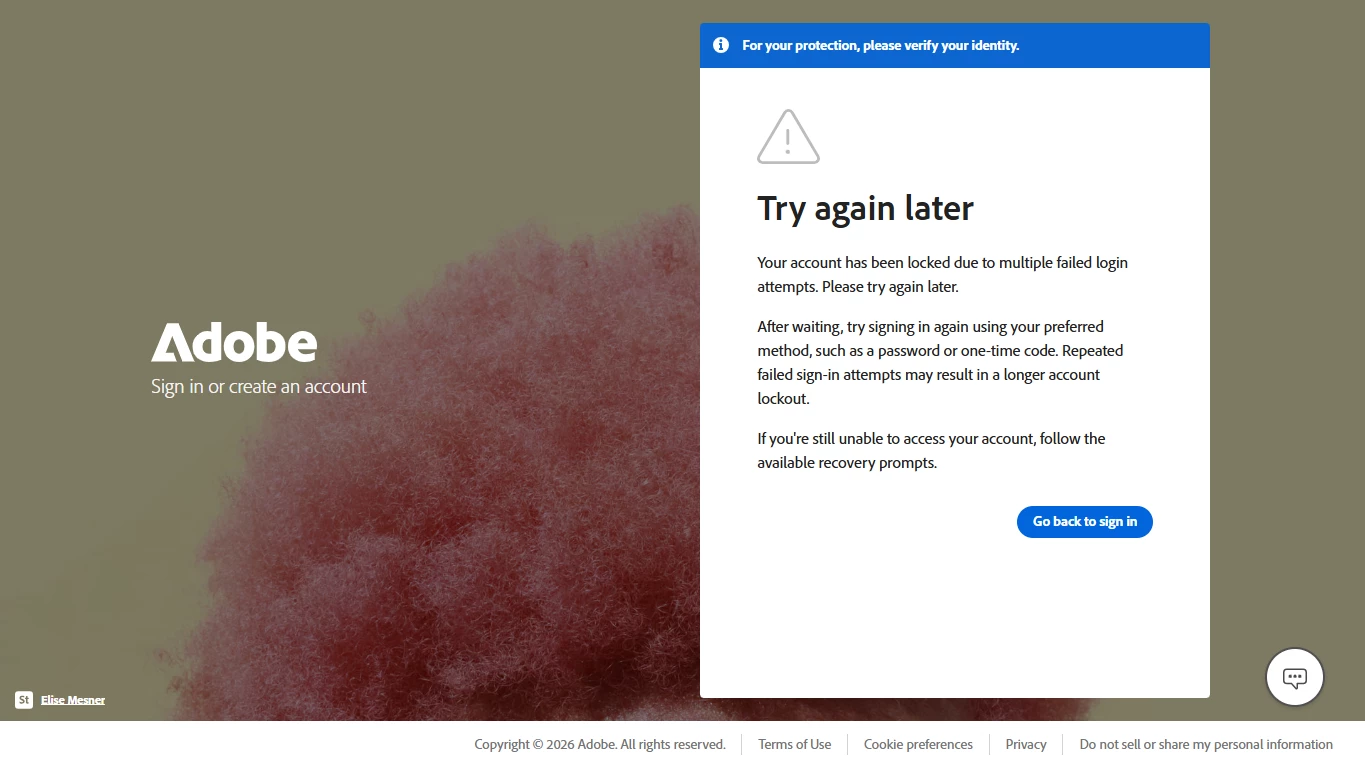
Account locked due to compromised passwords & multiple unauthorized access from several locations maybe.

    7 replies

    AkanshaAshra
    Community Manager
    Community Manager
    October 8, 2026

    Hi ​@Yunish 
    Thank you for sharing the details of your issue with the community. We understand how important it is to regain access to an account that contains valuable documents and files.

    Please try the steps outlined in the following Adobe Help articles:

    Additionally, try signing in using an Incognito/Private browsing window or a different browser to rule out any issues related to cached data, cookies, or saved credentials.

    If you've already gone through these steps and the issue persists, please let us know what happens when you attempt to sign in. For example, does the same error message appear, or do you see a different prompt? Any screenshots or additional details (without sharing personal information) may also help us better understand the issue and guide you further.

    ^Akansha

    Translate
    kglad
    Community Expert
    Community Expert
    October 8, 2026
    YunishAuthor
    Participant
    October 8, 2026

    Hi ! ​@kglad,

    Thank you for your reply, but as I clearly stated in my original post, my primary account is currently locked due to security triggers. Because the account is locked, I cannot log in to access the Adobe Account support portal to track the case history. That is the exact reason I am unable to resolve this on my own and had to create a backup account to post here. 

    My previous support agent specially asked me via email to post on the Community Forums so an Adobe Staff member, Moderator or Community Expert could help escalate my case directly to the account security team for identity verification. 

    Could an Adobe Staff member, Moderator and Community Expert please assist with escalating Case ID: ADB-47444245-Y4Y8 since I cannot log in ?

    Translate
    AkanshaAshra
    Community Manager
    Community Manager
    October 8, 2026

    Hi @Yunish 
    Thank you for sharing the details of your issue with the community. We understand how important it is to regain access to an account that contains valuable documents and files.

    Please try the steps outlined in the following Adobe Help articles:

    Additionally, try signing in using an Incognito/Private browsing window or a different browser to rule out any issues related to cached data, cookies, or saved credentials.

    If you've already gone through these steps and the issue persists, please let us know what happens when you attempt to sign in. For example, does the same error message appear, or do you see a different prompt? Any screenshots or additional details (without sharing personal information) may also help us better understand the issue and guide you further.

    ^Akansha

    Translate