Participant
June 10, 2025
Question

Adobe Acrobat Sign Scam??

  • June 10, 2025
  • 7 replies
  • 4544 views

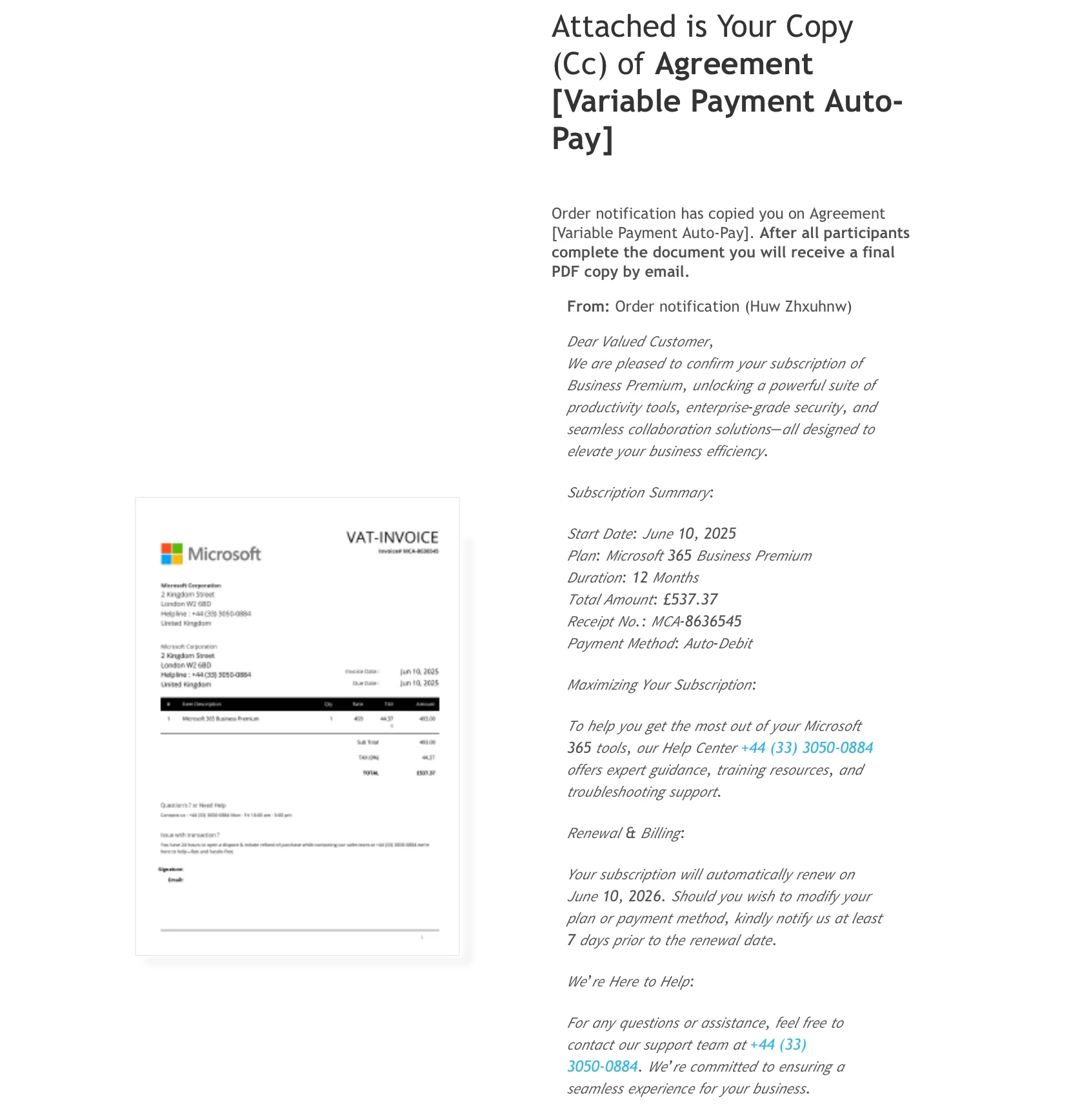
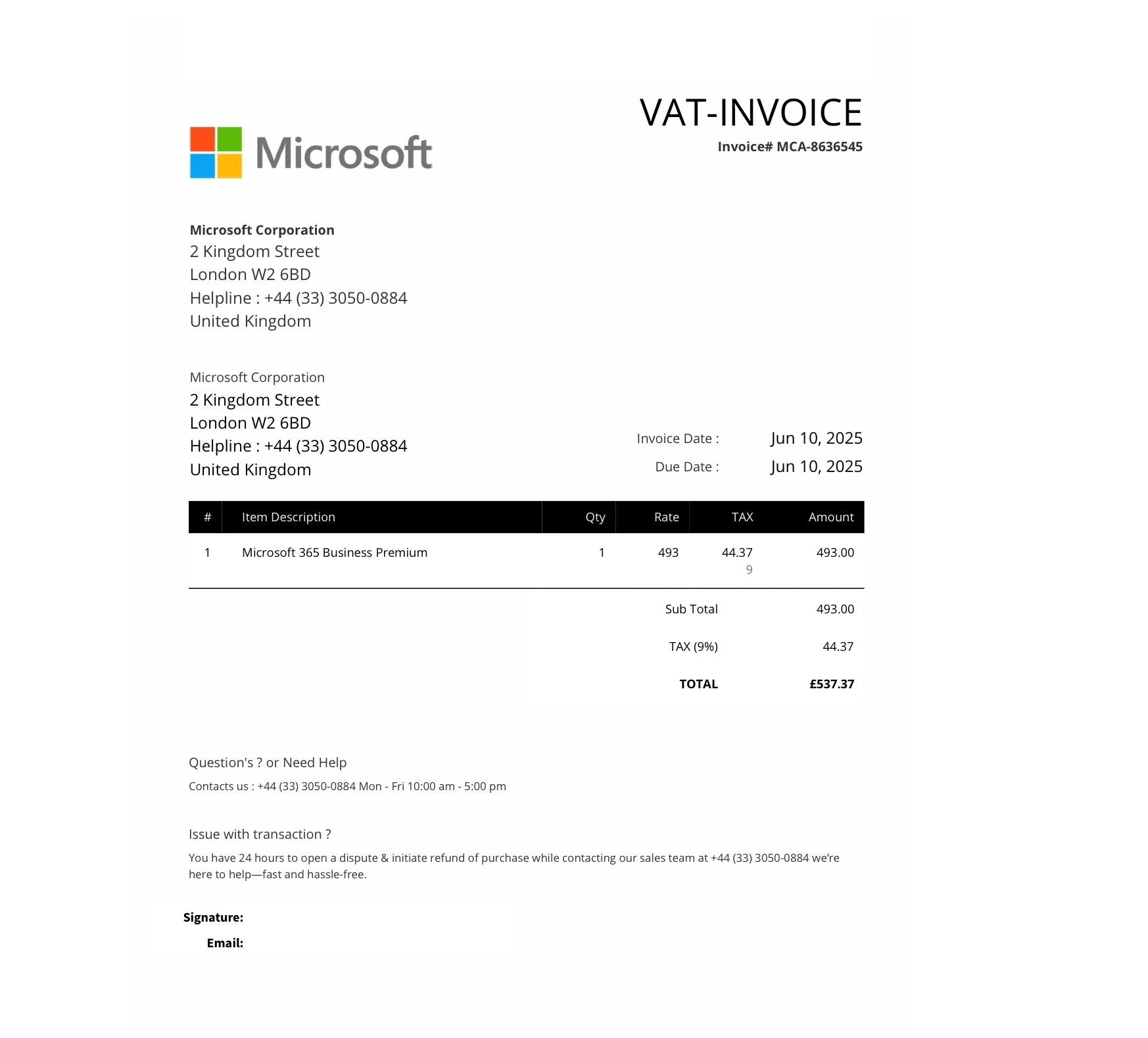
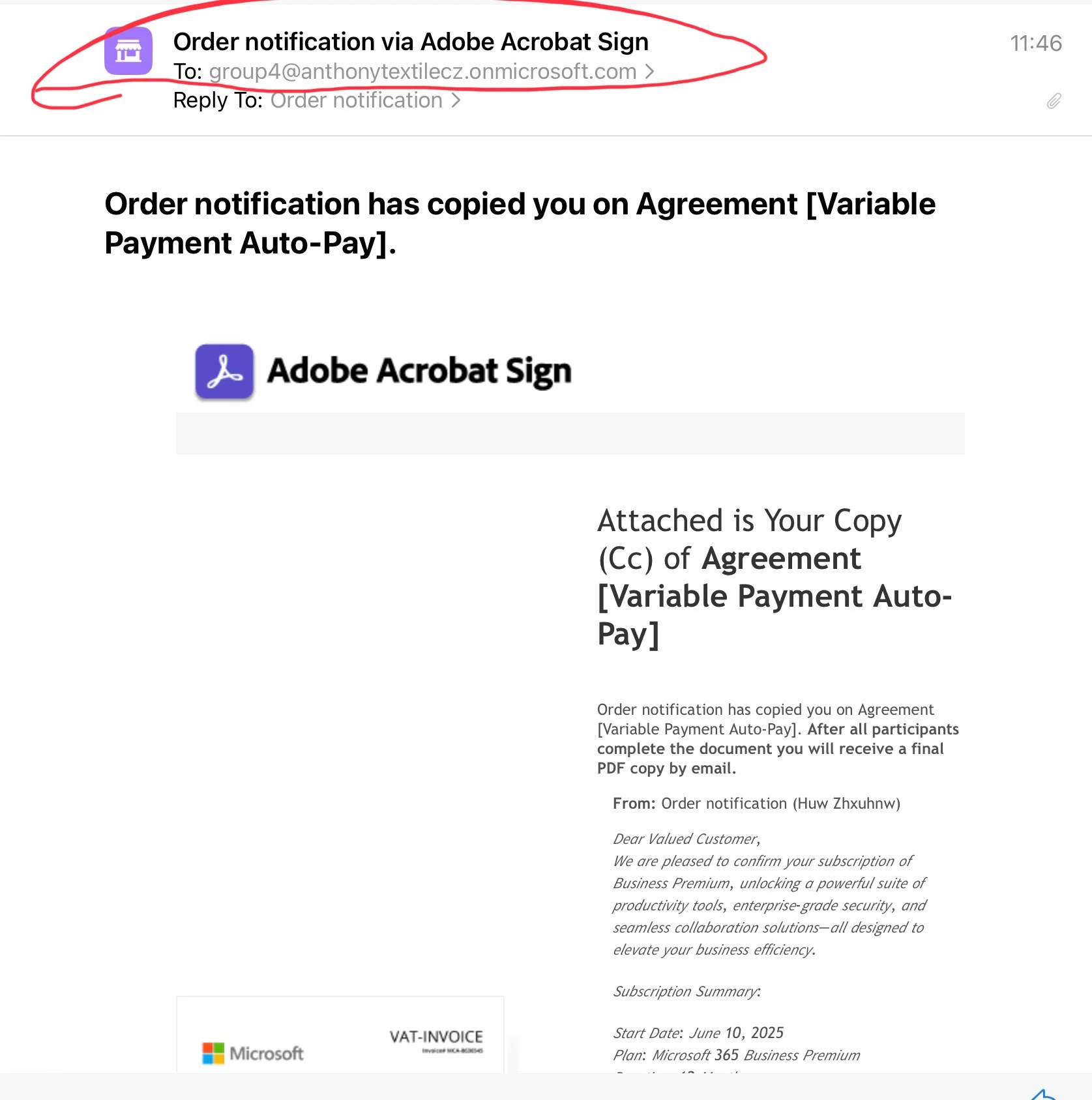
I have received an email from adobesign@adobesign.com for an agreement of payment of auto-pay for Microsoft 365 Business Premium.  This email was addressed to an unknown business to me but copied me in.  Is it a scam?  It is from adobesign@adobesign.com.  It looks legit.  Shall I be concerned?  


7 replies

Participant
June 19, 2025

Ditto. Just received exactly the same e-mail, which is sent out to some strange group, which I've never heard of or been a part of. Adobe - look into this!


Shivangi_Gupta
Community Manager
Community Manager
June 19, 2025

Thanks for flagging. Our team is looking into this.


^Shivangi

Participant
June 20, 2025

Hi Adobe - I'm UK based and received the same today.

Please advise.

Participant
June 18, 2025

I received a similar email yesterday (6/16) morning. When I hovered over 'From: adobesign@adobesign.com' it still looked legit. But the email in the To: field was blissnazaar8@StantonCameronTrading.onmicrosoft.com and it was an invoice for Norton antivirus....I use McAfee. I hovered over Terms of Use and the link looked legit so I clicked on it (I don't recommend this 😉 and it did take me to adobe's TofU. So next I hit reply and the email I would have sent it to - if I'd hit send - was kempali436@yahoo.com.

kglad
Community Expert
Community Expert
June 18, 2025

thanks for the confirmation @niccast . 

Participating Frequently
June 16, 2025

I forward email to adobe phishing email address and this is there reply:

------

Hello, thank you for contacting the Adobe Phishing team. This does not appear to be a genuine Adobe email.

Entities may falsely claim to be from an established, legitimate business, like Adobe, in an attempt to convince you to divulge sensitive personal information. Phishing can be received in a variety of ways - email, phone call, pop-up, download, et cetera - and is engineered to create a false sense of urgency/importance to get you to act quickly and "verify your information".

Adobe strongly recommends that users follow security best practices by exercising caution when opening attachments and links as well as keeping their computers current with the latest patches and updates. If you opened any suspicious attachments or links, we recommend that you run a virus scan. To prevent these emails from reaching your inbox in the future, you may contact your email provider to adjust your spam filters. We hope this information was helpful.

------


I do hope that this look into this in more detail though as I agree it smell of a scam but it also looked to real too 

kglad
Community Expert
Community Expert
June 16, 2025

adobe can't and doesn't control your email account.

Participating Frequently
June 16, 2025

Not the most helpful of replies thank you. Have you got this email yourself? Just curious as I am in the industry and therefore scam check many many emails and this one passed every check apart from my gut said it was a scam - there is nothing in that email that I can tell clients to look for to determine if its scam other than years of experience, that is why i suggested they looked into this more 

Participant
June 16, 2025

I got the same email. I've just deleted it.

Participating Frequently
June 16, 2025

I have also got the exact same thing - it looks like a scam to me but I cannot see where or how as all links and url point to adobesign
I am ignoring however adobe certainly need to look into this as someoen will fall for it!
Sarah

kglad
Community Expert
Community Expert
June 13, 2025

looks fake and that's a uk #.  are you in the uk?

Shivangi_Gupta
Community Manager
Community Manager
June 13, 2025

Hi alexandrarose_7301,

We appreciate you sharing this. Please avoid clicking any link that looks suspicious. We'll get this looked into.


^Shivangi

Participant
June 16, 2025

Thank you for looking into this.  It's still happening 16 June 2025.  I have not clicked on any links or opened the attachment.  Consigned to spam folder and deleted. Thank you

try67
Community Expert
Community Expert
June 10, 2025

It does look suspicious, and the sent-from address can be faked. I would just ignore it, since they don't seem to have any of your private information (unless you replied to it or filled in any form it links to). Just mark it as Spam.