


Adobe CC isn't recognizing my computer and logs out / shuts down app
Hi!
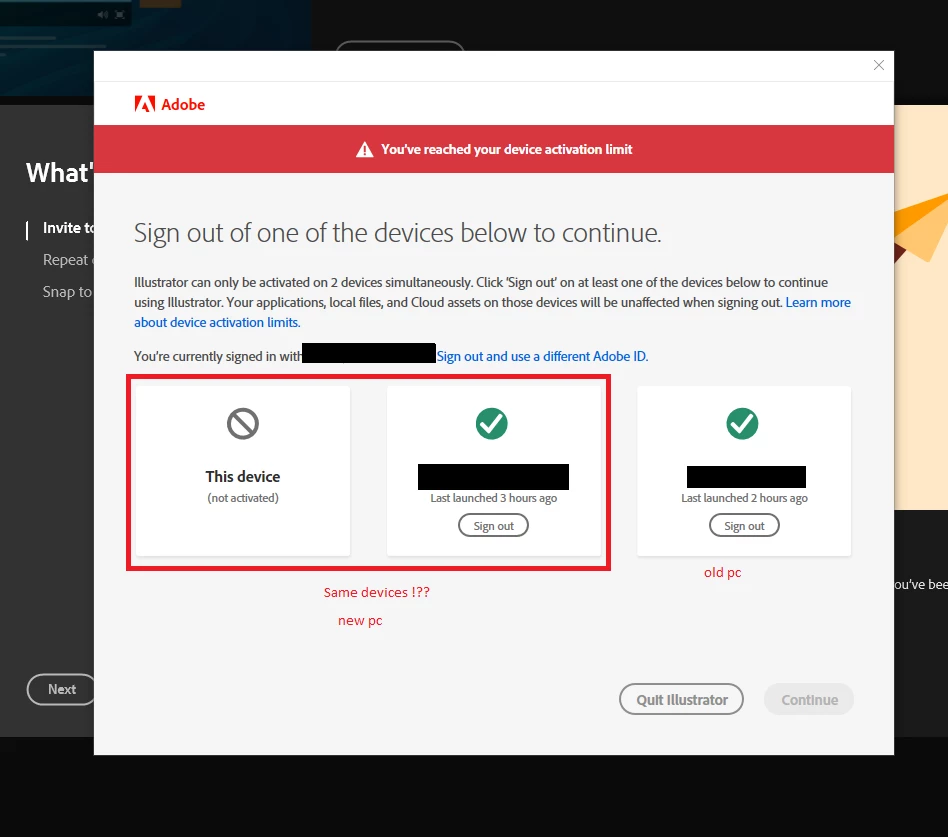
I set up my new computer a few days ago, but every time I start Adobe CC, I need to log in again. It tells me, I've reached the device activation limit and it only can be activated on 2 devices simultaneously, so I need to sign out from one of the three which are displayed. Fact is, it's only activated on 2 devices (my old pc and the new one), but somehow it doesn't remember the new one and adds a third ("this device")!?? When I'm signing out from the new pc (middle one in the screenshot below), it seems to work till the next restart of the computer. Can somebody explain to me what happens here and how to fix it? It's really annoying to login everytime.
I did already reinstall Adobe CC with the deinstaller-tool (https://helpx.adobe.com/at/creative-cloud/help/uninstall-creative-cloud-desktop-app.html). Didn't do the trick.
Thanks for help!

 AdChoices