Participant
January 15, 2023
Answered

Adobe charging is the most ruffian thing I ever encountered
  • January 15, 2023
  • 2 replies
  • 272 views

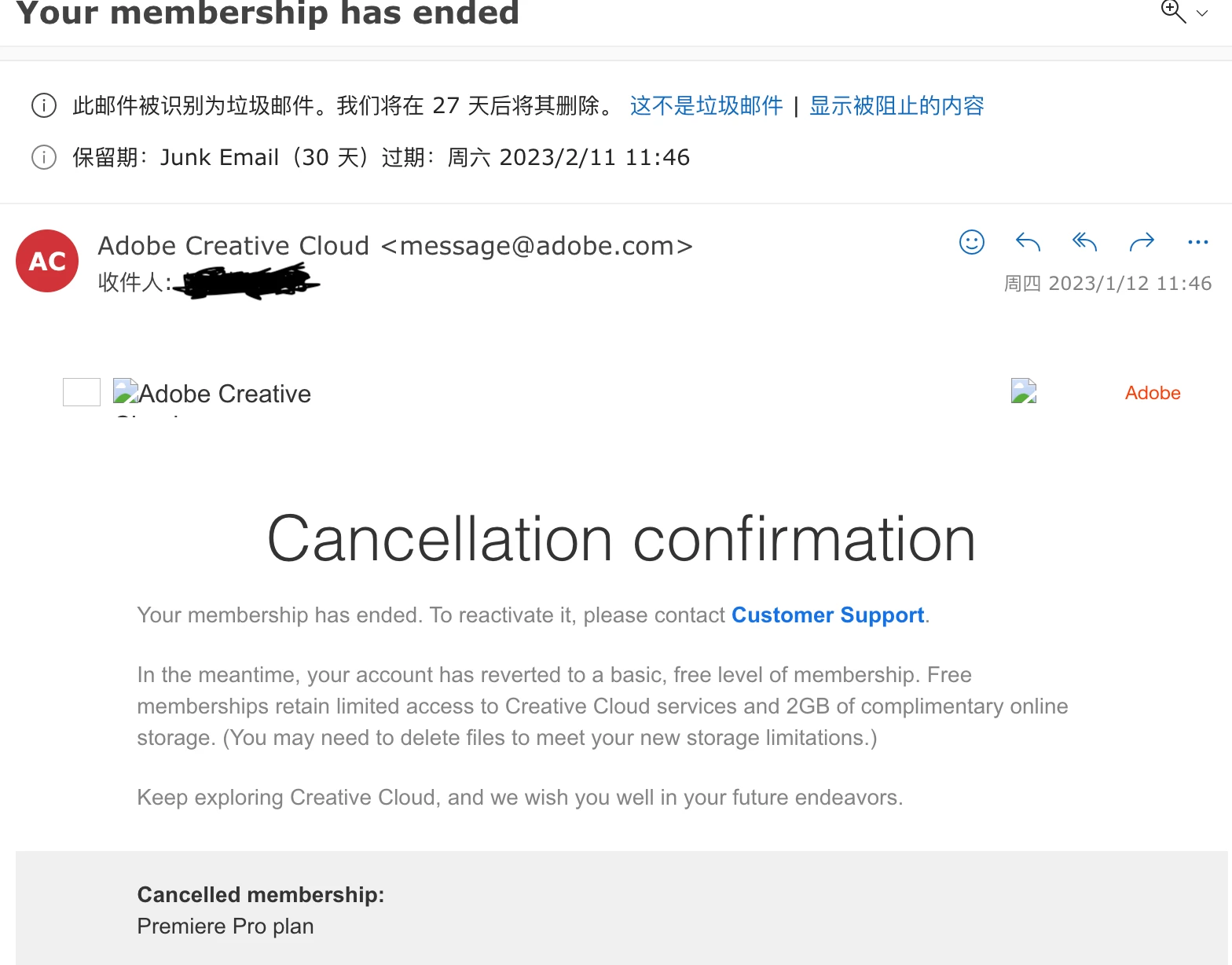
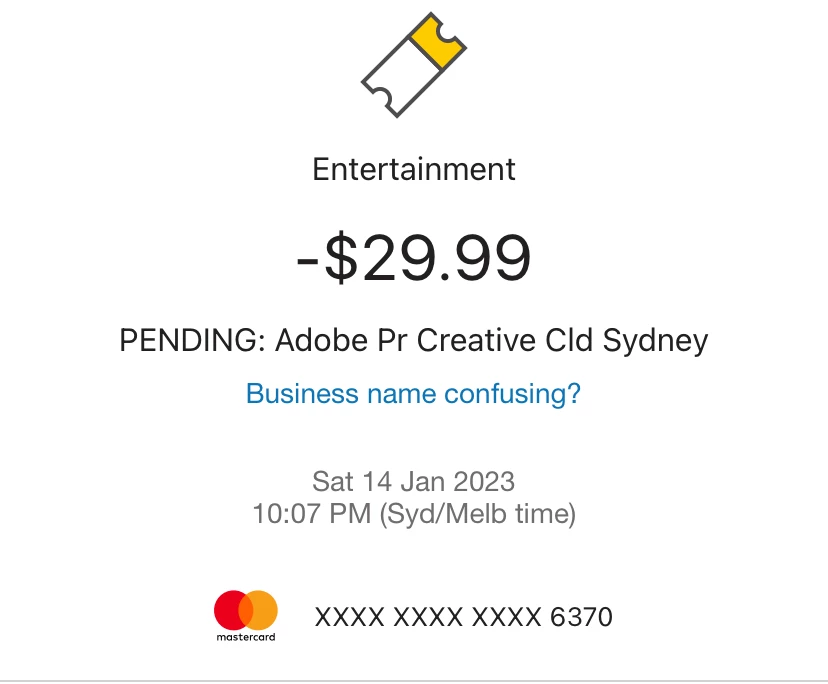
I registered a personal account under my uni email address accidentally, and the nightmare began. I was being charged 3 months of unnoticing. I tried to cancel the annual plan, and I was asked to pay 1/3 of the whole year plan's amount. I even tried to change my bank card. I paid the cancellation fee on 12th Dec 2022 , 2 days after the Adobe's cancellation confirmation email, I'm being charged again on 14th January 2023. Good for you, Adobe.


This topic has been closed for replies.
Correct answer Manan Joshi

Hi @Hanlin27946758741h,

This should not happen. Contact Adobe support and get this resolved. To contact support follow the instructions given below
1. Go to https://helpx.adobe.com/contact.html?rghtup=autoOpen
2. Wait a bit on the page that opens up, it should automatically open a chat popup. If that does not happen then look for a call out/chat icon at the bottom right, click over it and the chat popup should open
3. In order to talk to a human type "AGENT" in the chat box
4. If you are not able to get to the chat window, then disable your adblockers, firewall, enable cookies/scripts on your browser. If it still fails then change your browser/machine/network.

P.S. Be mindful of answering anyone who sends you a private message. See the following for more information about scammers
https://tinyurl.com/y7cfrr7y
-Manan

2 replies

kglad
Community Expert
Community Expert
January 15, 2023

these are user forums and you need to discuss with adobe support.  there are 3 ways to contact adobe; chat, phone and twitter:

chat:
use a browser that allows popups and cookies, and click here, https://helpx.adobe.com/contact.html?rghtup=autoOpen
in the chat field (lower right), type AGENT
be patient, it can take quite a while to reach a human.

phone:
https://helpx.adobe.com/contact/phone.html

twitter:
tweet @AdobeCare

p.s. if you're contacted by anyone (via email or private message), it's much more likely to be a scammer than an adobe representative. ie, double check for an employee badge if contacted in the forums and look for an adobe.com domain in the email address if you click reply to an email. then check again and be very suspicious. any other method of contacting (or offering to contact you) is almost certainly a scam, https://community.adobe.com/t5/using-the-community-discussions/staying-safe-in-the-adobe-support-community/td-p/12919684/redirect_from_archived_page/true

Manan JoshiCommunity ExpertCorrect answer
Community Expert
January 15, 2023

Hi @Hanlin27946758741h,

This should not happen. Contact Adobe support and get this resolved. To contact support follow the instructions given below
1. Go to https://helpx.adobe.com/contact.html?rghtup=autoOpen
2. Wait a bit on the page that opens up, it should automatically open a chat popup. If that does not happen then look for a call out/chat icon at the bottom right, click over it and the chat popup should open
3. In order to talk to a human type "AGENT" in the chat box
4. If you are not able to get to the chat window, then disable your adblockers, firewall, enable cookies/scripts on your browser. If it still fails then change your browser/machine/network.

P.S. Be mindful of answering anyone who sends you a private message. See the following for more information about scammers
https://tinyurl.com/y7cfrr7y
-Manan

-Manan