



Remote Index
Inspiring
February 6, 2023
Question

Adobe Support - Chat & Phone

  • February 6, 2023
  • 5 replies
  • 1048 views

I'm having trouble finding contact info for Adobe Support.

It's easy enough to find this link:
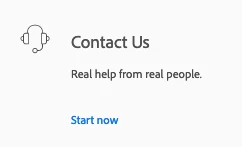
Clicking "start now" brings you here:
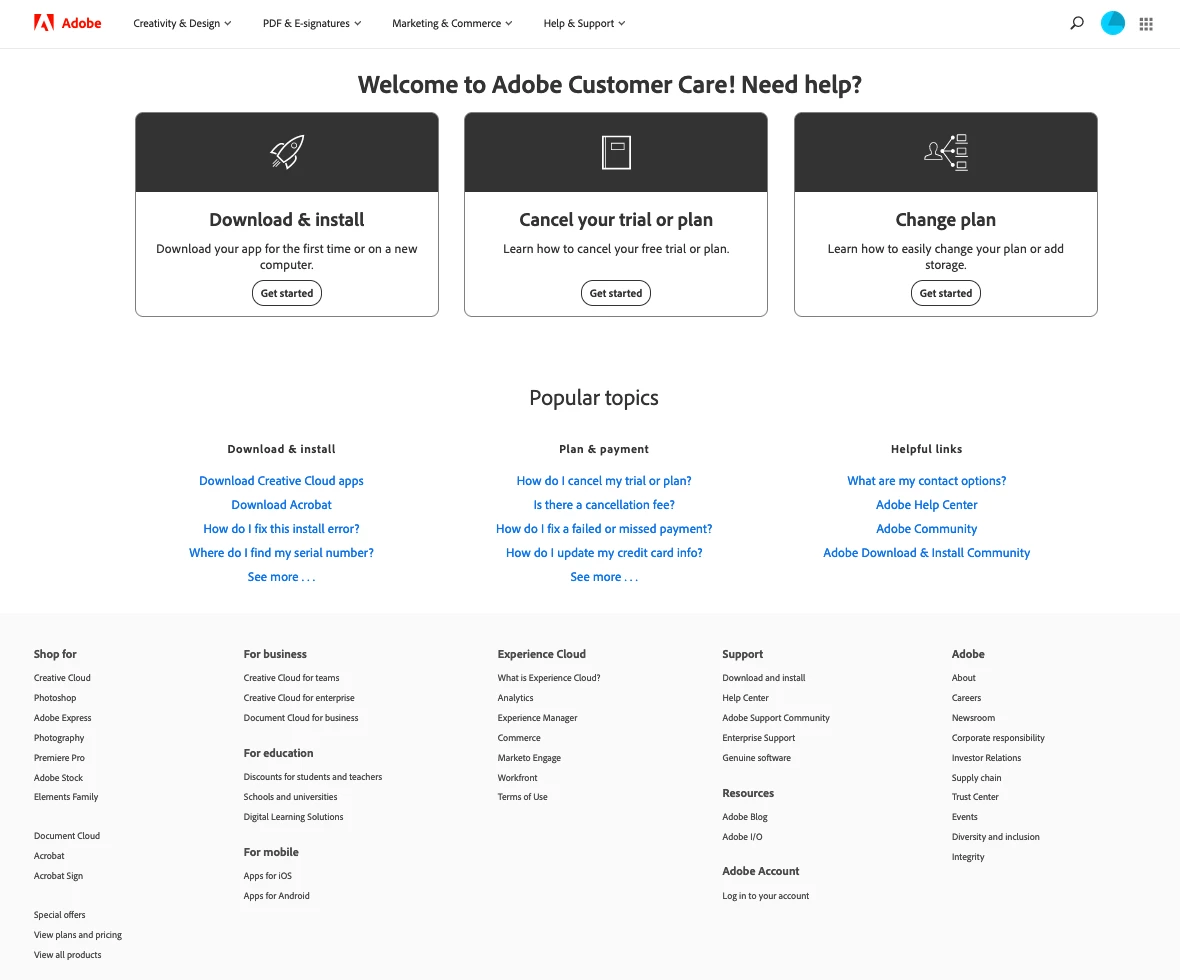
... which includes these "helpful links":
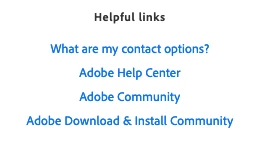
Clicking on "What are my contact options?" brings you to a page which explains "We provide you various support options depending on the product and issue. See the list below to view your contact options." followed by many charts including this one:


... and that chart promises Phone and Chat contact options (but no links).

You'll note the "Forums" option does indeed link to the necessary place.


... if I select Adobe Help Center (rather than "What are my contact options?") above, it brings me to a page with FAQ and these links at the bottom:

... through which you can begin the whole process again.


What is the Phone number to contact Adobe support?

Where is the link for Adobe support chat found?


R. (revised)


This topic has been closed for replies.

5 replies

Remote Index
Inspiring
February 7, 2023

Is there a reason Adobe hides the phone contact info? The web page was provided below but if I go to the Adobe site these are the results for search:

So the phone contact info is not revealed by search, and not revealed by a good faith navigation of the site. How does Adobe expect users to find this information?


R.

Nancy OShea
Community Expert
Community Expert
February 7, 2023

In case you missed it the first THREE times, here it is again.


CONTACT ADOBE SUPPORT:
================
Online Chat: https://helpx.adobe.com/contact.html?rghtup=autoOpen
Twitter: https://twitter.com/adobecare
Phone M-F, during normal business hours: https://helpx.adobe.com/contact/phone.html


Keep in mind that Adobe does not support discontinued software. Product support is for current product users only.  If you wish to speak with an Agent, type AGENT in the chat box followed by ENTER key.


Good luck.


Nancy O'Shea— Product User & Community Expert
Remote Index
Inspiring
February 7, 2023

Nancy OShea,


Thanks. I did not miss it, as I noted above it is provided in several responses. That was not my question though, so you have replied here to a question not asked.


R. (edited: grammar)

kglad
Community Expert
Community Expert
February 7, 2023

there are 3 ways to contact adobe; chat, phone and twitter:

chat:
use a browser that allows popups and cookies
and click here, https://helpx.adobe.com/contact.html?rghtup=autoOpen
in the chat field (lower right), type AGENT
be patient, it can take quite a while to reach a human.

phone:
https://helpx.adobe.com/contact/phone.html

twitter:
tweet @AdobeCare

p.s. if you're contacted by anyone (via email or private message), it's much more likely to be a scammer than an adobe representative. ie, double check for an employee badge if contacted in the forums and look for an adobe.com domain in the email address if you click reply to an email. then check again and be very suspicious. any other method of contacting (or offering to contact you) is almost certainly a scam, https://community.adobe.com/t5/using-the-community-discussions/staying-safe-in-the-adobe-support-community/td-p/12919684/redirect_from_archived_page/true

Remote Index
Inspiring
February 7, 2023

Thanks kglad and Nancy OShea and Peru Bob,

I'm using Firefox 109.0.1 (Mac) and Safari 16.3 (18614.4.6.1.5).

Using the provided (x3) web address I get the page that is the second screen shot I provided above.

I see no chat window. A search for the word "chat" indicates it does not appear on that page.

When you say "go to Adobe Customer Service" I don't know what that means.


R.

kglad
Community Expert
Community Expert
February 7, 2023

@Remote Index 


use a mobile phone browser to open the chat link.  it's less likely you have blockers on it than a desktop browser.


or use phone or twitter.


links for chat and phone are the same in @Peru Bob and @Nancy OShea and my post.


the twitter handle for adobe is also given by all of us.

Nancy OShea
Community Expert
Community Expert
February 7, 2023

Use a browser that accepts cookies & doesn't have script blockers or VPN enabled.


CONTACT ADOBE SUPPORT:
================
Online Chat: https://helpx.adobe.com/contact.html?rghtup=autoOpen
Twitter: https://twitter.com/adobecare
Phone M-F, during normal business hours: https://helpx.adobe.com/contact/phone.html


Hope that helps.

Nancy O'Shea— Product User & Community Expert
Peru Bob
Community Expert
Community Expert
February 7, 2023

Moved from the Premiere Pro forum.

Peru Bob
Community Expert
Community Expert
February 7, 2023

Please go to Adobe Customer Service (Make sure to sign in to your Adobe account first and allow popups and cookies on your browser. You may not be able to see the chat window if using a VPN.):
https://helpx.adobe.com/contact.html?rghtup=autoOpen will automatically open the chat window.
Type "Agent" in the chat box to bypass the chatbot and be connected to a person.

You may also be able to contact Adobe by phone:
https://helpx.adobe.com/contact/phone.html

or Twitter:
https://twitter.com/AdobeCare