
Participant
August 6, 2020
Answered

Can't get in contact with customer support regarding billing

  • August 6, 2020
  • 2 replies
  • 759 views

I am trying to get in support with adobe regarding billing issues. However, I can't seem to be able to get in contact with an agent or any email links that I could contact. I really need to contact customer support. Why is there an option to contact customer care but not access it? Does anyone know why or how I can contact support asap? 


I thought I was paying for an education price when I am eligible however it seems I was billed the "Full" price rather than the student price. I didn't notice this until now since it was on auto renew.  It's irritating because I am unable to contact help when it just loops to the same page over and over again. Plus the fact that I cannot use 100% of my student plans.
This topic is closed to new replies. Start a new post to keep the conversation going.
Correct answer Nancy OShea

Use another device/browser (Chrome or Firefox) that does not have script blockers. 


You have 24/7 access to your account online.  Please log-in to your account below. This will tell you what you're paying for, how much and when it expires.
https://account.adobe.com/plans

If you still need help, scroll down to Contact Adobe on the same page.  

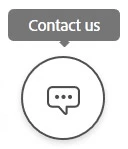
Click the chat icon. 

Type AGENT followed by enter key.


2 replies

Nancy OShea
Community Expert
Nancy OSheaCommunity ExpertCorrect answer
Community Expert
August 6, 2020

Use another device/browser (Chrome or Firefox) that does not have script blockers. 


You have 24/7 access to your account online.  Please log-in to your account below. This will tell you what you're paying for, how much and when it expires.
https://account.adobe.com/plans

If you still need help, scroll down to Contact Adobe on the same page.  

Click the chat icon. 

Type AGENT followed by enter key.


Nancy O'Shea— Product User & Community Expert
John T Smith
Community Expert
Community Expert
August 6, 2020

Be sure to remain signed in with your Adobe ID before accessing the link below
-you must also allow 'cookies' in your web browser for this to work
https://helpx.adobe.com/contact/support.html for chat or https://helpx.adobe.com/contact/phone.html
-click the chat icon at the bottom right of the page to open a chat session
-the chat icon looks like '3 dots inside a circle' at the lower right
-type AGENT into the chat window to connect directly to a person rather than the AI
Do be aware that Adobe's staffing is impacted by the virus, so wait times are long